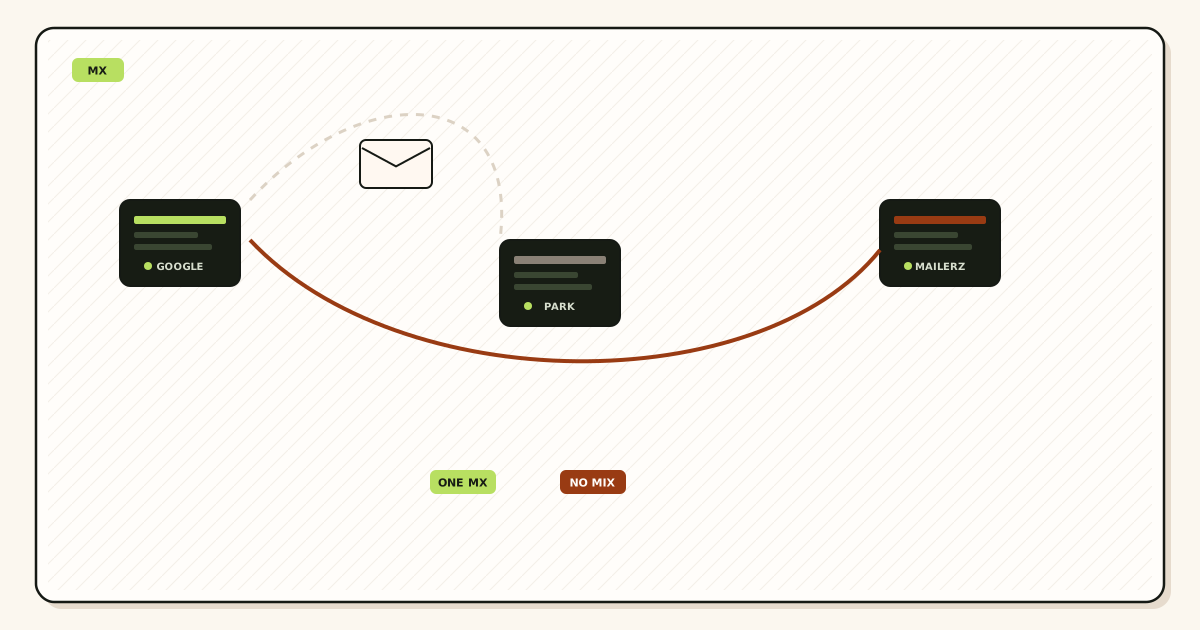
An mx rollback plan is exclusive restore of the dated old MX set, not two operators “until we are sure.” You publish the screenshot hosts only. You delete the new MailerZ names in the same hour. You wait the TTL you just replaced. You prove inbound on the old hop from a mailbox you do not own. Dual MX is how the failed cut started. It is not how you leave.

Quick answer for mx rollback plan
Rollback is the inverse of a clean cut. Change MX without losing email said screenshot first. This page assumes you did. If you did not, you are guessing hostnames from memory or from a registrar upsell. Guessing is how you restore the wrong Google set or a null MX and lose the rest of the day.
IETF RFC 5321 — Simple Mail Transfer Protocol still delivers to whatever MX the sender’s resolver returns. IETF RFC 1035 — Domain names still caches that answer. After you restore the old set, some senders will keep hitting MailerZ until the MailerZ MX TTL expires. That window is expected. Keeping MailerZ MX beside Google “so nobody misses mail” is a new split. You will spend the next week explaining why half the invoices are in two places.
Decide why you are rolling back before you touch DNS. Missing aliases, leftover MX you never deleted, or a self-send test are not rollback reasons. Those are fix-forward reasons. Rollback is for “the old host must answer again today,” usually because a dependency still lives there: a Workspace group, a device that only accepted mail at the old exchanger, or a contractual mailbox you cannot replace this week.
MailerZ Free is one domain, ten aliases, 14-day store, unknown held, no send-as. Paid cards add store length, aliases, optional catch-all forward, and send-as. Solo is $40 per year. Starter is $8 or $80. Business is $19 or $190. Agency is $39 or $390. Unlimited is $99/month or $990/year. Confirm pricing. Rolling back does not require a refund dance to be technically correct. It requires exclusive old MX.
Related: save the old MX set, MX propagation, leftover MX. This page is the restore order.
The user problem and the decision criteria
Founders roll back because Gmail did not show a message in ten minutes. They put Google MX back next to MailerZ. Now both stories are true and neither inbox is complete. The mx rollback plan they needed was: confirm the failure class, restore exclusive old MX if the old hop must win, or fix aliases and leftovers if MailerZ is already the right hop.
| Symptom | Rollback? | Do this instead |
|---|---|---|
| Public lookups still show Google plus MailerZ | No | Delete leftovers. You never finished the cut. |
| Exclusive MailerZ, one printed address missing | No | Create the named alias. Check hold on Free. |
| Wrong DNS panel, public NS unchanged | No | Edit the authoritative host. Clock never started. |
| Old Workspace group is the only archive | Yes if that must win today | Exclusive old MX. Export later. Recut when ready. |
| Self-send failed, third mailbox never tried | No | Probe from another provider first. |
| You have no screenshot | Not yet | Look up current public MX and old host docs. Do not invent. |
Agencies write the rollback owner on the cut ticket. The person who can open the authoritative panel at 11 p.m. is the owner. A Slack emoji is not an owner. If that person is on a plane, you do not cut.
Rolling back send-as is a different ticket. Restoring MX does not restore Gmail Send mail as through MailerZ. If you attached paid SMTP, leave it attached or disable it on purpose. Do not rotate SMTP secrets because inbound went back to Google. Those objects do not share a failure.
Technical mail flow during rollback
You delete MailerZ MX and publish the screenshot hosts. Authoritative answers change immediately. Resolvers keep MailerZ MX until that TTL ends. During that window, some senders still reach MailerZ. Named aliases there still forward if the domain remains in the dashboard. That is leftover new MX from the world’s point of view, even though you already deleted it in the panel. Wait. Do not add Google MX beside MailerZ to “cover” the wait. You already have coverage: caches.
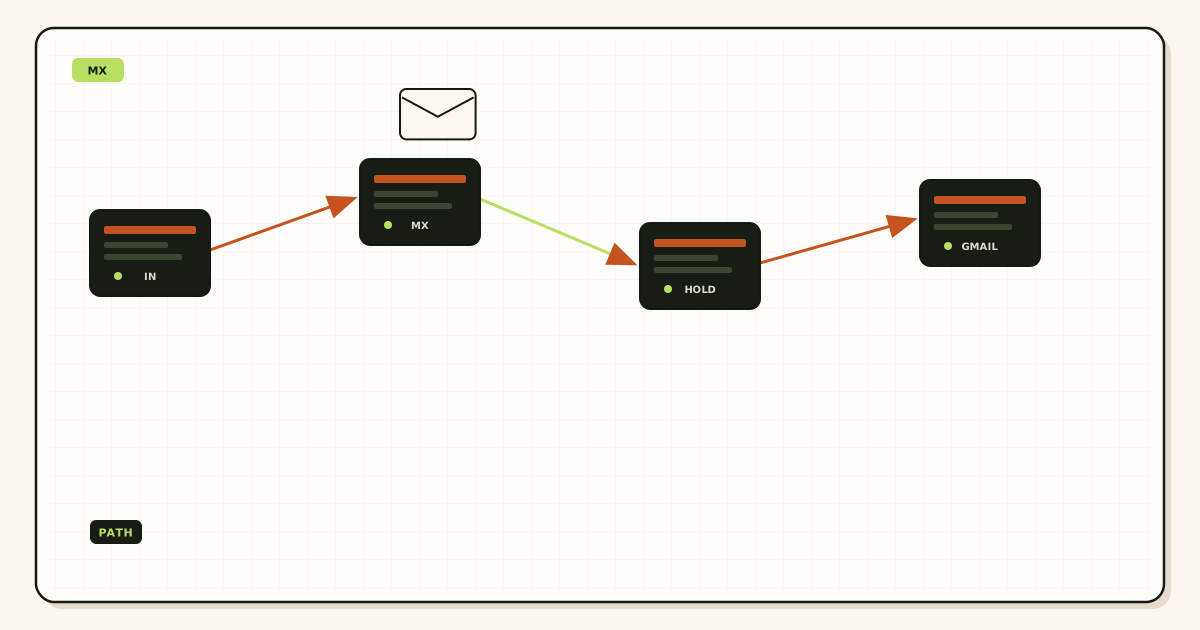
MailerZ hop history during the window may still show accepts. After caches flip, new messages will not appear there. Recovery store is 14 days on Free and 90 on paid for hops MailerZ took. It is not a copy of what Google accepted after rollback. Export anything you still need from MailerZ history before you assume the week is gone.
If you leave the domain in MailerZ after rollback, aliases sit unused. That is fine. It makes the recut faster. If you delete the domain in a panic, you will recreate TXT, aliases, and destinations later. Panic deletes are not part of a safe mx rollback plan.
Header From on MailerZ forwards was never rewritten. After rollback, the old host’s From behavior returns. Some old hosts rewrite. Some do not. Do not blame MailerZ for a Workspace From you just restored.
Preference games are not rollback. Publishing old MX at 20 and MailerZ at 10 is still two operators. Delete one set. See MX priority.
Unknown recipients after rollback follow the old host’s rules, not MailerZ hold. If you had created press@ only in MailerZ, the old Workspace will bounce or drop it. People call that “rollback broke a new alias.” The alias never existed on the hop you restored. Either keep MailerZ MX for that name—which means you should not have rolled back—or create the name on the old host, or accept the bounce. Write which names are MailerZ-only before you restore.
Catch-all forward on paid MailerZ also dies for new arrivals after caches flip. Held messages from before rollback remain in the 14-day or 90-day store if MailerZ accepted them. Release or read those on purpose. Do not assume rollback moved hold into Workspace. It did not.
SPF on the domain may still include MailerZ sending hosts after inbound rollback. That does not route inbound. It only matters if you still send through MailerZ. If you stopped send-as, clean SPF later as a separate edit. Do not merge SPF surgery into the MX restore hour. Two objects, two windows.
Device mail that only knew the old exchanger is a legitimate rollback reason. A scanner or postage meter that receives only at Google MX will not follow MailerZ. Keep that device on a suite, or replace the workflow. Do not dual-publish MX to humor one scanner. The rest of the company pays for that courtesy with split invoices.
Shared mailboxes at the destination do not change rollback. If hello@ used to land in a Workspace shared box and now lands in personal Gmail via MailerZ, rollback restores the shared box. Recut later with the Gmail destination you actually read. Write which store is canonical before you restore, or two people will fix DNS in opposite directions the same night.
When rollback is the job, gather these objects
The dated screenshot
Hostnames, preferences, two resolvers, date. If you only have a registrar email, verify those names still exist at the old vendor before you publish them.
Authoritative NS
Same panel rule as the cut. See authoritative nameservers.
Why the old hop must win
One sentence. If you cannot write it, you are probably fixing aliases, leftovers, or a self-send.
Where the old hop delivers
Workspace user, registrar webmail, or a forward you forgot. The probe must target an address that old hop still accepts.
TTL on the MailerZ MX you are removing
That number is the wait after restore. Read it before you delete if you still can.
If the screenshot is missing, query historical notes, the old vendor’s setup article, and current leftovers. Do not copy MX from a random 2019 blog. Google’s hostnames change. Registrar hosts change. A wrong restore is a new outage.
Step-by-step: roll back an MX migration safely
Write the reason and the screenshot on one line
If the reason is leftover MX or a missing alias, stop. Fix forward. Use MX troubleshooting.
Open the authoritative panel only
Confirm public NS. Phone apps stay off unless that is the real panel.
Publish the screenshot set as the only MX
Match hostnames and preferences. Delete MailerZ MX and any extras in the same hour. Demoting MailerZ to 20 is not deletion.
Compare two public resolvers
Use MX lookup. When they disagree, wait. When they still show MailerZ plus Google, you did not delete. When they show only the screenshot, start the probe clock after TTL if they just flipped.
Prove inbound on the old hop
Unique subject from a mailbox you do not own to an address the old host accepts. Confirm it landed in the old archive. Self-send can hide the truth again.
Leave MailerZ aliases in place unless you are abandoning the recut
Recut later with exclusive MailerZ MX, leftovers gone, aliases already mapped. See cutover runbook.
Tell the team the wait in UTC. “Rolled back at 16:10. Old TTL on MailerZ MX was 3600. Do not edit DNS. Probe at 17:15.” That message prevents a helpful person from republishing MailerZ ten minutes later.
If send-as was live, decide explicitly: keep MailerZ SMTP for outbound while inbound is old-host, or stop sending as the domain until you recut. Mixed inbound and outbound stacks are workable if you write them down. They are chaos if Gmail Send mail as still uses MailerZ while everyone thinks “we are back on Google.”
Failure modes that look like rollback
Dual MX courtesy. Proof: both company names in public. Fix: delete one set. This is the failure the plan exists to prevent.
Restoring from memory. Proof: published hosts do not match any vendor doc or old email. Fix: stop. Look up. Call the old vendor’s current MX list.
Rolling back a missing alias. Proof: exclusive MailerZ was already correct, billing@ was never created. Fix: create it. Hold on Free may already have the message.
Rolling back a wrong panel. Proof: public NS never changed. Fix: you have nothing to roll back. Edit the real host or finish the original cut there.
Toggle storm. Proof: MX edited six times today. Fix: pick exclusive old or exclusive new. Sit for one TTL. See propagation.
Deleting the MailerZ domain. Proof: TXT and aliases gone. Fix: you made the recut expensive. Restore MX only next time.
Registrar republish during rollback. Proof: a third host appears. Fix: delete it. Lock editors.
Probing a MailerZ-only alias against the old host. Proof: old Workspace never had hello@. Fix: probe an address the old hop still accepts, or accept that rollback cannot recreate a name that never existed there.
Expecting MailerZ recovery after the old host accepts again. Proof: empty new hops. Fix: look in the old archive. MailerZ only stores hops it took.
Null MX from a parking screenshot. Proof: domain refuses all mail. Fix: you restored the wrong era. Use the pre-cut mail screenshot, not a parking export.
MailerZ workflow and the product boundary
MailerZ remains a forwarder plus paid SMTP. It is not Workspace, not IMAP or POP, not an open relay, not SOC 2. Security. Docs. Rollback does not change that. You are choosing a different inbound hop, not converting MailerZ into a suite.
If you recut later, the same rules apply: named aliases, exclusive MX, leftover deletion, third-mailbox probe. Free still holds unknown. Paid may forward unknown after an audit. Seats still operate the dashboard.
Leaving the domain verified during rollback is operational hygiene. You still pay the plan you chose. You do not owe MailerZ inbound while MX points elsewhere. Send-as still requires Solo or higher and will still 550 unauthorized From values.
Compare paths if the rollback is really a vendor change: Cloudflare Email Routing, ImprovMX, Workspace. Those are product choices. This page is DNS exclusive restore.
Header From stays intact on MailerZ hops. After rollback, you inherit the old host’s auth story. If that host rewrites From, DKIM alignment may die again. That is a reason you left. Write it down so the recut is motivated by a fact, not a mood.
Cost of a clean rollback versus a messy week
The DNS edit is free. The screenshot was free. The expensive version is dual MX for five days plus two inboxes plus a customer who sent the contract to the quiet one. Staff time dwarfs Solo at $40 per year.
Do not buy Agency to roll back faster. Domain count is not a restore tool. Do not buy Workspace in the same hour as rollback unless the sentence is “we are staying on the suite.” Google Workspace — product overview is that stay. Mixing a new suite purchase with leftover MailerZ MX is another split.
If you recut next week, you already have aliases if you left the domain alone. That is cheaper than rebuilding maps. Free can receive the recut if ten aliases cover the printed set.
Export from the old host before the next cut if history matters. MailerZ will not import Workspace. Rollback is not an archive strategy. See forwarding is not an archive.
Tools: leftover MX after restore should not show MailerZ once caches agree. If it does, you did not delete. If it shows two old vendors, your screenshot was already dirty. Clean it to one operator.
Time the rollback like a cut. Friday 4 p.m. without an owner is how Monday starts with three MX names. Schedule the human.
A clean rollback is cheaper than hiring someone to “find the missing invoices.” Those invoices are often on the leftover host you kept “for safety.” Exclusive restore puts the next invoice in one place. Split MX puts it in a coin flip. Founders pay for the coin flip in support hours, not in DNS.
If legal or finance still require the old Workspace audit log, say that in the reason line. That is a real rollback. “Gmail search is slow” is not. Search speed is not MX. Do not restore a suite because a label is messy.
Solo, Starter, Business, and Agency do not include a rollback button. The dashboard cannot republish your old Google hosts. You own the zone. MailerZ can only show the MailerZ MX you would publish on a recut. Copy those again when you return. Do not keep them published beside the screenshot.
Contractors who “just add both MX records” are the usual source of a failed rollback. Write the rule in the runbook: one operator. Paste this page. If they cannot follow it, they should not have the DNS password.
After a successful restore, calendar the recut. Rollback without a recut date becomes permanent dual identity: brand in marketing, suite in DNS, MailerZ aliases rotting. Pick a week. Lower TTL a day before. Cut exclusive again. The aliases you left behind are the whole point of not deleting the domain.
If you will never recut, then delete leftover MailerZ MX (already done), remove unused send-as from Gmail, and cancel the plan you no longer use. Do not leave paid SMTP attached to a domain that no longer receives on MailerZ unless you documented outbound-only. Outbound-only is rare and easy to forget. Write it or tear it down.
Related operational pages: troubleshooting, DNS tools, and email forwarding. Use them on the recut, not as a substitute for exclusive MX during rollback.
FAQ
What is a safe mx rollback plan?
Republish the dated exclusive old MX screenshot as the only set. Delete the new MailerZ hosts in the same hour. Wait the new record’s TTL, then prove inbound on the old host from a mailbox you do not own. Dual MX is not a rollback.
Does this require a new mailbox?
No. Rollback changes which hop answers MX. Destinations stay whatever the old host delivered to. MailerZ is not IMAP. Buying a suite seat is a product change, not a rollback.
Will it work with Gmail or Outlook?
If the old MX was Workspace or Microsoft, those destinations return. If the old MX was a registrar mailbox, that webmail returns. Gmail as a personal destination only returns if the old host still forwarded there.
What DNS records are involved?
Exclusive old MX from the screenshot, leftover new MX deleted, authoritative NS so you edit the real panel. Do not keep two operators. SPF and DKIM for the old sender stack if you also send from that host again.
What should I test before production?
Two public resolvers show only the screenshot hosts. A unique inbound probe lands where the old host delivers. Self-send can lie. Do not announce rollback at minute zero.
Key takeaways
- Rollback is exclusive restore of the dated old MX set.
- Dual MX is not a safety net in either direction.
- Missing aliases and leftovers are fix-forward jobs.
- No screenshot means you research, then restore. You do not invent hosts.
- Delete MailerZ MX in the same hour you publish the old set.
- Wait the removed record’s TTL. Do not toggle.
- Prove inbound on an address the old hop still accepts.
- Leave MailerZ aliases in place if you will recut.
- Do not delete the MailerZ domain in a panic.
- Send-as is a separate decision during inbound rollback.
- MailerZ recovery only holds hops MailerZ took.
- Edit the panel that matches public NS.
- MailerZ is not IMAP, not a suite, and not SOC 2.
Conclusion and next action
A safe mx rollback plan restores one old exclusive set and waits. It does not run two mail companies. Most “rollbacks” should have been leftover deletion or a missing alias. Write the reason first.
Next action: if exclusive MailerZ is already true and one name is missing, create the alias. If two companies are published, delete one. If the old hop must win today, publish the screenshot only, delete MailerZ MX, wait TTL, probe the old archive. Then schedule the recut with aliases already mapped.
Keep the screenshot. The next cut and the next rollback are the same file. That is the whole discipline. If two people can edit DNS, put the screenshot in a shared drive they both already use, not in a chat image that disappears. Name the file with the domain and the date. The next emergency should not start with a hunt. If the file is a week old and someone edited MX since, take a new public lookup before you restore. Rolling back to a stale screenshot publishes ghosts. After restore, write the recut date in the same note. A rollback without a recut date becomes an unofficial suite forever, with MailerZ aliases rotting and send-as still attached in Gmail. Pick the week or tear the unused SMTP down on purpose. If nobody owns that sentence, the rollback was incomplete. Put the owner’s name next to the recut date so DNS does not become a group chat.
Recut when the old hop is no longer required
Start free, keep the aliases, publish exclusive MX.
Free receives one domain. Sign in if the domain is still there.
Review quarterly, or sooner if dashboard MX hostnames change. Author: MailerZ editorial, Secuno LLC.