SMTP delivered meaning is narrower than the word on a status page. A 250 means this hop accepted the envelope. It does not mean Primary, read, legally held, or even still present. The next hop or the destination store can file, delay, or drop the copy. MailerZ history can show the hop. It cannot file Gmail.
Quick answer for smtp delivered meaning
IETF RFC 5321 — Simple Mail Transfer Protocol defines reply classes. 2xx is success at this SMTP conversation. 4xx is temporary; the sender should retry. 5xx is permanent; the sender should stop. “Delivered” in casual speech usually maps to 250 after DATA. That is acceptance. The spec does not mention inbox tabs.
MailerZ records hops it accepted or refused. A history 250 on the forward to Gmail means Gmail’s SMTP said yes to that conversation. Gmail can still place the copy in spam or a filter. Product path: email forwarding and delivery recovery. If history is empty, leftover MX or a missing alias is first. See troubleshooting.
Confirm MailerZ pricing when the job is send-as, not when you are arguing about a word. Free receives. Solo is $40 per year. Starter is $8 or $80. Business is $19 or $190. Agency is $39 or $390. No plan turns 250 into Primary. No plan is an inbox SLA. No SOC 2 claim lives here.
Community threads treat “delivered” as a promise. See the Hacker News thread on forwarding and inboxing (nofollow) and quote opinions live if you cite them. This article stays on the reply. Google’s people-first guidance is about pages; see creating helpful, reliable, people-first content.
The user problem and the decision criteria
The ticket says the message was delivered. The evidence is a green badge in a client, a “Sent” folder, or a vendor dashboard. The inbox is empty. The decision is which hop said 250, and whether that hop was MailerZ. A leftover Google MX can 250 a copy into Workspace you no longer read. Gmail can 250 a forward and junk it. Those are both “delivered” in SMTP and both failures in the human sense.
| Question | If yes | If no |
|---|---|---|
| Does MailerZ history show 250? | The hop ran. Search the destination. | The envelope missed MailerZ. Fix MX or alias. |
| Is public MX exclusive? | You can trust which product 250’d. | Another host may have accepted the copy. |
| Is the proof a Sent folder? | That is outbound accepted, not inbound filed. | Good. Still open original at the destination. |
| Was the test a self-send? | Invalid for inbound MX. | Good. Use a third mailbox. |
| Is the reply a 4xx? | Not delivered. Wait or fix the temp error. | If 5xx, stop looping. |
Technical mail flow
The sending server connects to the MX it resolved, offers MAIL FROM and RCPT TO, then DATA. Each command can get a reply. Final 250 after DATA means this server accepted responsibility for that envelope at this hop. IETF RFC 5321 — Simple Mail Transfer Protocol does not require that server to be the last store. Forwarders accept and then open a new conversation to the destination.
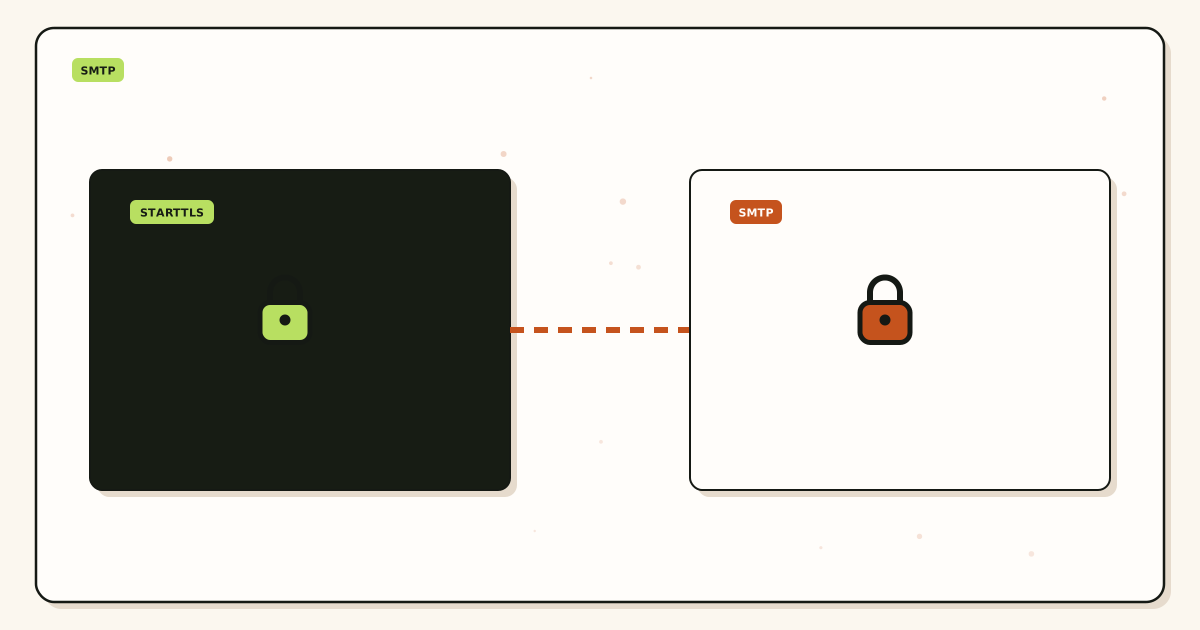
MailerZ inbound 250 means MailerZ accepted from the sender. A later 250 toward Gmail means Gmail accepted the forward. Two conversations. Two meanings. Operators paste the first and point at an empty inbox. The second conversation is the one that matters for “is it in Gmail at all.”
SPF, DKIM, and DMARC run at a receiving hop after the envelope is offered. IETF RFC 7208 — Sender Policy Framework (SPF) and IETF RFC 7489 — Domain-based Message Authentication, Reporting, and Conformance (DMARC) can fail and the hop can still 250, or the hop can 5xx. Tokens are not synonyms for delivered. A pass is not a folder. A fail is not automatically a missing history row.
Self-send from Gmail to the same Gmail account can skip public MX and show delivered locally. That 250 never used your exchanger. Probe from another provider. Unique subject. Match history.
Step-by-step setup and decision path
Name the hop you are quoting
Sender to MailerZ, or MailerZ to Gmail? Paste the history row, not a client badge.
Prove exclusive MX
Two resolvers. A second owner can 250 a copy you will never see in MailerZ.
Probe from a third mailbox
Unique subject. If history is empty, stop saying delivered. If history is 250, search the store.
Search every folder
Primary, Updates, Promotions, spam, helpdesk junk. A found copy is a filter, not a missing hop.
Classify 4xx versus 5xx
4xx: wait or fix the temp cause. 5xx: fix the permanent cause. Do not hammer 5xx.
Keep Header From intact
Rewriting From to “make delivered look cleaner” breaks DKIM. Delivered and aligned are different jobs.
Failure modes and proof
| What you see | Likely cause | Proof |
|---|---|---|
| Client says delivered, history empty | Leftover MX or local short-circuit | Two-resolver MX, third-mailbox probe |
| History 250, inbox empty | Filter, HOLD, or far-side drop | Folder search plus HOLD store |
| 4xx in history | Temporary refuse | Wait, then re-read. Do not call it delivered |
| 5xx in history | Permanent refuse | Fix alias, auth, or destination policy |
| Sent folder green | Outbound accepted | Not inbound proof |
| Vendor dashboard delivered | Their hop, not yours | Ask which MX they connected to |
Proof is the reply code, the hop name, and a folder search. A green verb in a UI is not proof. Agencies collect this per destination. Client Gmail can 250 and junk while Client Outlook 5xxs the same envelope.
MailerZ workflow and product boundary
MailerZ is inbound MX plus authenticated SMTP. Envelope SRS on forwards. Header From never rewritten. History is the evidence layer for hops MailerZ spoke. It is not a mailbox, not IMAP, not Workspace, not an open relay. Unhosted SMTP is 550 / 550 5.7.1.
HOLD stores unknown local-parts on Free. That copy is not “undelivered” in the human sense; it is held. Opening it is break-glass with an audit row. Free is one domain, ten aliases, 14-day store, send-as disabled, SMTP and API disabled. Solo is $40 per year: 5 domains, 25 aliases, 90-day store, 2,500 outgoing, five outgoing per hour, unknowns forwarded. Starter is $8 or $80. Business is $19 or $190. Agency is $39 or $390. Unlimited is $99/month or $990/year. Confirm pricing. Limits are not an inbox-placement SLA.
Features describe routing. They do not redefine 250. Paid plans do not buy Primary.
Cost, alternatives, and trade-offs
| Choice | What you get | What you give up |
|---|---|---|
| History plus folder search | A real split between hop and store | The comfort of one green word |
| Trust the vendor dashboard | Their hop’s 250 | Truth about your MX |
| Buy a suite to “see delivered” | A store. Quote live | The Gmail archive you already have |
| Retry a 5xx in a cron | Noise and possible duplicates | A clean failure you can fix |
Time is a line item. One history row costs less than another day of “but it says delivered.” Leftover MX costs more than Solo. A Free-plan send-as argument still costs more than the upgrade. If every teammate needs IMAP on the domain, a suite is the honest product. Pretty 250s will not become mailboxes.
2xx, 4xx, and 5xx
250 is the common success after DATA. Other 2xx replies exist for intermediate commands. Operators should quote the full line, not the first digit only, when they escalate. Enhanced status codes (5.7.1, 4.2.1) add a reason family. Read them. Do not invent a story that contradicts the text.
450, 451, and 452 are temporary. Greylisting, a full mailbox, a busy server. The sender should retry with backoff. Calling a 4xx delivered is how you close a ticket that will reopen in an hour. Calling a 4xx permanent is how you abandon mail that would have landed.
550, 551, 552, 553, and 554 are permanent at this hop. Unknown recipient, policy refuse, size, syntax. MailerZ unknown local-parts on Free go to HOLD rather than a silent void, depending on policy. That is not a 250 to Gmail. Do not tell the sender it was delivered to the inbox.
550 5.7.1 on outbound is authorization. Unhosted or unauthorized SMTP. That is the opposite of delivered. Fix the plan, the identity, and the credentials. Do not mix it into an inbound 250 ticket.
What delivered does not mean
It does not mean Primary. Gmail files after accept. Updates and Promotions are still delivered in SMTP and missing in the tab the founder watches.
It does not mean read. There is no SMTP reply for open. Receipts are a different, unreliable layer. Do not sell them as proof.
It does not mean legal hold. The 14-day Free store, the 90-day Solo–Agency store, and the 180-day Unlimited store are product windows. Counsel who needs years wants Gmail Vault or Microsoft retention. A 250 last Tuesday is not compliance.
It does not mean the body is intact at a later archive. A gateway after Gmail can mutate or drop. History still shows 250 to Gmail. Say that on the ticket.
It does not mean leftover MX is clean. Another product’s 250 is delivered to them. Your dashboard will look empty. Query public MX before you trust any verb.
How to read MailerZ history
Find the message-id and the UTC window. Read the inbound accept, then the outbound attempt to the destination. If inbound is missing, the sender never offered MailerZ the envelope. If inbound is 250 and outbound is 4xx, the copy may still be retrying. If outbound is 250 and the inbox is empty, leave SMTP class and open the store.
Header From intact on the copy you eventually find is proof the hop did not impersonate. If From is you, a rewrite happened and you are in a different article. Delivered plus rewritten From is how helpdesks open cases as the wrong person.
Empty history after exclusive MX and a real probe means the sender’s smart host or cache still has the old exchanger, or the alias does not match the envelope recipient. Print the envelope, not the pretty To line.
Retry, duplicates, and 5xx
SMTP retries on 4xx. If both sides retry without idempotency, humans see duplicates. A second “send” button after a 250 is how you create two copies. Teach operators: one 250, stop. If the inbox is empty, search, do not resend, until you know the hop failed.
Resending after a 5xx without a fix just farms the same refuse. Change the alias, the destination, or the policy first. Then send a new uniquely titled probe. Do not loop a cron at a 550.
DSN bounces after SRS should return to MailerZ, not to a bank that never heard of your Gmail. That bounce is evidence the destination later refused or could not store. It is not a contradiction of an earlier 250 at a previous hop. Name the hop on the ticket.
If a second operator needs the same order without a call, send this page plus the MX checklist and the deliverability article. Exclusive hosts. History class. Folder search. That order prevents the most expensive wrong fix: republishing MX because a green word met an empty tab.
Paid plans do not change the definition. Solo, Starter, Business, and Agency still get 250 as acceptance. The upgrade changes send-as and limits. It does not make 250 mean Primary. Do not buy a plan to paint a verb.
Legal hold is not the Free store. Two-factor on the destination Gmail is still required after history looks clean. Agencies: one hop quote per zone and per destination. A shared screenshot of one 250 does not certify the book.
Registrar included forwarding can 250 into a webmail nobody opens. Migrating that product to MailerZ is how the verb and the inbox finally refer to the same store. Do not keep both MX owners while you argue about delivered. You have two 250s for two products.
Night operators sometimes call a queued 4xx delivered to close the shift. Leave the ticket open with the code. Morning you will know if it became 250 or 5xx. Closing on a 4xx is how invoices vanish over a weekend.
Enhanced status codes deserve a slow read. 5.1.1 is unknown recipient. 5.7.1 is policy or authorization. 4.2.2 is often mailbox full. 4.7.0 is often a temporary policy. Operators who only paste “550” lose the family. MailerZ history should be copied as the full line. Support that asks for “the error” without the text will guess wrong.
Pipelining and CHUNKING do not change the meaning of the final 250. They change how commands are batched. If a middlebox breaks the pipeline, you may see odd disconnects that are not 250 and not a clean 5xx. That is a transport bug. Do not call it delivered. Capture the last reply you actually received.
LMTP and proprietary store APIs are not SMTP. A host that says delivered via an internal API after accepting from MailerZ is a second system. Your 250 from Gmail’s SMTP is still only Gmail’s SMTP. If the company then journals to a third archive, that archive’s missing copy is not a MailerZ miss. Name each accept.
Message-id is the join key. Clients regenerate ids when you hit Send again. Two ids are two envelopes. “I resent it and now there are two” is not a MailerZ duplicate bug if you offered two DATAs. Teach the team: search the first id before you create a second.
Envelope recipient versus Header To still applies. A BCC or list expansion can 250 for sales@ while the header shows hello@. History matches the envelope. If you only created hello, you will call the message undelivered. It was delivered to a different local-part, or HOLDed, or refused. Print the envelope from logs before you redefine 250.
IPv6 versus IPv4 can yield different replies if one family is firewalled. The sender may 250 on IPv4 and never try IPv6, or the reverse. History shows the family that connected. Do not republish MX because a dual-stack checker disagrees with a single successful 250.
TLS required versus opportunistic STARTTLS can produce a 5xx that looks like a deliverability incident. It is a policy refuse. Fix the destination requirement or the hop’s TLS. Do not call a TLS refuse delivered. Do not call a successful 250 on cleartext a security audit. They are different columns.
Plus-addressing does not change 250. If the destination does not accept plus tags, you may see a 5xx on the forward while inbound to MailerZ was 250. That is two hops telling the truth. Create a plain alias the destination will accept, or HOLD and retrieve. Do not tell the original sender their 250 to MailerZ means Gmail has the plus address.
Plan limits change when a 250 is even possible. Free cannot send-as. A WordPress or Gmail SMTP attempt on Free is a 550 class refuse, not a deferral. Solo is $40 per year with 2,500 outgoing per month. Hitting the hourly cap is a temporary throttle, not “undelivered forever.” Read the exact line. Confirm ceilings on pricing. Caps are not an inbox-placement SLA and not a promise the dest user opened the mail.
Catch-all FORWARD can 250 a harvested local-part into Gmail while hello@ looks fine. That 250 is still only this hop accepting the leftover. It is not proof you wanted that string. Hold unknowns on everyday production. Review the store. Promote a leftover only when a real person used it. A 250 on junk is still a 250. Do not celebrate it.
Empty MailerZ history with a vendor “delivered” badge means their hop accepted something that never reached this layer. Leftover MX and a wrong alias are the usual reasons. Look up MX twice. Then search the dest. Do not redefine 250 to mean the badge. Quote the hop that actually answered, including the timestamp.
FAQ
What is the safest way to handle smtp delivered meaning?
Treat a 2xx as this hop accepted the envelope, not as Primary or read. If MailerZ history shows 250 and the inbox is empty, search every folder, then HOLD, then the destination. If history is empty, the hop never happened. Do not retry a 5xx in a loop.
Does this require a new mailbox?
No. Delivered is an SMTP reply, not a store. Gmail or Outlook can stay the destination. MailerZ is not IMAP. Buy hosting only if you need folders on the domain instead of Gmail.
Will it work with Gmail or Outlook?
Both can return 250 and still file spam or drop the copy later. Gmail Send mail as “sent” is not inbound delivered. Self-send can skip MX. Free has no send-as. Neither product is an inbox SLA.
What DNS records are involved?
Exclusive MX so the hop you are reading is the hop that ran. Leftover MX means some senders got a different 250 from a different product. SPF and DMARC do not mean delivered. They mean authorized or aligned after a hop exists.
What should I test before production?
Two-resolver MX, a uniquely titled third-mailbox probe, history 250, Header From intact, then a search of Primary, Updates, Promotions, spam, and the helpdesk. A client “Sent” folder is not inbound proof.
Key takeaways
- SMTP delivered meaning: this hop accepted the envelope. Usually a 250 after DATA.
- It does not mean Primary, read, legal hold, or still present.
- 4xx is retry. 5xx is stop. Neither is delivered.
- Empty MailerZ history means the hop missed you. Leftover MX or alias first.
- History 250 plus empty inbox is a destination or HOLD job.
- Sent folder and vendor dashboards quote their hop, not yours.
- Free receives. Solo $40/yr starts send-as. Confirm /pricing.
- Envelope SRS only. Not IMAP, not an inbox SLA, not SOC 2.
Conclusion and next action
If someone says the message was delivered, ask which hop returned 250. Read MailerZ history. Search the store. Leave 4xx open. Stop looping 5xx. MailerZ can show the conversation. It cannot file Primary or invent a log for mail that went to leftover Google MX. Start free on one domain and match a third-mailbox probe to a history row.
Ready to read the hop
Start free with one domain and a history row you can quote.
Inbound on Free. Solo when send-as is the job. Sign in if the domain is already there.
A 250 is an accept at one hop. Ask which hop before you close the ticket.
Review quarterly, or sooner if MailerZ history labels or destination folder names change. Author: MailerZ editorial, Secuno LLC.