SMTP STARTTLS vs TLS is a matched-pair problem, not a security ranking. STARTTLS starts a plain SMTP session and upgrades it. Implicit TLS wraps the session from the first byte. The setting you should use is the one that belongs to the host and port on your MailerZ dashboard. Mixing them is how “authentication failed” appears before a message exists.
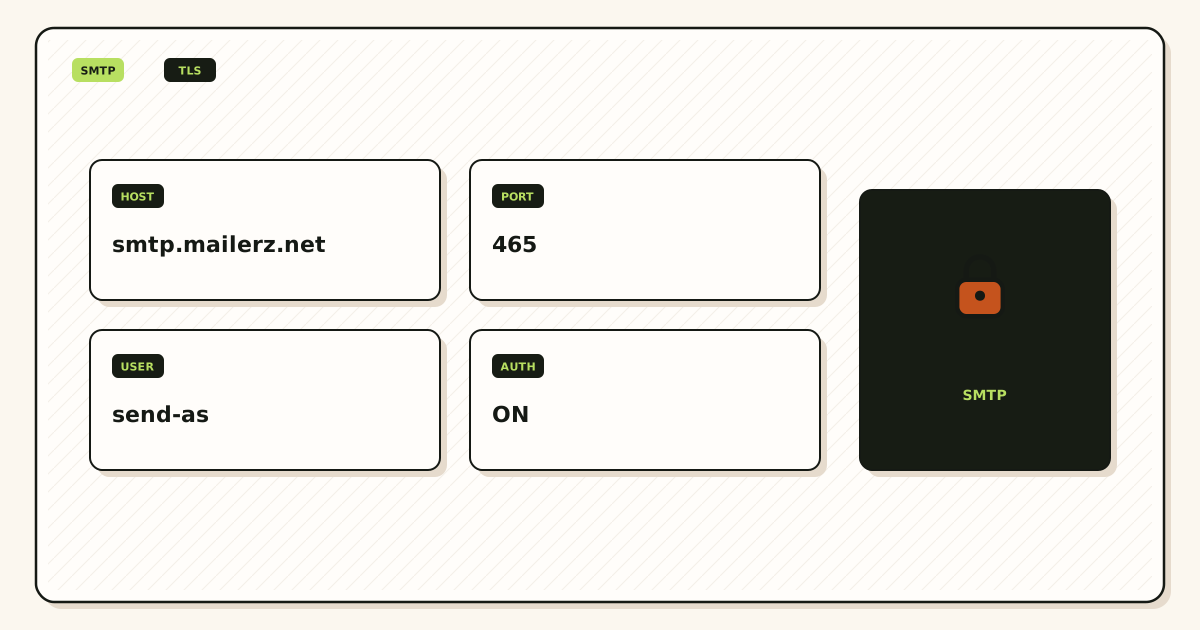
Quick answer for smtp starttls vs tls
Use the encryption the MailerZ dashboard shows for that credential. The product documents the pair as TLS or STARTTLS from the dashboard, on a secure port, with a generated username and password. Do not invent a port from a forum. Do not pick STARTTLS because a blog said it is “more modern,” then point it at a port that expects implicit TLS.
In the wider internet, submission often uses port 587 with STARTTLS, and implicit TLS often uses port 465. IETF RFC 3207 defines SMTP STARTTLS. IETF RFC 8314 recommends implicit TLS for submission when the server offers it. Those RFCs describe the industry. They do not override the values MailerZ printed for your domain.
Authenticated SMTP is a paid MailerZ job. Free has no send-as. Solo is $40 per year only: 2,500 outgoing per month, 20 send-as per hour. Starter is $8 or $80: 5,000 outgoing, 40 per hour. Business is $19 or $190: 12,000 outgoing, 60 per hour. Agency is $39 or $390: 20,000 outgoing, 60 per hour. Confirm MailerZ pricing. Caps are not an inbox-placement promise.
MailerZ is a delivery layer operated by Secuno LLC. Envelope MAIL FROM can use SRS. Header From is never rewritten. It is not Google Workspace, not IMAP, and not an open relay. Unauthorized send gets 550 / 550 5.7.1. The send surface is send and reply as your domain. Field maps live in the MailerZ documentation. Features are on MailerZ features.
Gmail’s client half is “Send mail from a different address.” See Google Gmail Help — Send mail from a different address. Microsoft’s device-send article is Microsoft Learn — Send email from a device or app using Microsoft 365. Both assume you already have a working SMTP server. Competitor SMTP docs, including ImprovMX’s, are research for UI labels, not proof of MailerZ ports.
The user problem and the decision criteria
The usual ticket is a red banner in Gmail: could not authenticate. The founder toggles SSL, TLS, and STARTTLS in random order. Sometimes they switch from 587 to 465 without changing the encryption name. Sometimes they paste a password with a trailing space. Sometimes they are still on Free and there is no legal identity to use.
The other ticket is a successful SMTP AUTH and a message that still leaves as @gmail.com. That is a From-selector problem, not a STARTTLS problem. Do not replace a working encryption pair while debugging the wrong object.
| Question | If yes | If no |
|---|---|---|
| Does the dashboard show a host, port, and encryption together? | Copy that triple. Stop shopping forums. | You may be on Free, or send-as is not enabled. |
| Does the client label say SSL/TLS while the dashboard says STARTTLS? | Match meaning, not marketing words. Or pick the other dashboard pair. | Good. Use the same words if they exist. |
| Did inbound fail first? | Fix MX and leftover records before SMTP. | You can debug submission in isolation. |
| Are you sending campaigns? | Use a campaign platform. MailerZ is not that. | Stay inside published hourly and monthly caps. |
| Is the From unauthorized or the domain unhosted? | Expect 550. Encryption will not override policy. | A handshake error is more likely the pair mismatch. |
Technical mail flow
Submission is not the same hop as inbound MX. Inbound is IETF RFC 5321 — Simple Mail Transfer Protocol to your domain’s MX. Outbound send-as is your client connecting to MailerZ’s submission host, authenticating, and offering a From identity you are allowed to use.
STARTTLS
The client connects in the clear, sees that the server advertises STARTTLS, upgrades, then authenticates. If a network path strips the upgrade, a poorly configured client might continue in the clear. That is the historic complaint. A correctly configured client that requires the upgrade will fail closed. Your job is still to use the port that expects this dance.
Implicit TLS
The client starts TLS immediately, then speaks SMTP inside the tunnel. Clients often label this SSL, TLS, or SSL/TLS. If you speak plain SMTP on that port, the handshake dies. If you speak STARTTLS on that port, the handshake dies. The name in the dropdown must match the port’s personality.
What encryption does not do
It does not publish SPF, DKIM, or DMARC. Those are DNS. IETF RFC 7208 — Sender Policy Framework (SPF), IETF RFC 6376 — DomainKeys Identified Mail (DKIM), and IETF RFC 7489 — Domain-based Message Authentication, Reporting, and Conformance (DMARC) still apply to the sending identity. It does not rewrite Header From. MailerZ never rewrites Header From on inbound. Outbound, the From is the identity you authenticated. It does not file the message in Gmail Primary.
Transport between MailerZ and the destination after you submit is a later hop. STARTTLS on submission is not a promise about that later hop. Do not quote this article as an end-to-end encryption product.
Step-by-step setup and decision path
Debug in order. Encryption last among firsts: inbound, plan, then pair, then From selector.
Prove inbound
Verification TXT, one MX set, leftover MX deleted, uniquely titled probe from another provider. Self-send lies.
Leave Free if send-as is the job
Solo or higher. Copy host, port, encryption, username, password from the dashboard. Re-copy if you rotate the password.
Paste the pair without “improving” it
If the dashboard says STARTTLS on that port, the client must say STARTTLS. If it says TLS, the client must start TLS. Do not swap 587 and 465 from memory.
Attach Gmail Send mail as or Outlook SMTP
Complete Google’s verification if asked. Prefer the inbound path so the verification message is a real test. Then send outward to a second external inbox.
Require encryption in the client if the option exists
A client that will silently fall back to cleartext is the wrong client setting. Fail closed.
Watch history and caps
550 5.7.1 is policy, not STARTTLS. Hourly and monthly counters are plan limits. Campaign volume belongs elsewhere.
Failure modes and proof
Proof of a good pair is a successful AUTH, a history row, and a recipient copy whose From is the domain. Proof of a bad pair is a handshake or AUTH error that names the server. Screenshots of a Gmail tab are not proof of TLS.
| Symptom | Likely cause | What to check |
|---|---|---|
| Certificate or handshake error | Implicit TLS on a STARTTLS port, or the reverse. | Dashboard triple. Re-copy all five fields. |
| Authentication failed | Wrong user, stale password, or still on Free. | Rotate if leaked. Paid plan. No trailing space. |
| Timeout | Wrong host, blocked port, or leftover “localhost” SMTP. | Exact dashboard host. Network path. |
| Sends as @gmail.com anyway | Default identity. | From selector. Reply-from-same-address. |
| 550 / 550 5.7.1 | Unauthorized From, unhosted domain, open-relay attempt, or cap. | Exact SMTP text. History. Plan counters. |
| Verification mail missing | Inbound MX, not TLS. | External probe. Leftover MX. |
| Self-send missing | Gmail short-circuit. | Second provider. Expected. |
Do not mail SMTP passwords to support. MailerZ does not claim SOC 2, ISO 27001, HIPAA, or an uptime SLA. Controls wording lives on Security and Trust Center.
MailerZ workflow and product boundary
MailerZ is a custom-domain email delivery layer operated by Secuno LLC. Point MX at MailerZ. Mail for a hosted, verified domain can land in Gmail or Outlook. Paid plans add authenticated SMTP so the same domain can send and reply. The live site is mailerz.net. The app is mail.mailerz.net.
Positioning: authenticated SMTP sending from verified domain identities. The encryption debate is how the client reaches that SMTP. It is not a second product.
What MailerZ does in this workflow
- Accept inbound mail for verified domains and configured recipients.
- Preserve Header From on the forward.
- Hold or forward unknown recipients according to plan and settings.
- Store messages for 14 days on Free or 90 days on paid plans.
- Offer authenticated SMTP on paid plans with dashboard host, port, and TLS or STARTTLS.
- Refuse unhosted or unauthorized send with 550 / 550 5.7.1.
- Record delivery history for inbound and outbound hops.
What MailerZ does not do
- Replace Gmail or Outlook with IMAP or webmail.
- Rewrite header From, Subject, Date, Message-ID, body, or MIME.
- Offer send-as on Free.
- Promise inbox placement, uptime SLAs, or review counts.
- Claim SOC 2, ISO 27001, or HIPAA.
- Act as an open relay.
- Send newsletters or purchased lists.
Cost, alternatives, and trade-offs
Encryption choice is not a price tier. Free versus paid is send-as availability. STARTTLS versus implicit TLS is a dashboard pair. Paying Business does not make a mismatched port work. Staying on Free does not make a correct pair appear.
| Approach | You get | You give up |
|---|---|---|
| Dashboard pair, unchanged | A handshake the server expects. | The joy of customizing ports from Twitter. |
| Forum ports + random encryption | A longer evening. | AUTH, and sometimes the weekend. |
| Separate random SMTP vendor | Possible, if you like two logs. | Split evidence when a message disappears. |
| Workspace SMTP | Suite submission if you bought the suite. | You are no longer on the Gmail-layer path. |
RFC 8314’s preference for implicit TLS is a useful industry note. It is not a command to ignore the dashboard. If MailerZ shows STARTTLS for the credential you have, that is the setting. If it shows TLS, that is the setting. If it shows both pairs, pick one complete pair and keep it consistent in the client.
Cleartext port 25 from a laptop is not this product’s submission story. Do not send MailerZ passwords down port 25 “to see.” Do not disable encryption to work around a corporate firewall without talking to the people who run that firewall.
Corporate networks sometimes allow 443 and block 465 or 587. That is a network problem. Switching encryption labels will not open a blocked port. Talk to whoever runs egress. A VPN that “fixed SMTP once” is an anecdote, not a MailerZ setting. Do not paste passwords into random web testers.
Password managers that wrap fields can insert a newline. That looks like a TLS bug. Re-type the password once from the dashboard copy control if the product offers one. Rotate if you pasted it into a ticket. Treat the credential like a mailbox password even though MailerZ is not a mailbox.
Multiple devices should share the same pair. A phone on implicit TLS and a laptop on STARTTLS against different ports can both work if each pair is complete. They can both fail if someone “standardized” the encryption name across devices without the ports. Standardize on the dashboard screenshot, not on a memory of 587.
Apps and printers that only offer “SSL on” as a checkbox are implicit TLS in disguise. If the dashboard pair is STARTTLS, that device may be the wrong client. MailerZ will not grow a third personality because a postage meter is old. Use a machine that can say the words the dashboard says, or send from Gmail after Gmail has the identity.
Field notes for STARTTLS versus implicit TLS
Copy the dashboard trio, do not invent a port
STARTTLS versus TLS for SMTP is a settings question, not a branding question. Implicit TLS wraps the socket from the first byte. STARTTLS starts in cleartext and upgrades after a command. Mixing them — STARTTLS on a port that expects implicit TLS, or implicit TLS on a port that expects STARTTLS — looks like a hang or a certificate surprise. MailerZ send-as uses the host, port, and TLS mode copied together from the dashboard. Do not invent 587 because a blog said 587. Do not invent 465 because a different blog said 465. ImprovMX SMTP pages are a competitor hop. Cite them nofollow if you compare. Do not copy their ports onto this product.
Free has no send-as. A TLS debate on Free is a distraction. Upgrade to Solo at forty dollars a year if the domain From must travel, or stay inbound-only. Confirm live pricing. Starter, Business, and Agency raise outgoing and hourly caps. They do not change TLS physics and they do not buy inbox placement.
AUTH is hop zero
Could-not-authenticate is not a destination 550 and not a greylist 421. It means the client never became a MailerZ client. Wrong host, wrong port, STARTTLS versus implicit TLS mix-up, user that is not the dashboard pair, or Free with no send-as. Fix the trio. Do not retry in a loop. A loop of AUTH failures looks like abuse.
Copy user and password from the same dashboard card as the host. Do not paste a Gmail password into the SMTP plugin and call it custom SMTP. Gmail Send mail as is a later hop that uses the MailerZ pair. It is not a reason to use smtp.gmail.com as the relay for your domain From.
What TLS protects and what it does not
TLS encrypts a hop in transit when the upgrade succeeds. It does not encrypt the body at rest in Gmail. It does not replace SPF, DKIM, or DMARC. Those authenticate and align. They are not encryption. STARTTLS can fail open on some paths. Even when it succeeds, this hop and the dest store still see plaintext. That is email. Do not tell procurement that a green TLS setting is HIPAA. Point questionnaires at the security page.
MailerZ is inbound MX plus authenticated SMTP from Secuno LLC. Envelope SRS only. Header From, Subject, Date, Message-ID, body, and MIME are never rewritten. Not Google Workspace, not IMAP or POP, not an open relay. Unauthorized send is SMTP 550 / 550 5.7.1. Leftover MX is a hard stop. Self-send from Gmail to the same Gmail account can hide routing errors. Not SOC 2, not ISO 27001, not HIPAA.
Clients that lie about the mode
Some WordPress plugins label SSL, TLS, and STARTTLS as if they were synonyms. They are not. If the plugin offers SSL, it often means implicit TLS. If it offers TLS, it might mean either. Match the dashboard. If AUTH fails after you toggled the label, toggle back and copy the trio again. Do not add leftover Google MX to “help SMTP.” MX is inbound. This page is outbound submit.
Apple Mail, Outlook, and swaks all need the same trio. A laptop swaks success does not prove a CMS that still has the wrong mode. Prove the client that will run in production.
Worked story
A site used implicit TLS on a STARTTLS port. Timeouts. The operator opened port 25 on the app host “so mail would go out.” That created a listener. They closed 25, copied the dashboard trio, sent one unique subject to a third mailbox, and history showed 250. The TLS label was the bug. The open 25 was the incident.
A second team stayed on Free and argued STARTTLS versus SSL for an hour. Every submit was 550 5.7.1. They upgraded to Solo, mapped From, copied the trio, and the next message 250’d. The settings debate was not the gate. The plan was.
Close criteria
Paid plan if you send. Mapped From. Dashboard host, port, and TLS mode copied together. One unique subject. Third mailbox including spam. History 250. Header From intact. No invented ports. No Gmail password in the plugin. No leftover MX as an SMTP fix. MailerZ Free is one domain, ten aliases, one seat, a 14-day store, send-as disabled, SMTP and API disabled, and unrouted mail held or rejected only. Solo is $40 per year only. Starter is $8 monthly or $80 yearly. Business is $19 or $190. Agency is $39 or $390. Unlimited is $99/month or $990/year. Confirm numbers on the pricing page. Limits are not an inbox-placement promise.
Related: how to test SMTP from Linux with swaks or OpenSSL, how to diagnose WordPress could not authenticate, TLS for SMTP what it protects, send and reply, troubleshooting. Start free for inbound. Solo when From must travel.
Operator packet for SMTP TLS settings
Write the trio on the ticket
Host, port, and TLS mode as one copied block from the MailerZ dashboard. If a plugin collapses those into SSL versus TLS labels, map the label back to the dashboard, do not guess. A hang after connect is often implicit TLS on a STARTTLS port. A certificate name surprise is often the wrong host. AUTH failure after a label toggle is hop zero. Stop the loop. Free cannot send-as. Solo is forty dollars a year when From must travel. Confirm pricing.
Prove the production client
swaks on a laptop is useful and not sufficient. WordPress, a cron, and Gmail Send mail as are different clients. Prove the one that will run. Unique subject. Third mailbox including spam. History 250. Header From is the mapped alias. Close inbound 25 on any app host. MailerZ is a submit target, not a reason to run Postfix.
What not to change while debugging TLS
Do not add leftover Google MX. Do not open port 25. Do not paste smtp.gmail.com. Do not invent 587 or 465 from a competitor page. Do not call a green TLS checkbox encryption or HIPAA. Point questionnaires at the security page. Envelope SRS is inbound. Header From stays. Not SOC 2.
Done
Paid plan if sending. Mapped From. Dashboard trio. Production client 250. Third mailbox. No invented ports. Start free for inbound. Sign in if the domain is already there.
Definition of done
Night operators who “just switch SSL to TLS” without copying the dashboard trio recreate the hang. Write the trio on the ticket. Prove the production client. Close inbound 25. Free has no send-as. Solo is forty dollars a year. Confirm pricing. STARTTLS versus implicit TLS is a mode match, not a personality. MailerZ will 250 a From it knows on the mode it documented. It will not guess your plugin label. Start free for inbound. Upgrade when the domain From must travel.
If AUTH still fails after the trio matches, you are on Free, the From is unmapped, or the secret was rotated. That is 550 5.7.1 or hop-zero AUTH, not a TLS philosophy. Stop the loop. Related swaks and WordPress authenticate pages exist. Not SOC 2. Not an inbox SLA. Header From stays. Envelope SRS is inbound.
FAQ
What is the safest way to handle smtp starttls vs tls?
Copy the host, port, and encryption pair from the MailerZ dashboard on a paid plan. Use STARTTLS only on the port that expects an upgrade. Use implicit TLS (often labeled SSL/TLS) only on the port that expects TLS from the first byte. Do not mix them. Prove inbound before you debug SMTP.
Does this require a new mailbox?
No. Authenticated SMTP send-as is an identity on a domain you already receive. MailerZ is Mail Box portal webmail (Inbox, Sent, New email). It is not IMAP or POP. Gmail or Outlook stays the store. Free has no send-as.
Will it work with Gmail or Outlook?
Yes when you paste the dashboard values into Gmail Send mail as or a manual Outlook SMTP identity. Gmail’s labels are in Google’s send-from-a-different-address help. Outlook labels vary by version. A mismatched encryption setting fails before a message exists.
What DNS records are involved?
SMTP encryption is a client-to-submission setting, not a DNS record. You still need a verification TXT, one MX set for inbound, leftover MX removal, and the SPF, DKIM, and DMARC values shown for the sending identity.
What should I test before production?
Prove inbound from an unrelated mailbox first. Then send outward through the custom From to a second external inbox. Confirm delivery history and recipient headers. Self-send from Gmail to the same Gmail account can hide routing errors. Authentication failures are usually a port and encryption mismatch.
Key takeaways
- SMTP STARTTLS vs TLS is a matched host-port-encryption triple.
- STARTTLS upgrades. Implicit TLS starts encrypted. Do not mix them.
- Copy MailerZ dashboard values. Do not invent ports from forums.
- Free has no send-as. Encryption will not create a credential.
- Inbound MX failures are not TLS failures.
- 550 5.7.1 is policy. Handshake errors are usually the pair.
- Header From stays on inbound. Envelope SRS is the allowed rewrite.
- RFC 3207 and RFC 8314 describe the industry. The dashboard describes your account.
- Test outbound to a second mailbox. Self-send lies.
- MailerZ is not SOC 2, not IMAP, and not an open relay.
Conclusion and next action
If you came here for smtp starttls vs tls, stop ranking the words. Match the pair. Prove inbound first. Upgrade when the From must travel. Then send to someone who is not you.
MailerZ fits when you want that authenticated SMTP on a domain you already receive. It does not fit when you need a hosted mailbox for every user, a certified compliance report, or campaign-scale sending. Start on Free if you only need to watch inbound. Move to Solo or another paid plan when send-as is required.
Next action: add one domain, prove inbound from another mailbox, then open the dashboard SMTP fields and paste them without editing. The register path is one domain, not a suite migration.
Ready to test both directions
Start free with one domain and prove the path.
Inbound on Free. Paid send-as with the dashboard TLS or STARTTLS pair when the From must travel.
Review quarterly, or sooner if MailerZ SMTP labels, client UIs, or plan limits change. Author: MailerZ editorial, Secuno LLC.