WordPress contact form SMTP custom domain setups fail when the plugin silently falls back to php mail(). You publish DKIM, AUTH a test, and production still leaves unsigned as wordpress@. Use a real SMTP plugin, a paid plan, an approved From such as hello@ or forms@, and a destination that is not the same Gmail you self-send tests to.

Quick answer for wordpress contact form smtp custom domain
Visitor-as-From is a deliverability anti-pattern. The site is the author. The visitor belongs in the body and Reply-To.
Hourly caps matter. A bursty form on Solo (20/hour) will 550. Queue or upgrade.
Inbound MX still matters if Gmail must confirm send-as or if the form mails a domain alias you receive.
There is already a WordPress-without-mailbox article. This one is the contact-form path specifically.
Authoritative mail transport is still IETF RFC 5321 — Simple Mail Transfer Protocol. send reply. docs. features.
Prove the hop with a received copy before you treat wordpress contact form smtp custom domain as a DNS edit.
Start free — one domainThe real decision
Hosts advertise “mail just works.” It works until Gmail junks it.
Decision: MailerZ SMTP versus an ESP. ESPs for volume. MailerZ for low-volume operational mail within published caps.
Multiple plugins fight over From. One plugin wins. Name it.
A suite SMTP connector is another host. Do not mix.
When this path is enough
- You can staff exclusive MX and named aliases.
- You will keep Header From intact.
- You can probe from another mailbox.
When this is the wrong ticket
- History is empty and leftovers remain.
- You want an inbox placement SLA.
- You plan to rewrite visible From.
Technical mail flow
Form POST → plugin SMTP AUTH → MailerZ → destination. DKIM signs if published.
If plugin uses wp_mail without SMTP, the host’s sendmail leaves. We never see it.
Unauthorized From 550. Wrong From in the plugin.
Self-send to admin@ same Gmail lies.
Step-by-step decision path
- Inventory leftovers. Screenshot current MX, SPF, DKIM, NS.
- Verify the domain. TXT as the dashboard states.
- Create named aliases first. Do not cut MX onto empty maps.
- Publish one MX set. Delete Google, Microsoft, registrar leftovers.
- Prove from another mailbox. Unique subject. Header From intact.
- Only then send-as if paid. Dashboard SPF/DKIM. Outbound probe.
- Store the proof packet. MX, hop, headers, plan name.

Worked examples
Contact Form 7 plus a real SMTP plugin. From hello@. Reply-To visitor. Probes passed.
They left From as the visitor. Gmail junked everything. Fixed From, kept Reply-To.
Free plan 550. Solo. Same plugin settings then worked.
Two SMTP plugins. Random host. Disabled one.
Form floods during a launch. Hit 40/hour on Starter. Queued.
If history and public MX disagree, believe MX first.
Open the matching guideFailure modes and proof
| Symptom | Likely cause | Proof |
|---|---|---|
| Empty history | Leftover or cached MX | Two resolvers |
| Unknowns missing | Free HOLD | History hold |
| Header From rewritten | Wrong hop | Received From |
| SMTP 550 send-as | Free or unauthorized From | History line |
| spf=fail hop two | Naive envelope | Return-Path |
| Still spam after clean hop | Destination filters | Not an SLA |
| Self-send clean | Short-circuit | Other mailbox |
| Wrong DNS panel | NS ≠ registrar UI | NS lookup |
MailerZ workflow and product boundary
Secuno LLC operates MailerZ. Site: mailerz.net. App: mail.mailerz.net. Envelope SRS only. Header From, Subject, Date, Message-ID, body, and MIME are never rewritten. Not IMAP. Not an open relay.
What MailerZ does
- Accept MX for verified domains.
- Rewrite envelope MAIL FROM with SRS on the forward.
- Leave Header From and MIME intact.
- Hold unknowns on Free. Optional paid FORWARD.
- Paid SMTP from approved identities. Dashboard SPF, DKIM, and DMARC instructions.
- 550 for unauthorized From. Not an open relay.
What MailerZ does not do
- Guarantee Gmail Primary or any inbox placement rate.
- Host IMAP, Calendar, or a Workspace suite.
- Send-as on Free.
- SOC 2, ISO 27001, HIPAA, review counts, or an uptime SLA. Controls: Security and Trust Center.
Plans: pricing. Free $0, 1 domain, 10 aliases, 1 seat, 14-day store, send-as disabled, SMTP and API disabled. Solo $40/year, 5 domains, 25 aliases, 90-day, 2,500 outgoing, 20/hour. Starter $8 or $80, 8/50/5, 5,000, 40/hour. Business $19 or $190, 25/200/25, 12,000, 60/hour. Agency $39 or $390, 100/500/50, 20,000, 60/hour. Unlimited is $99/month or $990/year. Annual Starter, Business, and Agency include two months free versus monthly. Solo is yearly only.
Cost, alternatives, and trade-offs
| Approach | You get | You give up |
|---|---|---|
| Exclusive MX + named aliases | Debuggable path | You must delete leftovers |
| Dual MX backup | Feels safe | Coin-flip misses |
| From rewrite | Cosmetic SPF | Trust and DKIM |
| Suite seats | Hosted mailbox | Per-user price |
Field notes
Related: /send-reply, /docs, /features, /troubleshooting.
Do not put SMTP passwords in wp-config committed to a public repo.
Rotate after a plugin leak — see 216.
Transactionals at volume belong on an ESP.
Search demand for wordpress contact form smtp custom domain usually arrives as a screenshot, not a sentence. Ask for the received copy, the public MX set, and the plan name before you change a record. How to Send WordPress Contact Form Email Through Custom Domain SMTP is a workflow, not a checkbox.
Write a one-paragraph policy the team can reuse for wordpress contact form smtp custom domain. Name the hop (inbound versus outbound), the proof artifact, and the thing you will not do (dual MX, From rewrite, second SPF record). Put the paragraph in the ticket template.
Change control matters more than a clever record. One person owns DNS for this domain. Adding an include, a selector, or a backup MX requires a ticket. Most regressions in wordpress contact form smtp custom domain are Friday edits without a probe.
Self-send remains invalid for wordpress contact form smtp custom domain. Gmail can short-circuit. Outlook can look local. Use a mailbox on another provider and a unique subject. If the customer refuses, the ticket stays open.
Leftover MX masquerades as every authentication and spam incident. If history is empty, wordpress contact form smtp custom domain is the wrong title until two resolvers agree on one product. Delete aspmx, Microsoft, and registrar MX. Wait TTL.
Free HOLD and missing aliases masquerade as outages. History shows the hold. Create the named local-part or accept that unknowns stay. Catch-all FORWARD is paid, optional, and a spam trade-off — not a debugger for wordpress contact form smtp custom domain.
Paid send-as is a different hop from inbound wordpress contact form smtp custom domain. Free cannot send. Unauthorized From is 550 / 550 5.7.1. Publishing prettier DNS will not authorize a From the product has not approved.
Destination filters still win after a clean hop. How to Send WordPress Contact Form Email Through Custom Domain SMTP does not include an inbox placement SLA, review counts, or a Primary guarantee. Say that once, early, so the customer stops buying a story you cannot ship.
Proof packet for wordpress contact form smtp custom domain: public MX from two resolvers, inbound received copy with Header From, Authentication-Results, outbound received copy if they send, plan name, and the SMTP line if anything refused. That packet ends folklore.
Retention is 14 days on Free and 90 on paid. Export headers while they live. wordpress contact form smtp custom domain arguments without artifacts become myths. The destination inbox is the archive, not the hop store.
Agencies should not blend clients in one wordpress contact form smtp custom domain thread. One domain, one matrix, one MX screenshot. Agency plan limits are 100 domains, 500 aliases, 50 seats, 20,000 outgoing, 60/hour — still not unlimited, still not an SLA.
Security hygiene: no SMTP passwords in the wordpress contact form smtp custom domain ticket, no message bodies in chat, no invented SOC 2. Controls live on the Security and Trust Center. Secrets rotate if they leaked.
Related operations stay on real routes: forwarding, send-as, troubleshooting, tools, delivery recovery, docs, pricing. Do not invent a pillar. If wordpress contact form smtp custom domain is actually leftover MX, say leftover MX.
Refresh cadence is at least quarterly, sooner after a domain transfer, panel change, ESP trial, or dashboard host change. How to Send WordPress Contact Form Email Through Custom Domain SMTP goes stale when the zone changes and the runbook does not.
If two products still share MX after you explained the coin flip, stop adding records. Exclusive MX is a hard stop. wordpress contact form smtp custom domain cannot be correct on a split path.
If Header From is already rewritten, stop tuning SPF for wordpress contact form smtp custom domain. Change the hop. MailerZ will not offer a From-replace control. Honest identity is the product.
If the customer wants a suite, sell the suite as Calendar and a hosted mailbox, not as a magic fix for wordpress contact form smtp custom domain. Workspace and Microsoft 365 are different architectures with their own filters and their own 550s.
Hourly and monthly send-as ceilings (disabled/2,500/5,000/12,000/20,000 outgoing; 20/40/60/60 per hour by plan) produce refuses that look like wordpress contact form smtp custom domain outages. Read counters before you republish DKIM.
Null MX plus a real MX is another lie. Remove the lone-dot refuse if you intend to receive. Empty inbound plus a pretty wordpress contact form smtp custom domain essay is still a refuse-all.
After you change anything, wait TTL, probe from another mailbox, and store the new received source next to the MX screenshot. How to Send WordPress Contact Form Email Through Custom Domain SMTP is done when proof exists, not when the panel is green.
Field story 1 for wordpress contact form smtp custom domain: Contact Form 7 plus a real SMTP plugin. From hello@. Reply-To visitor. Probes passed. Keep that story in the runbook so the next person does not reopen How to Send WordPress Contact Form Email Through Custom Domain SMTP from zero.
Field story 2 for wordpress contact form smtp custom domain: They left From as the visitor. Gmail junked everything. Fixed From, kept Reply-To. Keep that story in the runbook so the next person does not reopen How to Send WordPress Contact Form Email Through Custom Domain SMTP from zero.
Field story 3 for wordpress contact form smtp custom domain: Free plan 550. Solo. Same plugin settings then worked. Keep that story in the runbook so the next person does not reopen How to Send WordPress Contact Form Email Through Custom Domain SMTP from zero.
Field story 4 for wordpress contact form smtp custom domain: Two SMTP plugins. Random host. Disabled one. Keep that story in the runbook so the next person does not reopen How to Send WordPress Contact Form Email Through Custom Domain SMTP from zero.
Field story 5 for wordpress contact form smtp custom domain: Form floods during a launch. Hit 40/hour on Starter. Queued. Keep that story in the runbook so the next person does not reopen How to Send WordPress Contact Form Email Through Custom Domain SMTP from zero.
For wordpress contact form smtp custom domain, symptom “Empty history” usually means Leftover or cached MX. Isolate it with Two resolvers. Do not stack a second change until that proof exists.
For wordpress contact form smtp custom domain, symptom “Unknowns missing” usually means Free HOLD. Isolate it with History hold. Do not stack a second change until that proof exists.
For wordpress contact form smtp custom domain, symptom “Header From rewritten” usually means Wrong hop. Isolate it with Received From. Do not stack a second change until that proof exists.
For wordpress contact form smtp custom domain, symptom “SMTP 550 send-as” usually means Free or unauthorized From. Isolate it with History line. Do not stack a second change until that proof exists.
For wordpress contact form smtp custom domain, symptom “spf=fail hop two” usually means Naive envelope. Isolate it with Return-Path. Do not stack a second change until that proof exists.
For wordpress contact form smtp custom domain, symptom “Still spam after clean hop” usually means Destination filters. Isolate it with Not an SLA. Do not stack a second change until that proof exists.
For wordpress contact form smtp custom domain, symptom “Self-send clean” usually means Short-circuit. Isolate it with Other mailbox. Do not stack a second change until that proof exists.
For wordpress contact form smtp custom domain, symptom “Wrong DNS panel” usually means NS ≠ registrar UI. Isolate it with NS lookup. Do not stack a second change until that proof exists.
Setup step “Inventory leftovers.” for wordpress contact form smtp custom domain: Screenshot current MX, SPF, DKIM, NS. Skip it and How to Send WordPress Contact Form Email Through Custom Domain SMTP turns into a second ticket next week. Do the step, store the artifact, then continue.
Setup step “Verify the domain.” for wordpress contact form smtp custom domain: TXT as the dashboard states. Skip it and How to Send WordPress Contact Form Email Through Custom Domain SMTP turns into a second ticket next week. Do the step, store the artifact, then continue.
Setup step “Create named aliases first.” for wordpress contact form smtp custom domain: Do not cut MX onto empty maps. Skip it and How to Send WordPress Contact Form Email Through Custom Domain SMTP turns into a second ticket next week. Do the step, store the artifact, then continue.
Setup step “Publish one MX set.” for wordpress contact form smtp custom domain: Delete Google, Microsoft, registrar leftovers. Skip it and How to Send WordPress Contact Form Email Through Custom Domain SMTP turns into a second ticket next week. Do the step, store the artifact, then continue.
Setup step “Prove from another mailbox.” for wordpress contact form smtp custom domain: Unique subject. Header From intact. Skip it and How to Send WordPress Contact Form Email Through Custom Domain SMTP turns into a second ticket next week. Do the step, store the artifact, then continue.
Setup step “Only then send-as if paid.” for wordpress contact form smtp custom domain: Dashboard SPF/DKIM. Outbound probe. Skip it and How to Send WordPress Contact Form Email Through Custom Domain SMTP turns into a second ticket next week. Do the step, store the artifact, then continue.
Setup step “Store the proof packet.” for wordpress contact form smtp custom domain: MX, hop, headers, plan name. Skip it and How to Send WordPress Contact Form Email Through Custom Domain SMTP turns into a second ticket next week. Do the step, store the artifact, then continue.
Trade-off on wordpress contact form smtp custom domain: choosing Exclusive MX + named aliases gets you Debuggable path and gives up You must delete leftovers. Write that exchange on the quote so nobody pretends it is free.
Trade-off on wordpress contact form smtp custom domain: choosing Dual MX backup gets you Feels safe and gives up Coin-flip misses. Write that exchange on the quote so nobody pretends it is free.
Trade-off on wordpress contact form smtp custom domain: choosing From rewrite gets you Cosmetic SPF and gives up Trust and DKIM. Write that exchange on the quote so nobody pretends it is free.
Trade-off on wordpress contact form smtp custom domain: choosing Suite seats gets you Hosted mailbox and gives up Per-user price. Write that exchange on the quote so nobody pretends it is free.
How to Send WordPress Contact Form Email Through Custom Domain SMTP is enough when You can staff exclusive MX and named aliases. If that condition is false, stop implementing wordpress contact form smtp custom domain and reopen the decision.
How to Send WordPress Contact Form Email Through Custom Domain SMTP is enough when You will keep Header From intact. If that condition is false, stop implementing wordpress contact form smtp custom domain and reopen the decision.
How to Send WordPress Contact Form Email Through Custom Domain SMTP is enough when You can probe from another mailbox. If that condition is false, stop implementing wordpress contact form smtp custom domain and reopen the decision.
How to Send WordPress Contact Form Email Through Custom Domain SMTP is the wrong ticket when History is empty and leftovers remain. Name the correct system instead of forcing wordpress contact form smtp custom domain to cover it.
How to Send WordPress Contact Form Email Through Custom Domain SMTP is the wrong ticket when You want an inbox placement SLA. Name the correct system instead of forcing wordpress contact form smtp custom domain to cover it.
How to Send WordPress Contact Form Email Through Custom Domain SMTP is the wrong ticket when You plan to rewrite visible From. Name the correct system instead of forcing wordpress contact form smtp custom domain to cover it.
Write wordpress contact form smtp custom domain in the subject line of the ticket and the layer in the first sentence. If the layer is leftover MX, say leftover MX. If the layer is HOLD, say HOLD. If the layer is a destination 550, paste the text. How to Send WordPress Contact Form Email Through Custom Domain SMTP stays short when the first sentence is honest.
Keep a standing calendar note for wordpress contact form smtp custom domain: monthly external probe, leftover MX lookup, and a glance at send-as counters if you are paid. Five minutes. The outage you avoid is the Friday dual-MX restore.
When two vendors disagree about wordpress contact form smtp custom domain, believe artifacts: two resolvers, one received copy, one history row. Do not believe the prettier admin center. Registrar dots lie. Composer UIs lie. Self-send lies.
Teach the next hire the MailerZ split before they touch wordpress contact form smtp custom domain: envelope may change, Header From must not, Free cannot send, unknowns HOLD, leftover MX is a hard stop, no inbox SLA, no SOC 2 sticker. That speech prevents a class of tickets.
If wordpress contact form smtp custom domain appears in an RFP, answer with published caps and hop evidence. Decline inbox-rate clauses. Decline fake certifications. Point at pricing and the Security and Trust Center. How to Send WordPress Contact Form Email Through Custom Domain SMTP is not a place to invent enterprise theater.
Export while the 14- or 90-day window still has the wordpress contact form smtp custom domain hop. Future-you will not remember the SMTP sentence. The destination mailbox remains the archive. We will not grow the store because a blog asked.
Do not bundle unrelated edits with wordpress contact form smtp custom domain. Rotating SMTP while republishing MX while enabling FORWARD is how you lose the ability to name the failure. One change, one probe, one stored copy.
If you need a suite, buy a suite for Calendar and a hosted mailbox. If you need a hop, buy a hop. How to Send WordPress Contact Form Email Through Custom Domain SMTP does not become Exchange because a quote stacked seats next to aliases.
FAQ
What is the safest way to handle wordpress contact form smtp custom domain?
Upgrade off Free, create forms@ or hello@, copy dashboard SMTP, disable php mail fallbacks, publish SPF/DKIM, send a unique probe to a third mailbox. Do not forge the visitor as Header From — use Reply-To.
Does this require a new mailbox?
No. MailerZ is Mail Box portal webmail (Inbox, Sent, New email). It is not IMAP or POP. Gmail or Outlook stays the store. Buy a suite seat only if you need Calendar and a hosted mailbox, not because this workflow failed.
Will it work with Gmail or Outlook?
Yes as a destination inbox when MX is exclusive and the alias exists. Header From stays the original sender on inbound. Paid send-as is a separate hop. Free has no send-as. Self-send from the same Gmail can hide failures.
What DNS records are involved?
Inbound: verification TXT, one MailerZ MX set, leftover MX removed. Outbound send-as: one SPF TXT, DKIM, and DMARC as the dashboard states. Two MX products split mail. Two SPF records permerror.
What should I test before production?
Prove inbound from another mailbox with a unique subject. Confirm Header From and history. If you send, prove paid SMTP to a third-party mailbox. Wait TTL after DNS deletes. Composer UI is not proof.
Key takeaways
- Exclusive MX is a hard stop.
- Header From stays the original sender.
- SRS is envelope-only.
- Free holds unknowns and cannot send-as.
- 550 means read the text.
- Self-send lies.
- No inbox SLA.
- 14- or 90-day store is not an archive.
- MailerZ is not IMAP.
- No SOC 2, ISO, or HIPAA claims.
Conclusion and next action
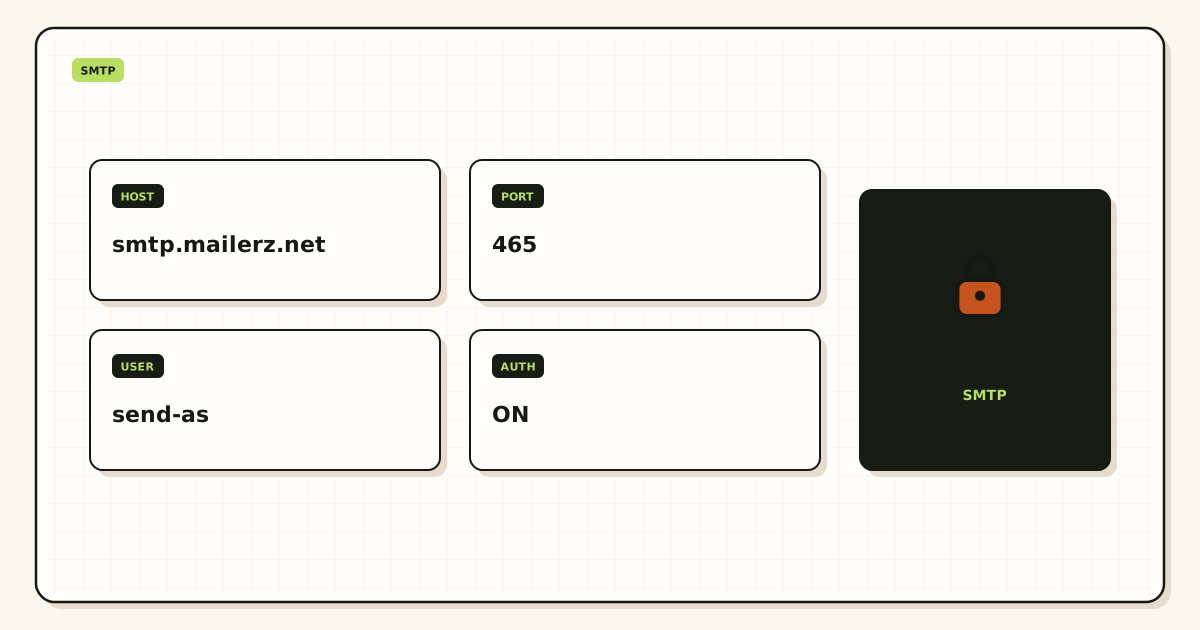
The form is a mail client. Treat it like Outlook: host, AUTH, approved From.
Next action: disable php mail, paste dashboard SMTP, probe a third mailbox.
Ready to stop php mail
Start free to receive; upgrade before the form sends.
Paste dashboard SMTP. Keep the visitor out of Header From.
Review quarterly, or sooner if DNS hosts or dashboard instructions change. Author: MailerZ editorial, Secuno LLC.