Website email reply routing means the form or app sends as a domain alias and the human still sees replies in Gmail. Use paid MailerZ SMTP for the outbound identity. Map a Reply-To or the same alias inbound so answers land in a staffed inbox. Exclusive MX. Do not send as a no-reply you cannot receive. Do not blast lists through this path.
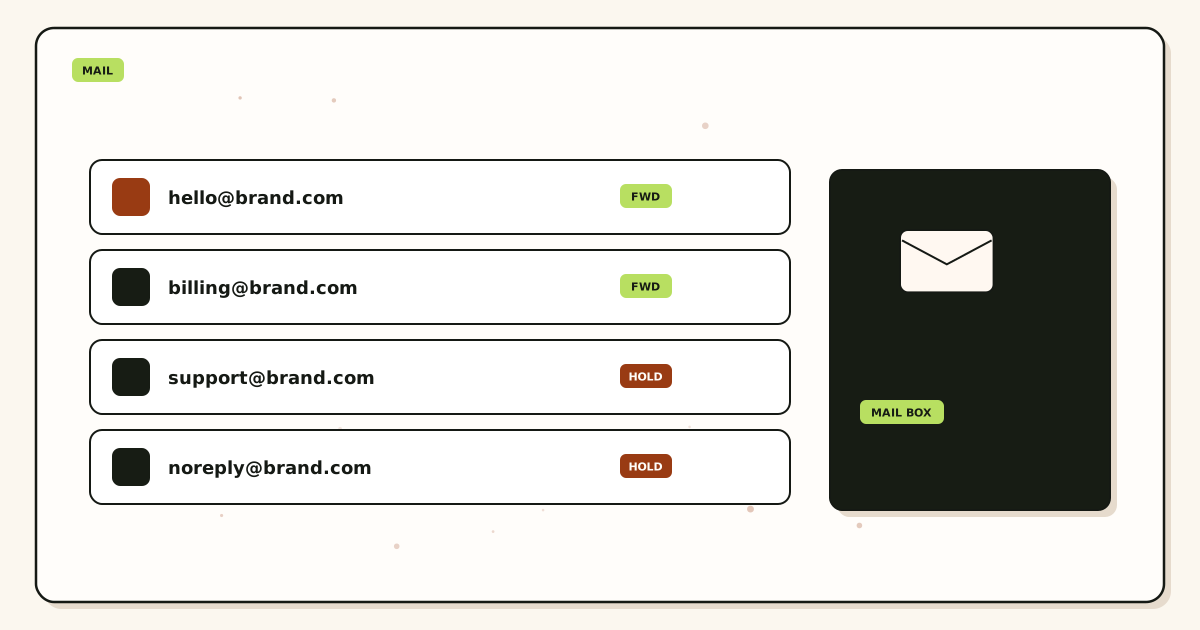
Quick answer for website email reply routing
A website that sends as hello@ but cannot receive hello@ is a dead letter box.
RFC 5321 will return replies to the address you put in From or Reply-To. Make that address real.
MailerZ inbound plus paid SMTP is the pair. Header From intact on inbound replies from customers.
no-reply@ is allowed only if you truly want no conversation. Most forms should not.
Caps: treat form mail as operational. Rate-limit the form.
Start free to prove inbound, then enable paid send-as for the form.
Authoritative mail transport is defined in IETF RFC 5321 — Simple Mail Transfer Protocol. Product path: send and reply, docs, and features.
User problem and decision criteria
Decision criteria: which alias sends, who reads replies, form abuse, leftover MX, plan caps.
Shared no-reply plus a hidden ticket system is a product choice. Document it.
Agencies that ship sites with Gmail App Passwords in WordPress are the incident.
If marketing wants the form to mail a list, they want an ESP.
If Reply-To is a personal Gmail, you trained the internet on a personal inbox.
Do not invent an inboxing rate for form mail.
Open forms without rate limits will hit caps and look like abuse.
IMAP is not required to read replies. Gmail is fine.
Technical mail flow
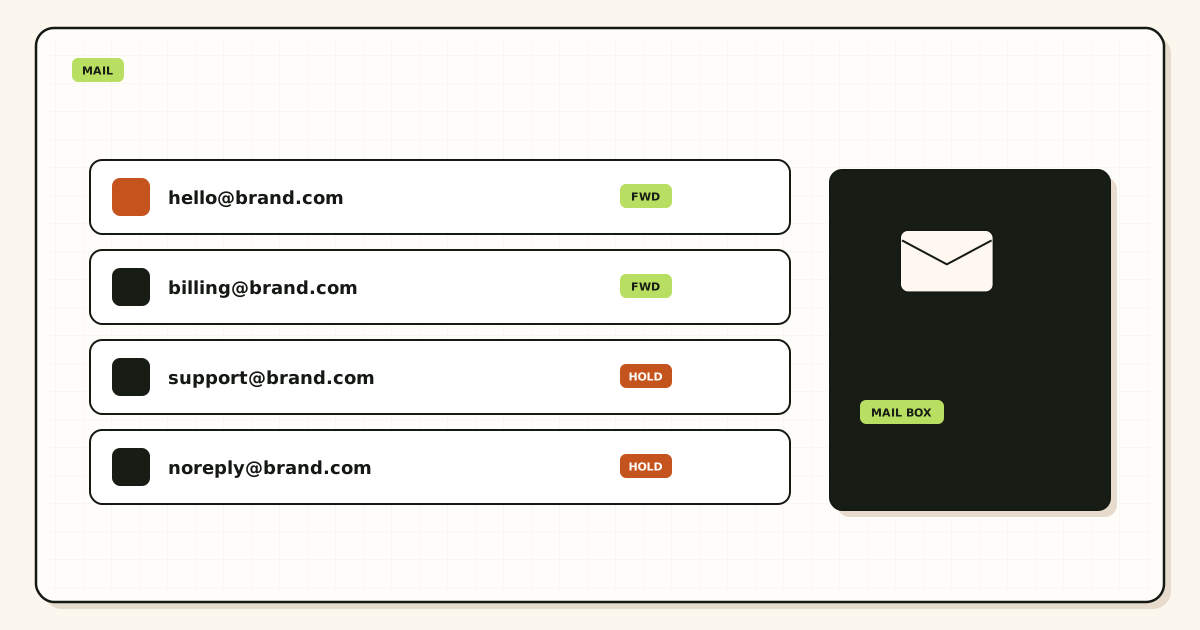
Form → env SMTP → MailerZ → customer. Customer replies → MX → alias → human Gmail.
If From is the alias and MX is exclusive, the loop closes.
If From is a host you do not receive, replies die.
SRS on inbound forwards. Header From is the customer.
History proves both hops.
Step-by-step setup / decision path
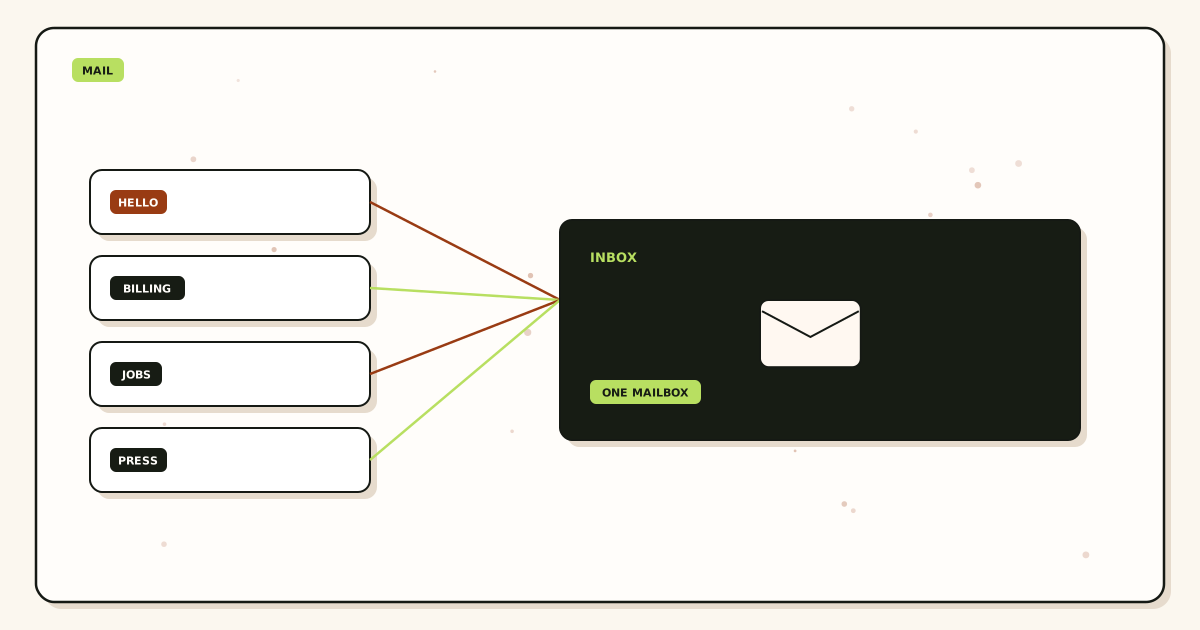
- Create the public alias. Staff it.
- Exclusive MX. Probe inbound.
- Paid SMTP in env from dashboard.
- Set From to the alias. Reply-To the same unless you have a ticket address you also map.
- Rate-limit the form.
- Two-direction probe.
- HOLD unknown.
- Keep lists off this SMTP.
Classify the next failure before a second DNS edit.
HOLD unknown unless you wrote a FORWARD reason.
Quote live pricing before promising alias counts.
Failure modes and proof
no-reply without a ticket path: angry users.
From on a domain you do not MX: dead replies.
Leftover MX: missing replies.
Free send-as: refuse.
WordPress plugin with a guessed port: AUTH fail.
Form spam: cap and reputation heat.
Self-send: lie.
Personal Reply-To: lock-in.
Catch-all FORWARD: junk in the support pile.
Inboxing promise.
Secret in the plugin UI committed to git.
ESP volume on reply SMTP.
MailerZ workflow and product boundary
MailerZ is custom-domain aliasing and forwarding with optional paid send-as. Secuno LLC operates mailerz.net. The app is mail.mailerz.net. Not Workspace, not IMAP, not an open relay, not a campaign ESP.
Envelope SRS only. Header From, Subject, Date, Message-ID, body, and MIME stay intact. Exclusive MX. Hold unknown on Free. Copy SMTP host, port, and TLS or STARTTLS from the dashboard when you send.
Free: one domain, ten aliases, one seat, fourteen-day store, send-as disabled, SMTP and API disabled. Solo forty dollars a year, twenty-five aliases, ninety-day store, 2,500 outgoing, 20 send-as per hour. Starter eight or eighty. Business nineteen or one hundred ninety. Agency thirty-nine or three hundred ninety. Quote pricing. No SOC 2, ISO, HIPAA, SLA, or inboxing percentage.
Cost, alternatives, and trade-offs
A dead Reply-To costs support time.
Gmail App Passwords in plugins cost lock-in and breakage.
Paid MailerZ SMTP is the honest form spend.
ESP is cheaper for newsletters from the same brand.
Form spam costs caps. Rate-limit.
Leftover MX costs missing replies.
Agencies should bill the two-direction probe.
No inbox KPI.
Operational depth
Name the human who owns form replies. Empty ownership is a 250 into a void.
If you use a ticket tool, map a ticket alias and send as that. Do not invent MailerZ tickets.
Rate-limit by IP and by hour to stay inside Solo caps if that is the plan.
Staging forms must not use production SMTP.
Confirm Header From on the customer’s received copy is the alias, not a server default.
Exclusive MX before you print the form on a landing page.
HOLD so guessed addresses do not join the support pile.
Agencies: two-direction probe is in the launch checklist.
Revoke SMTP when the site is decommissioned.
No SOC 2 because you used env.
Watch history on launch day.
Quote upgrades if the form is busy.
Worked scenarios for website reply routing
A contact form sends as hello@yourdomain via paid MailerZ SMTP. Reply-To is also hello@. Exclusive MX maps hello@ to the founder Gmail. A stranger replies. The reply lands. That is the whole path. Free cannot do the send-as half. Confirm /pricing before you ship the form.
A store sends as no-reply@ and wonders why customers cannot continue the thread. They cannot. Either receive on no-reply@—a bad name—or send as support@ and staff support@. Dead-letter From addresses are a design choice, not an SMTP mystery.
WooCommerce uses php mail from the web host. Header From is wordpress@box123. Replies go to a mailbox nobody owns. Switch the plugin to dashboard SMTP and a hosted alias. Then map that alias inbound. Do not keep php mail as fallback 'so it always sends.' Fallback undoes alignment.
A marketing page-builder form bypasses the SMTP plugin and talks to an ESP. Replies then hit the ESP's conversation UI, not Gmail. That can be fine if someone lives there. It is not 'broken MailerZ.' Pick one reply desk and print it.
An app sets From: hello@ and Reply-To: a personal Gmail. Customers reply to Gmail and the brand thread dies. If the brand should own the thread, Reply-To must be an alias you map. Personal Reply-To is how offboarding later loses the conversation.
Leftover Google MX is still published. Outbound SMTP works. Inbound replies split. Half the customers reach MailerZ, half reach a Workspace seat you forgot. Delete leftovers. Reply routing is inbound plus outbound, not outbound alone.
Practice and anti-patterns for form mail
Practice: one named alias for the form, send-as that alias, receive on that alias. Anti-pattern: send as hello@ and receive only on info@ with no rewrite of Reply-To.
Practice: paid plan before AUTH. Anti-pattern: Free launch and a 550 on the first lead.
Practice: third-mailbox submit and reply. Anti-pattern: the founder filling the form and emailing himself.
Practice: leftover MX deleted. Anti-pattern: 'outbound works so inbound must be fine.'
Practice: HOLD unknown. Anti-pattern: catch-all FORWARD so guessed reply addresses flood finance.
Practice: copy dashboard host, port, TLS. Anti-pattern: inventing 587 in the plugin because a banner said so.
Practice: turn off php mail fallback. Anti-pattern: two senders, one of them unsigned and unstaffed.
Operator closeout for a live form
Closeout shows a unique form subject in a third mailbox, a reply from that mailbox, and the reply sitting in the staffed destination. Header From on the outbound is the alias you authorized.
Plugin settings match the dashboard. Fallback off. Plan named. Caps respected. No loop of test checkouts.
Printed Reply-To on the site matches the map. If the footer says hello@ and the form sends as store@, write why or make them the same.
Agencies name the human who opens the destination. An alias without a person is a decorative From.
If the form is seasonal, closeout says who turns SMTP off and who remaps when the intern leaves.
Link /send-reply and /email-forwarding in the ticket so the next plugin change does not become folklore.
Edge cases in reply routing
The destination uses plus-tags and filters. A reply still must hit the alias MX first. Plus-tags at Gmail are not a substitute for a domain alias.
A ticket system rewrites Reply-To to a conversation+id@helpdesk. Then MailerZ inbound on hello@ will not see the thread. That is the helpdesk product. Document it. Do not flap MX to chase the rewrite.
Multiple forms, multiple From identities, one SMTP secret. A leak burns every form. Prefer one identity or rotate with a map of which app holds which secret.
Auto-responders on the destination bounce back through MX and loop. Turn the vacation message off for that mailbox or exclude the alias. Loops are a cap incident and a mess.
Customers reply from a list-unsubscribe or a noreply of their own. You cannot staff that. Staff your side. You cannot fix their From.
Legal wants every form reply archived for years. The hop store is fourteen or ninety days. Buy an archive if you need one. Do not stretch HOLD into a filing cabinet.
Field notes from website mail
Most 'our form works but nobody replies' tickets are unstaffed destinations, not SMTP. Ask who opens the mailbox before you rotate secrets.
Most 'customers say they replied' tickets are leftover MX or a no-reply From. Classify before you rebuild the plugin.
Page builders love to reset mail settings on theme save. Re-check after a design launch the same way you re-query MX.
RFC 5321 will deliver the reply to whatever MX you published. If you published two companies, you published a coin flip.
Use /troubleshooting when history shows 250 and the human still cannot find the reply. Destination folder is a class. DNS is another.
No inboxing claim on the form thank-you page. You submitted a hop. Their provider files the tab.
Handoff memo for the site owner
From identity, Reply-To, inbound alias, destination human, plugin name, env or plugin field names (not secrets), plan, leftover MX status.
The memo forbids php mail fallback and folklore ports. Dashboard copy only.
Free versus paid is explicit. A redesign intern should not 'just enable SMTP' on Free.
Who remaps when the staffed human leaves. Reply routing dies when the destination is a leaver's Gmail.
Link /docs and /aliases-catch-all. Named aliases, not a catch-all, for form addresses.
Acceptance criteria for website replies
A stranger can submit, receive a message From the domain alias, reply, and a human finds that reply. Third mailbox used. Self-send not the gate.
Exclusive MX. Leftovers gone. HOLD unknown. Fallback off.
Paid send-as if you send. Dashboard values. Caps not looped.
Staffed destination named. No-reply not used unless you truly will not receive.
No Slack dump of form bodies. No invented SLA or SOC 2 on the contact page.
Morning re-query after the next website save.
Operations review of form-to-inbox paths
Inventory every form and app that sends. Each row: identity, plugin or code, secret location, destination owner.
Review unread destinations. Routing to an inbox nobody opens is not routing. It is decoration.
Review leftover MX after theme updates. Website products republish mail records.
Review volume. A form that became a newsletter belongs on an ESP, not on operational SMTP.
Quote /pricing before adding a second send-as identity. Caps and plans are real.
Rehearse a remap on a lab alias so a vacation does not become an outage.
Quarterly review of reply routing
Who left? Remap. Which forms still send as a dead no-reply? Rename or staff.
Did fallback return? Turn it off. Did a page builder reset the port? Copy the dashboard again.
Did we loop tests and hit a cap? Confirm /pricing. Slow down.
Did customers reply to the wrong address printed in the footer? Align print and map.
Did leftover MX return? Delete. Probe both directions.
Author: MailerZ editorial, Secuno LLC. Review when plugins, pricing, or scope change.
Closing notes on sending as a mailbox you actually own
Website email reply routing is send-as a named alias plus exclusive inbound on that same string, staffed by a human. Do not send as a no-reply you cannot receive. Do not blast lists through this path.
Paid MailerZ SMTP for outbound. Map the alias. Delete leftover MX. Probe both directions from a third mailbox. Free has no send-as.
Product path: /send-reply, /email-forwarding, /docs, /pricing.
People who must staff the From identity
A website that sends as hello@ needs a human who opens the destination for hello@. If that human is 'the intern on Tuesdays,' write the Tuesday. Unstaffed aliases are decorative From headers. Customers reply into a well.
Name who may edit the form plugin, who may rotate SMTP, and who remaps when the staffed human leaves. Plugin access without remap ownership is how a vacation becomes a dead letter.
Agencies must not use a shared agency inbox as the destination for every client form. That is a confidentiality bug billed as a feature. Per-brand destinations. Per-brand secrets.
Marketing will add a second form in a page builder that bypasses SMTP. Design must know a save can reset mail settings. Put design on the handoff. Morning re-check after theme launches.
Support should classify leftover MX versus no-reply From versus unread destination before they ask engineering to rebuild WordPress. Three classes. Three different owners.
Proof packet for two-way website mail
Submit from a third mailbox. Receive the site's message. Confirm Header From is the hosted alias. Reply. Confirm the staffed destination has the reply. Exclusive MX listings. Fallback off. Plan named.
Plugin fields match dashboard host, port, and TLS mode. No folklore 587 as a MailerZ constant. Password not in the packet.
Printed footer and form identity match, or the packet explains the difference. Mismatched print is how customers reply to an unmapped string and land in HOLD.
If the path uses an ESP conversation UI instead of Gmail, the packet says so. Then MailerZ inbound on hello@ is not the desk. Do not debug the wrong product.
A loop test is a cap incident. One unique submit is the proof. Confirm /pricing if you already looped checkouts.
Appendix: form settings that quietly break replies
BCC to a personal mailbox instead of a real Reply-To. The customer replies to a From they cannot reach. Fix From/Reply-To, not BCC.
Auto-responder on the destination that writes back through MX and loops. Disable vacation on that mailbox or exclude the alias.
Multiple wp_mail overrides. The plugin you configured is not the one that sent. Search the code. Turn extras off.
Reply-To set to the customer's address on a notification to staff, while the customer received a no-reply copy. Staff can reply to the customer; the customer still cannot continue with the brand. Decide which thread you want.
Ticket systems that rewrite Reply-To to conversation+id@. Document it. Do not flap MX to chase the helpdesk.
php mail fallback after AUTH success in the settings screen. The test used SMTP; production used the host. Turn fallback off and re-prove.
More operator notes on From as a promise
From is a promise that someone will read a reply. If you cannot keep the promise, do not print the address. no-reply is honest only when you mean it. Most stores do not mean it.
Operational SMTP is the right client for a form. A newsletter signup that also sends a weekly digest is a list. Split them. Caps and filters will, if you do not.
Exclusive MX is half the path. Developers who only test outbound will ship a beautiful 250 and a dead inbound. Probe both directions. Always.
Internal links: /send-reply, /email-forwarding, /docs, /aliases-catch-all, /pricing. External: RFC 5321. No inboxing percent on the thank-you page.
Start free for inbound maps. Pay before the form can AUTH. The first lead should not be the first 550.
Author: MailerZ editorial, Secuno LLC. Review when plugins, themes, pricing, or staffing change.
Extended narrative of a form that can actually talk
A plumber's site has a form that used php mail. Customers received a message from wordpress@box12 and replied into nowhere. You pay MailerZ, copy dashboard SMTP into the plugin, set From and Reply-To to jobs@thedomain, map jobs@ to the phone Gmail they actually open, delete leftover host MX, and turn fallback off. A friend submits 'pipe leak under sink' from a mailbox that is not theirs. They receive From jobs@. They reply 'photos attached.' The plumber sees it. That is website email reply routing.
The next month a theme update resets the plugin to the host mailer. You re-check after design launches the same way you re-query MX after site saves. The narrative is not 'set and forget.' It is 'set and re-prove when the website moves.'
If they wanted a no-reply receipt plus a staffed thread, they need two identities or an honest no-reply plus a printed jobs@ on the receipt body. Most small sites need one staffed alias. Do not invent four From names because the plugin has four fields.
If they also want a weekly digest to a list, that digest is an ESP. The form stays on operational SMTP. Caps and filters will enforce the split if you do not. Confirm /pricing before a loop of test submits.
Free cannot AUTH. The plumber who 'started free' and expected the form to send will 550. Tell them before the weekend. Inbound can be free. Send-as is paid. Replies need both directions and exclusive MX.
Endnote on From as a staffed door
A website that sends as an address it cannot receive is a dead letter box. Staff the door. Probe both ways. Copy the dashboard. Delete leftovers. Do not blast lists through the form path.
Product path: /send-reply, /email-forwarding, /docs, /pricing. Author: MailerZ editorial, Secuno LLC. Review when plugins, themes, or people who open the inbox change.
Last checks before the form goes live
A stranger can submit, receive From the alias, reply, and a named human finds it. Third mailbox. Fallback off. Dashboard values. Exclusive MX. If any of those is missing, the form is not live. It is a demo.
Printed footer matches the map or the ticket explains why not. Customers reply to what they see. HOLD is not a substitute for aligned print.
The staffed human is real this week, not a former intern. Remap if they left. Website reply routing dies in unopened Gmail faster than it dies in SMTP.
Lists are not on this path. Caps are walls. Confirm /pricing if you already looped test checkouts. One unique submit is the proof. A loop is an incident.
Theme saves and page-builder republishes are the usual silent reset. Re-open the plugin after design ships. If php mail came back, the two-way path you proved last month is gone. Prove it again before the weekend leads arrive.
FAQ
- What is the safest way to handle website email reply routing?
- Pick a named alias humans will staff. Send-as that alias via dashboard SMTP. Ensure inbound MX is exclusive so replies return. HOLD unknown. Probe both directions. Free cannot send-as.
- Does this require a new mailbox?
- No. MailerZ is not IMAP. Keep Gmail or Outlook unless you need a suite for other reasons.
- Will it work with Gmail or Outlook?
- Yes as destinations. Self-send is not proof. Use a third mailbox and open original.
- What DNS records are involved?
- Exclusive MX, verification TXT, one SPF if you send-as. Leftover MX is a hard stop. Dashboard values only for sending.
- What should I test before production?
- Submit the form to a third mailbox, reply, and confirm the human inbox receives the reply on the alias.
Key takeaways
- From must be receivable.
- Paid SMTP plus exclusive MX.
- Staff the alias.
- Rate-limit forms.
- No lists on this path.
- Two-direction probe.
- Free cannot send-as.
- Staging uses a sink.
Conclusion
Close the loop. Send as a real alias. Receive on the same map. Rate-limit the form.
Start free to prove inbound, then put paid SMTP behind the form the dashboard way.