To route support email to a team and keep the address stable, treat support@yourdomain.com as a printed contract. Create one named alias. Point it at the inbox or helpdesk the team already opens. Hold unknown local-parts. When people change, change the destination, not the string on the website, invoices, and App Store listing. MailerZ is the hop. Gmail, Outlook, or a ticket queue is the store. A shared mailbox password is a different problem.
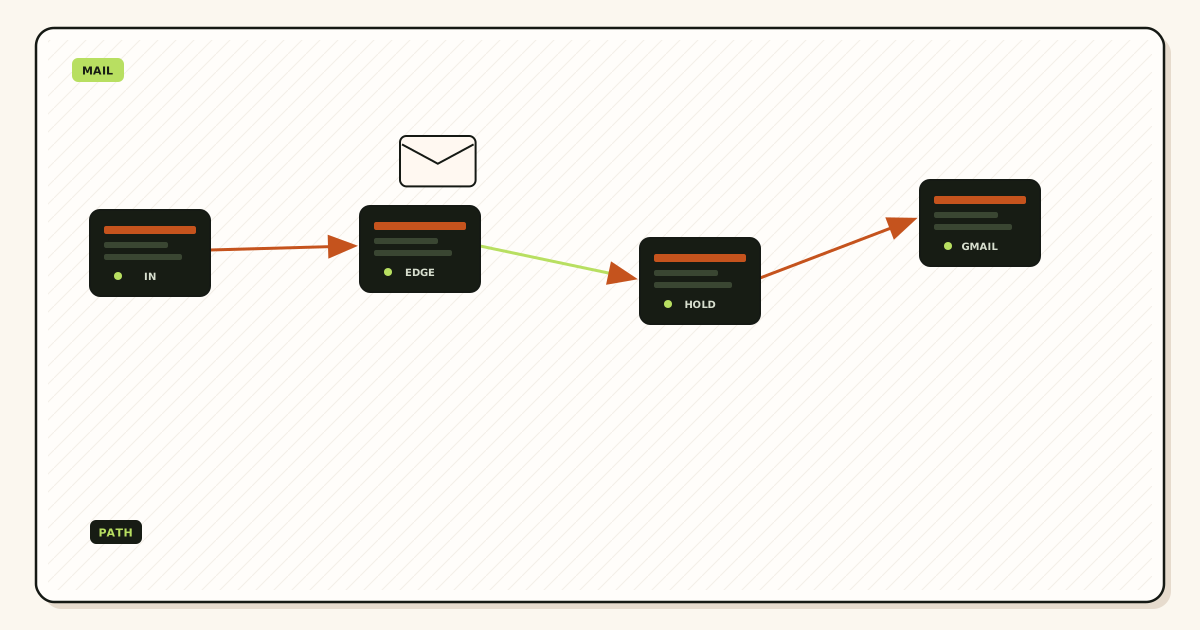
Quick answer for route support email to team
Print one address. Map it once. Prove it from a third mailbox. Keep leftover MX gone so half the customers do not land on an old Google seat. If replies must show support@, that is paid send-as on a later chapter, not a reason to buy a Workspace seat per intern.
IETF RFC 5321 — Simple Mail Transfer Protocol delivers to a local-part. The receiving system either stores that local-part or routes it. You want the route. The team already has a store. Mixing those invoices is how founders pay per user for an address nobody logs into. Shared-password setup is covered in how to set up support@ without a shared mailbox password. This article is the stability job: the printed string survives staff, vendors, and helpdesk swaps.
MailerZ Free is one domain, ten aliases, one seat, a 14-day store, unknown mail hold or reject, and send-as, SMTP, and API off. That is enough to prove inbound support@ into one Gmail. Solo is $40 per year: five domains, 25 aliases, 2,500 outgoing, 20 per hour. Starter is $8 monthly or $80 yearly. Business is $19 or $190. Agency is $39 or $390. Unlimited is $99 monthly or $990 yearly, with a 180-day store. Every paid plan includes unknown-mail Forward, send-as, SMTP, and API. Confirm MailerZ pricing. Those numbers are capacity, not an inbox SLA.
Alias and catch-all rules live on aliases and catch-all. Inbound MX and Header From live on email forwarding. Do not invent a second support address because a designer wanted a prettier local-part. Reprinting is how you lose the contract.
The user problem and the decision criteria
The usual mess is a founder Gmail that also reads support@, a contractor who still has the password, and a website footer that has changed twice. Customers write to yesterday’s string. The new helpdesk never sees the old one. Someone proposes a catch-all “so we never miss a typo.” The queue drowns. The public address was never treated as infrastructure.
| Question | If yes | If no |
|---|---|---|
| Is support@ already printed on invoices or the store listing? | Keep that local-part. Remap destinations. | Pick one string now and stop redesigning it. |
| Does the team already open a queue? | Point the alias there. Do not add a second inbox “for email.” | Name one Gmail or Outlook the team will actually watch. |
| Must replies show support@? | Paid send-as after inbound works. Free cannot send-as. | Inbound-only is enough. Write that in the SOW. |
| Will more than one person read the same thread? | Use a shared destination or helpdesk, not a personal mailbox as the only hop. | One destination is simpler. Write the deputy anyway. |
| Can you delete leftover MX? | Cutover is possible. The route will mean something. | History will show a random subset. Fix DNS first. |
| Are you tempted to catch-all into the queue? | Don’t. Name the addresses you print. Hold the rest. | Good. Keep HOLD written. |
A stable support route is a poor fit when legal wants a seven-year vault inside the forwarder, when every intern needs Calendar on the same domain, or when you will reprint help@ next quarter because branding feels restless. It is a good fit when customers already tattooed support@ on packing slips and you refuse to make them update a contact card.
How the route moves mail
Senders look up MX and deliver to the hop. IETF RFC 5321 — Simple Mail Transfer Protocol is the transport. MailerZ accepts a hosted, verified recipient, keeps Header From as the customer, and forwards to the destination you named. Envelope MAIL FROM may use SRS. The team reads the customer, not a rewritten From that breaks reply-all and DMARC alignment.

The public local-part is the contract. The destination is a setting. Those two objects get mixed because Gmail lets a person add a send-as identity that looks like the contract. If that person leaves and the identity dies, customers still write to support@. The route should still land in the queue. That is why the alias lives on the domain, not in one employee’s Gmail settings.
Unknown recipients are a separate policy. On Free, unrouted mail is hold or reject. That is how a typo suport@ does not become a silent black hole or a spam cannon. Paid plans can Forward unknowns. Use that as a short cutover window, not as the standing support design. Named aliases scale. Catch-all into a ticket tool trains vendors to guess.
Multiple destinations on one alias are legal in some products and messy in all of them. If sales and support must both see a thread, write why. Two Gmail accounts plus one Zendesk mailbox is three opinions about whether mail “arrived.” Prefer one queue the team already staffs. Fan-out is a documented exception, not a default.
After-hours forwarding to a phone or a personal Gmail is still a destination change. Do it on a schedule you can reverse Monday. Do not print a second public address for nights. Night routing that republishes MX is leftover MX with a bedtime story.
Step-by-step path to a stable support@
This is the route support email to team setup. Get a matched pair—public MX exclusive, probe in the queue—before you tell customers the address is live.
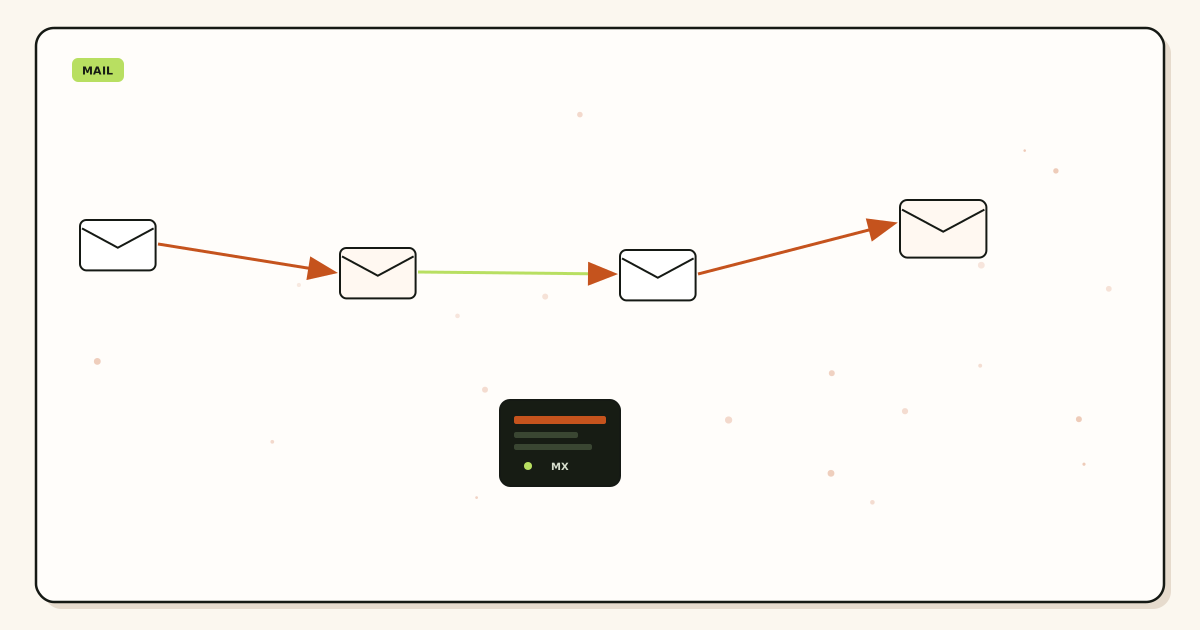
Inventory every printed string
Website footer, invoices, App Store, Google Business, packaging, email signatures, chatbot fallback. If two public support addresses exist, pick the one already in the wild and retire the other in copy, not in DNS first. DNS last is how you drop the still-printed string.
Add the domain and verify TXT
Use the root customers already type. Publish the unique verification TXT. Receiving stays off until the check passes. A pretty dashboard row is not a live hop.
Create the named support@ alias
Map it to the queue mailbox or helpdesk address the team opens today. Complete destination verification. Do not map to a founder personal Gmail unless that is truly the queue and you have written a deputy.
Write HOLD for unknowns
Create
sales@andbilling@only if you print them. Leave the rest on hold or reject. Paid Forward is not a substitute for naming. See aliases and catch-all for the policy split.Publish exclusive MX and delete leftovers
Copy hosts from the dashboard. Remove Google, Microsoft, registrar, and old-forwarder MX. Query two public resolvers. Mail the hop never saw cannot be routed to the team. Leftover MX is a hard stop.
Probe from a third mailbox
Unique subject. Confirm Header From. Confirm the queue, not only MailerZ history. Self-send from the destination Gmail can skip the hop and lie. File the Message-ID in the ticket you will reuse as a template.
Add paid send-as only if replies must show support@
Free cannot send. Copy dashboard SMTP. Prove a unique outbound to a mailbox that is not the queue. Unauthorized send is 550 / 550 5.7.1. MailerZ is not an open relay. Password sharing is still forbidden; identities are per person or per app.
Write the remap rule
When someone leaves, change the destination the same day. Do not reprint. Do not keep their Gmail as a silent BCC. Name the person who can edit the alias. That owner is part of the route.
Failure modes and proof
Most “support is down” reports are leftover MX, a self-send test, a destination that is a personal inbox the intern no longer opens, or a catch-all that trained spam to look like tickets. Separate the cases before you reprint the footer.
| What you see | Likely cause | Proof to collect |
|---|---|---|
| Customer sent, queue quiet, history empty | Mail never reached MailerZ. | Public MX from two resolvers. Leftover hosts deleted. |
| History 250, queue quiet | Destination accepted, then filtered or wrong mailbox. | Spam, helpdesk rules, a personal Gmail that is not staffed. |
| Held unknown recipient | Local-part was never created. | Create support@ or accept HOLD. Do not call it data loss. |
| Two public addresses, one queue | Footer and invoices disagree. | Inventory print. Retire the extra string in copy. |
| Leaver still receives tickets | Destination still their Gmail. | Remap the alias. Revoke send-as. Do not reprint. |
| Queue flooded with guesses | Catch-all or paid Forward on unknowns. | Name aliases. Return unknowns to HOLD. |
| Replies show a personal Gmail | Send-as never configured, or Free plan. | Paid SMTP after inbound works, or accept inbound-only. |
Proof is a pair: sanitized destination headers and the MailerZ event. Do not send SMTP passwords to support. DNS-only tools live on troubleshooting. People-first evidence style, not a ranking trophy: Creating helpful, reliable, people-first content.
MailerZ workflow and product boundary
MailerZ is a custom-domain delivery layer operated by Secuno LLC. Point MX at MailerZ. Mail for a hosted, verified support@ can land in Gmail, Outlook, or a helpdesk mailbox. Paid plans add authenticated SMTP so replies can show the same address. Site: mailerz.net. Desk: mail.mailerz.net.
What MailerZ does
- Accept inbound mail for verified domains and named aliases.
- Preserve Header From on the forward so the customer stays visible.
- Hold or reject unknown recipients on Free; Forward unknowns on paid if you enable it.
- Store messages 14 days on Free, 90 days on Solo through Agency, 180 days on Unlimited.
- Record delivery history for hops it accepted.
- Send through authenticated SMTP on paid plans within published limits.
What MailerZ does not do
- Replace Gmail or Zendesk with IMAP or a shared mailbox product.
- Rewrite header From, Subject, Date, Message-ID, body, or MIME.
- Offer send-as on Free.
- Promise inbox placement, uptime SLAs, or review counts.
- Claim SOC 2, ISO 27001, or HIPAA. Controls: Security.
- Act as an open relay. Unauthorized send is 550 / 550 5.7.1.
Mail Box in the portal can show incoming and held mail. It is not IMAP, not POP, and not a campaign sender. If the team already lives in a ticket tool, keep that tool as the destination. Do not invent a second queue because the hop has a preview.
Cost, alternatives, and trade-offs
You pay to keep one printed string and a short recovery window, not to host a mailbox per agent. Free proves inbound on one domain. Solo is $40 per year when send-as and 25 aliases travel together. A Workspace seat per intern who only needs to read support@ is a different invoice. Quote both so the client can choose Calendar.
| Approach | You get | You give up |
|---|---|---|
| Named alias into existing queue | Stable public address. Destinations you already staff. | You operate DNS. You remap when people leave. |
| Shared mailbox password | Feels cheap on day one. | Revocation theater. Covered in the shared-password article. |
| Suite seat per agent | Vendor store, Calendar, admin search. | Per-user cost for an address that is a route. Google Workspace — product overview |
| Catch-all into the queue | Typos arrive. | Harvested strings, vendor guesses, no ownership. |
| Reprint help@ every rebrand | A prettier string for a quarter. | Customers who still have the old card. |
Confirm pricing before a retainer quote. Alias ceilings are 10 / 25 / 50 / 200 / 500 / uncapped. Outgoing on paid plans is 2,500 / 5,000 / 12,000 / 20,000 / 100,000 per month. Hourly caps are 20 / 40 / 60 / 60 / 300. Free outgoing is disabled. None of that is an inbox-placement contract.
Worked scenarios
Two-person startup. Footer already says support@. Founder Gmail is the only destination. Write a deputy destination or a helpdesk mailbox before the founder flies. The alias stays. The weekend reader changes. Probe after the remap.
Agency client brand. Each domain gets its own support@ into the agency’s shared queue or into the client’s Zendesk. Do not share one catch-all across brands. Dual MX “during QA” splits customers. Exclusive MX, named alias, unique probe per brand.
Helpdesk migration. Zendesk to Freshdesk, or Gmail to Help Scout. Change the destination on the same alias. Leave the footer alone. Prove a unique inbound before you cut the old tool. History on the old destination will go quiet on purpose.
Staff resignation Friday. Remap Saturday. Revoke SMTP if they had send-as. Do not send a company-wide email asking customers to use a new address. That email is how you admit the route was a person.
App Store listing stuck on hello@ while the team wants support@. Pick the string already approved by the store if changing it costs a week of review. Map that string to the queue. Vanity is not a reason to drop a listed address.
After-hours phone escalation. Add a temporary second destination if the product allows it, with a Monday revert written. Do not publish a second MX. Do not print oncall@ on the website unless you will staff it forever.
Vendor who guessed admin@ and info@. HOLD caught them. Create those aliases only if you decide to print them. Otherwise they stay held. Paying for Forward so a vendor can misspell support is how queues die.
Practice and anti-patterns
Practice: one printed support address per brand. Anti-pattern: footer, invoices, and chatbot each invent a local-part.
Practice: destination is a queue the team opens. Anti-pattern: founder personal Gmail as the only hop with no deputy.
Practice: HOLD unknowns. Anti-pattern: catch-all into tickets “so we never miss a typo.”
Practice: remap on the day someone leaves. Anti-pattern: reprint help@ because the leaver “owned” support@.
Practice: third-mailbox probe after every destination change. Anti-pattern: self-send from the queue Gmail as the gate.
Practice: exclusive MX. Anti-pattern: leftover Google MX “until the suite is cancelled.”
Practice: paid send-as only if the From must travel. Anti-pattern: Free 550 treated as an outage when send-as was never in the SOW.
Practice: one owner who can edit the alias. Anti-pattern: three people with dashboard access and no written remap rule.
The address is the product customers remember. The hop is MailerZ. The store is whatever the team already trusts. Keep those layers named so a Sunday junior can remap without calling the founder.
Google’s Send mail as steps, if you add outbound later, live in Google Gmail Help — Send mail from a different address. Copy dashboard host, port, and TLS. Do not invent ports from a forum. Interface labels vary by Outlook version. The stability job is still inbound: the printed string, the map, the probe.
Review the printed inventory quarterly, or sooner after a website redesign. Designers republish footers. Hosting panels republish MX. Either event can break the route without touching the alias row. Morning re-query after launches belongs on the same checklist as the design launch.
If two teams both claim support@—product and success, or agency and client—write the owner on page one of the runbook. Split-brain destinations are leftover ownership, not leftover MX, but the customer still loses. One alias, one primary queue, optional documented fan-out.
Agencies should keep a per-brand row: printed string, destination queue, last probe Message-ID, leftover-MX date, send-as in scope or inbound-only. That row is how a junior remaps a client Friday without reprinting the client’s invoices. White-label does not suspend leftover physics. Dual MX “for QA” still splits customers. The support address is the client’s contract. The hop is yours. The store is whoever they already pay to read tickets.
If you remember one sequence, remember: inventory print, name the alias, map the live queue, exclusive MX, third-mailbox probe, remap on the day someone leaves. MailerZ shows hops it accepted. It does not staff the queue. It does not promise Primary. Confirm live pricing before you quote a fleet of support addresses as if they were seats.
What counts as a printed support address
Website footer, invoices, packing slips, App Store and Play Store listings, Google Business, chatbot fallback, email signatures, and the address on the contact form. If any of those still show a retired local-part, customers will keep writing it. Map that string or change the copy. Do not leave it to catch-all. HOLD is not a retirement plan for a string you still print. File the inventory next to the last probe Message-ID so a junior can see both on Sunday.
FAQ
How do you route support email to a team without changing the public address?
Create one named support@ alias, point it at the queue the team already opens, hold unknown local-parts, and change destinations when people change. Do not reprint the footer. Do not share a mailbox password. Leftover MX is a hard stop before any routing debate.
Does this require a new mailbox?
No. MailerZ is Mail Box portal webmail (Inbox, Sent, New email). It is not IMAP or POP. Gmail, Outlook, or a helpdesk mailbox stays the store. Buy a suite seat only if someone needs Calendar or a hosted archive, not because support@ must stay printed.
Will it work with Gmail or Outlook?
Yes as destinations when MX is exclusive and the alias exists. Header From stays the original customer. Paid send-as is a separate hop if replies must show support@. Free has no send-as. Self-send from the same Gmail can hide a bad map.
What DNS records are involved?
A verification TXT, one MailerZ MX set, leftover Google or Microsoft MX removed. SPF, DKIM, and DMARC only if the team sends as support@. Routing the alias does not require listing the internet in SPF.
What should you test before production?
Send a uniquely titled message from a mailbox that is not the destination. Confirm it lands in the team queue, Header From is the customer, and history shows the hop. Send to a local-part you never created and confirm hold or reject. Do not use founder self-send as the gate.
Should support@ be a catch-all?
No. Catch-all floods the queue with typos, harvested strings, and vendor guesses. Name support@, sales@, and billing@ if you print them. Hold the rest on Free. Paid Forward for unknowns is a short cutover tool, not a support strategy.
What happens when someone leaves the team?
Change the destination on the same alias. The printed address stays. Revoke any paid send-as identity that person held. Do not leave a personal Gmail as the only destination after they resign.
Key takeaways
- Route support email to a team by keeping one printed alias and moving destinations.
- Name support@. Do not catch-all the queue.
- Hold unknown local-parts on Free. Paid Forward is a cutover tool.
- Leftover MX is a hard stop. Exclusive MailerZ MX, then probe.
- Header From stays the customer. Envelope SRS is the allowed rewrite.
- Self-send lies. Use a third mailbox after every remap.
- Free proves inbound. Paid send-as is only if replies must show support@.
- Not IMAP, not SOC 2, not an inbox SLA. Confirm live pricing.
Conclusion and next action
Keep support@ stable by treating it as a named route, not as a person and not as a catch-all. Point it at the queue you already staff. Change destinations when people change. Delete leftover MX. Prove inbound from another mailbox. Add paid send-as only if the From identity must travel. MailerZ will not merge leftover Google and will not promise Primary. It will accept the local-part you created and show the hop it saw.
Next action: inventory every printed support string, create the surviving alias, map the live queue, cut exclusive MX, and file one unique probe. Start on Free if you only need inbound. Move to Solo or above when send-as or Forward unknowns is the acceptance test.
Need a support@ the team can remap
Start free with one domain and one named alias.
Prove inbound first. SMTP second. Sign in if the domain is already there.
Review quarterly, or sooner if printed addresses, helpdesk destinations, or MailerZ scope changes. Author: MailerZ editorial, Secuno LLC.