Email alias abuse means a local-part you published is now a spam magnet, a leaked shop login, or a harvested resume dump. Disable or remap that alias. Do not change your main inbox. Do not enable catch-all FORWARD to “see everything.” Create a replacement named alias for vendors you still need. Exclusive MX stays. HOLD unknown. Revoke send-as if that identity leaked. MailerZ is not an abuse ISP console. No inboxing percentage.
Quick answer for email alias abuse
Abuse is a map problem first. Cut the string the internet has.
RFC 5321 will keep delivering until you stop mapping it.
The destination Gmail can stay. That is the point of aliases.
HOLD unknown so the next guess does not arrive.
If send-as leaked, rotate credentials. Copy dashboard after rotate.
Start free and practice disable on a throwaway alias.
Authoritative mail transport is defined in IETF RFC 5321 — Simple Mail Transfer Protocol. Product path: security, aliases and catch-all, and send and reply.
User problem and decision criteria
Decision criteria: is it inbound harvest, outbound spoof, or credential leak.
Do not burn the domain MX in panic.
If billing@ leaked, you still need invoices. Replacement first, then disable with a window.
Agencies should have a disable path without waiting for a founder.
No SOC 2 claim as the response.
No open relay to “trap” abusers.
Shared passwords are abuse too.
Public figures should default HOLD.
Technical mail flow
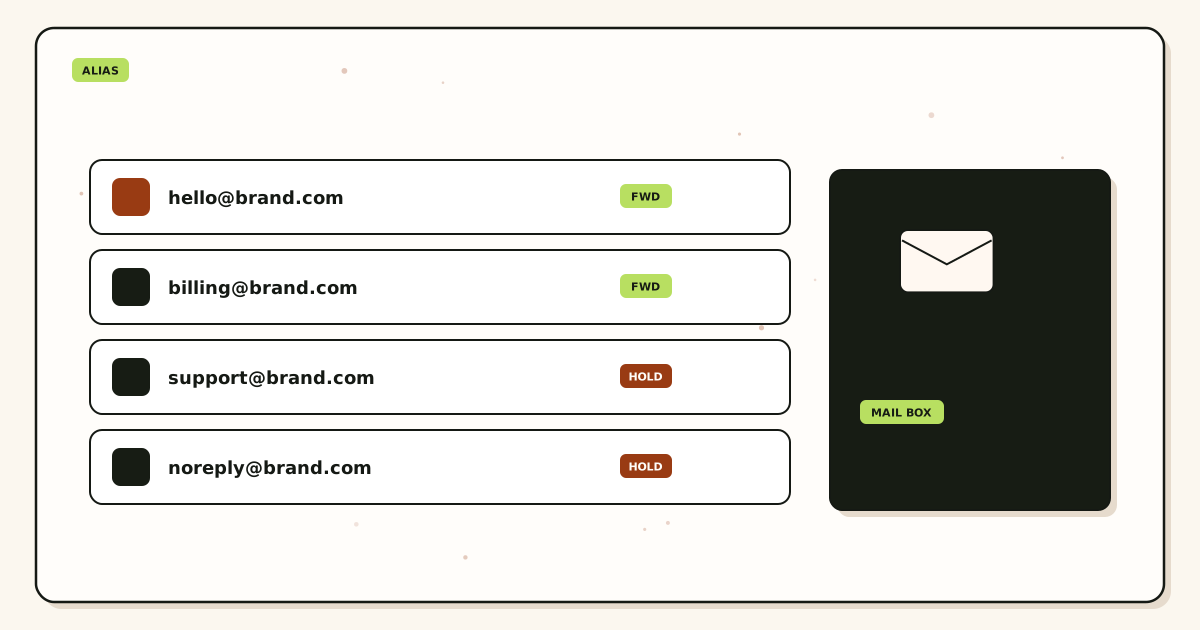
Abused alias → disable/remap → replacement string for real vendors → HOLD rest.
Outbound leak → rotate SMTP → env update.
History shows the firehose if inbound.
MX exclusive throughout.
Step-by-step setup / decision path
- Name the local-part.
- Create replacement if still needed.
- Update critical vendors.
- Disable or unmap the abused alias.
- Revoke send-as if needed.
- HOLD unknown.
- Watch history.
- Write which vendors moved.
Classify the next failure before a second DNS edit.
HOLD unknown unless you wrote a FORWARD reason.
Quote live pricing before promising alias counts.
Failure modes and proof
Flapped MX.
Catch-all FORWARD to watch abuse.
Disabled billing@ with no replacement.
Unrotated SMTP.
Changed personal Gmail.
Self-send proof.
Inboxing argument.
Header rewrite.
Open relay honeypot.
Posted the new alias on a public gist next to the old.
No vendor list.
Expired store before you looked.
MailerZ workflow and product boundary
MailerZ is custom-domain aliasing and forwarding with optional paid send-as. Secuno LLC operates mailerz.net. The app is mail.mailerz.net. Not Workspace, not IMAP, not an open relay, not a campaign ESP.
Envelope SRS only. Header From, Subject, Date, Message-ID, body, and MIME stay intact. Exclusive MX. Hold unknown on Free. Copy SMTP host, port, and TLS or STARTTLS from the dashboard when you send.
Free: one domain, ten aliases, one seat, fourteen-day store, send-as disabled, SMTP and API disabled. Solo forty dollars a year, twenty-five aliases, ninety-day store, 2,500 outgoing, 20 send-as per hour. Starter eight or eighty. Business nineteen or one hundred ninety. Agency thirty-nine or three hundred ninety. Quote pricing. No SOC 2, ISO, HIPAA, SLA, or inboxing percentage.
Cost, alternatives, and trade-offs
A disable is cheaper than a new domain.
A new personal inbox is the expensive panic.
Replacement plus vendor updates is the real work.
Catch-all as response is junk cost.
Unrotated SMTP is breach cost.
Agencies: abuse response as a retainer item.
No fake SLA.
Store window is why you look now.
Operational depth
Keep a vendor list per alias. Abuse response is that list.
Shop aliases should be one site one string so disable is easy.
Role aliases need a replacement window. Personal leak aliases can die immediately.
Tell the destination owner to search junk; some abuse is inbound spam they can filter after disable.
Do not paste samples of abuse into Slack with full bodies.
Security page is the control narrative. Do not invent badges.
If the From identity was used outbound without AUTH, that is spoof at receivers—not MailerZ rewriting. Report at the receiver if needed. Do not rewrite Header From to “fix” spoof.
Exclusive MX still. Leftovers make disable incomplete.
Quote plans if you need more replacement aliases.
Probe the replacement.
Document the disable time UTC.
Review HOLD after a leak; scanners will try cousins.
Containment that does not flap MX
Abused aliases are a map problem. The internet has a string. You stop receiving on that string or you accept the noise. Changing MX because a shop leaked jobs@ is how you create a second outage. Exclusive MailerZ MX stays. You disable or remap the local-part.
Identify the exact local-part from hop history, not from a feeling. If several names are loud, treat them one at a time. Disabling hello@ because billing@ leaked is how invoices die. Diff the export. Print the replacement before you cut the old string if vendors still need a path.
HOLD unknowns on Free already. Do not enable paid FORWARD “to see what else they have.” That is how the abused stream becomes the whole domain. Create a replacement named alias for the vendors you still need. Update those vendors. Then disable the leaked name.
If the leaked identity could send, revoke SMTP. Phones, CRMs, and printers keep old hosts. Unauthorized From is 550. Leaving send-as live after a leak is how the role still speaks after you “fixed inbound.”
Destination filters are not disable. A Gmail filter that files spam into a label leaves the alias live. Researchers and shops still deliver. Disable the alias if the string is burned. Filters are for the store after the hop already accepted.
Plus-looking tags are not aliases unless you created them. MailerZ does not claim to strip plus tags on custom domains. If founder+shop@ was printed and harvested, that exact local-part is the object — or it never existed and the traffic is something else. Do not disable founder@ for a plus string you never created unless hop rows say otherwise.
Catch-all FORWARD after a leak is the wrong kindness. Every guessed local-part becomes more noise in the three inboxes you still use. Named aliases are how you stay small. Solo is 15. Starter is 50. Count replacements before you promise “we kept every vendor.”
Leftover MX during an abuse ticket makes history look random. Some spam hits Google. Some hits MailerZ. People republish MX to “stop it.” They split delivery instead. Two resolvers. Delete leftovers. Then disable the name.
Self-send to “see if the disable worked” can lie. Probe from another mailbox to the burned name and to the replacement. Burned name should HOLD or 550. Replacement should show a hop row and a destination copy.
Retention: 14 days Free, 90 paid. Export hop rows if you need proof the leak arrived. MailerZ is not a seven-year abuse archive. The destination inbox is the store.
Agencies: one client, one leaked name, one ticket. Do not disable a similarly named alias on another domain because the strings look alike.
Do not promise an inboxing percentage after a leak. Gmail will still file mail. We do not sell Primary. Do not invent a review count that “proves” the hop is clean.
If the abuse is a compromised SMTP secret, rotate. Dashboard credentials only. Do not paste the new secret into the public ticket. Host and identity names are enough.
After containment, update letterhead, security.txt, and job posts that still print the burned string. A disabled alias with a live PDF is a weekly HOLD you will misread as a new outage.
Replacement strings and vendor updates
A burned jobs@ still printed on a careers page will refill the hop the hour you re-enable it. Disable, publish jobs-hire@ or a new named string, update the page, then wait. If you must keep jobs@ because contracts say so, you accept the noise and filter at the destination. That is a written choice, not a missing MX record.
Shops that have the burned string in their account-recovery field must be updated one by one. A disabled alias with live recoveries is how you lock yourself out of the shop. Keep the burned alias on HOLD or delivered to a quarantine Gmail until those recoveries move. Then disable.
Security.txt and footer emails are aliases. Diff them. An abused security@ is a named-alias problem we already wrote as a role setup. Do not flap MX because researchers still have the old string. They will retry. History will show it. Disable or replace.
If the abuse is inbound spam only, revoke is optional. If the abuse included outbound that looked like you, revoke is mandatory. Check Gmail Send mail as and every device. 550 after revoke is the goal.
Do not create twenty plus-looking variants “to stay ahead.” Count Solo 15 and Starter 50. Sprawl is how you lose the map again. One replacement per burned name is enough.
Destination spam folders filling up after a leak is not leftover MX. 250 then folder is destination. Copy the hop row so nobody republishes aspmx to “stop spam.”
Family or shared personal domains: an abused shopping alias should not take down firstname@. Different local-parts. Different decisions.
Agencies: tell the client the printed string is burned. Do not silently FORWARD to a new name and hope vendors guess. Update the vendor or lose the vendor.
Export hop rows inside 14 or 90 days if you need to show when the leak started. After the window, you have the destination store or nothing. Say that before legal asks for a year.
Envelope SRS and intact Header From help you see who mailed the burned name. If someone wants From rewritten to hide the researcher, they want a different hop. We will not.
Catch-all after a leak is how random local-parts join the fire. Leave HOLD. Create replacements. Probe both names.
If you never had exclusive MX, some abuse never hit MailerZ. Two resolvers. You cannot disable a name on a hop that never saw it. Fix leftovers, then look at history.
No inbox SLA after cleanup. Gmail will still file mail. We do not sell Primary. Do not promise the shop will whitelist you now.
Close the ticket with: burned string, replacement string, vendors updated, SMTP revoked or not, leftover MX still exclusive, two probes attached. Anything else is a vibe.
Start free only if you still have alias slots to create the replacement. If the map is already three names on Free, pay for the fourth. Do not FORWARD the difference.
Worked scenarios for email alias abuse
shop-deals@ leaked in a breach dump. The inbox is now a catalog of phishing kits. Disable that local-part. Create shop-deals-2026@ or a new vendor-specific name. Update the three vendors you still need. Leave founder@ alone. Do not flap MX. Do not FORWARD unknown so you can 'watch the spam.' Watching is how you train the destination junk filter and waste the weekend.
A resume alias printed on a job board is now a malware sprinkler. Disable it. Stand up careers@ as a fresh named alias if hiring continues. Tell the board the old string is dead. Exclusive MX stays. The human inbox stays. The map changes. That is the point of aliases.
SMTP credentials that could send as billing@ leaked in a public gist. This is not only inbound abuse. Rotate the secret. Confirm a paid send-as plan if you still need to send. Free has no send-as. A 550 after rotate is expected until the new secret is in the client. Do not add leftover MX because outbound failed.
An agency client reused one alias across ten brands. One leak burns ten letterheads. Split them. Named aliases per brand. HOLD unknown per zone. Shared catch-all is not a shortcut. It is a blast radius.
Someone enabled catch-all FORWARD 'to see who is hitting us' after a leak. That is the opposite of containment. HOLD. Disable the leaked string. Do not collect a new haystack while you congratulate yourself for visibility.
A plus-address at Gmail was the only 'alias.' It is not a custom-domain alias. You cannot disable plus-tagging without changing the mailbox. Move the public string to a MailerZ local-part you can kill. See the alias versus plus article in the catalog if that confusion is the whole ticket.
Practice and anti-patterns after a leak
Practice: identify the exact local-part from headers or the dump, then disable it. Anti-pattern: changing the company domain because one prefix is dirty.
Practice: replace only the vendors that still matter. Anti-pattern: emailing every site you ever used from a panic list you cannot finish.
Practice: revoke SMTP if that From identity or secret could send. Anti-pattern: rotating nothing because 'it was only inbound spam.' Inbound spam and outbound theft are different, but they can share an identity.
Practice: HOLD unknown. Anti-pattern: FORWARD all to 'catch the rest of the dump.' You will catch the rest of the internet.
Practice: keep exclusive MX. Anti-pattern: adding Google MX 'until things calm down.' Calm is a map change, not a split.
Practice: write the new public string in the password manager and the vendor profile the same hour. Anti-pattern: disabling the old alias and forgetting to tell the payment processor. Then the invoice goes to HOLD and you invent a billing outage.
Practice: tell the team the old string is retired. Anti-pattern: leaving it on the website footer for six months. The footer is a leak that never ends.
Operator closeout after alias abuse
Closeout names the killed local-part, the replacement if any, the vendors updated, and whether SMTP rotated. If a vendor was not updated, say so. Silence is how the old string stays alive.
Closeout includes a third-mailbox probe to the replacement and a proof that the old string no longer forwards. HOLD or reject on the old name is the expected result. A 250 to the destination on the old name means you did not disable it.
Website, GitHub, and app store listings are part of closeout. A killed alias that is still printed is not killed. Assign an owner for each surface.
If the destination mailbox was also compromised, aliases will not save you. Reset that provider. MailerZ is the map, not the Gmail password.
Agencies get a dated client note: what was public, what died, what replaced it, and that MX did not change. Clients will ask to 'switch hosts.' That is the wrong lever.
Schedule a naming review. If every alias was predictable (shop@, info@, team@), the next leak is already designed. Unique prefixes cost nothing compared to a second dump.
Edge cases in alias abuse response
The abused string is also the only send-as identity in WordPress. Disable inbound and you still need a new authorized From. Create the new alias, update the site with dashboard SMTP, then kill the old From. Order matters or the site 550s in the middle of the incident.
The leak is a whole domain in WHOIS, not one alias. Killing prefixes will not unsay the registrable name. If unlinkability was the job, you bought the wrong tool. See the identifiability article. MailerZ routes. It does not hide a company name.
Abuse is a forged Header From using your domain, not a mailbox you host. That is a DMARC and sending-alignment problem, not an alias disable. Do not disable hello@ because spammers typed it. Check whether you send, whether SPF/DKIM exist, and whether leftover MX is letting someone else accept bounces.
A catch-all was already FORWARD. The 'abused alias' is every guessed name. Turn HOLD on. Then create the few named aliases you still need. You cannot disable the internet one prefix at a time if you invited all of it.
Two people share one alias and one of them leaked it. Disable and replace. Do not keep the string because the other person 'likes it.' Likes are not a control.
Legal wants to keep receiving the spam for evidence. HOLD can keep a short window. It is not a forever archive. Export what counsel needs inside the clock, then disable. Do not run a honeypot on a payment domain.
Field notes from abuse tickets
The calm tickets disable one string and update three vendors. The chaotic tickets rewrite MX, enable catch-all, and rotate nothing. Chaos feels busy. It does not contain.
Founders want to 'start over' with a new domain. Sometimes that is right for brand reasons. It is rarely required for one leaked prefix. Aliases exist so the domain can survive a prefix.
Password-manager unique aliases make this hour short. Shared role names make it long. If you are designing names after a leak, design them as if the next leak is scheduled.
Do not paste full message bodies into the incident Slack. The abuse may include other people's data. Ticket IDs and local-parts are enough.
Link /aliases-catch-all and /security. Juniors will ask for a firewall appliance. You have a map. Use the map.
RFC 5321 will not tell you which marketing site sold the list. It will tell you the hop. Classify hop versus destination junk versus leftover MX before you blame the alias.
Handoff memo after containment
Dead strings, live strings, vendors pending, SMTP state, and HOLD policy. If the next on-call cannot recite those, they will re-enable the leak 'to test.'
Website owners get a checklist of pages that still print the old address. Support macros too. The memo is incomplete if only DNS people have it.
If send-as rotated, the memo says copy dashboard values again. No folklore ports. Free still has no send-as.
Exclusive MX remains a hard stop. The memo forbids adding a second exchanger as a response to spam. Spam is not leftover MX, and leftover MX is not an anti-spam tool.
Point at /troubleshooting if delivery looks wrong after the disable. A killed alias should not receive. A living alias should. Mix those and you will undo the containment.
Acceptance criteria after abuse
Old local-part does not forward to a human. Replacement does, if you created one. Probes prove both.
Vendors you still need have the new address. A written list of vendors you accepted losing is better than a fantasy that you updated 'everyone.'
SMTP rotated if the identity could send. Clients updated. A 550 with the old secret is expected and good.
HOLD unknown. No panic FORWARD. Exclusive MX on two resolvers.
Website and profiles no longer print the dead string, or a dated exception exists with an owner.
No invented inboxing or SOC 2 claims in the customer note. Honesty about a leak beats a badge.
Operations review of alias hygiene
Count how many public aliases are unique versus shared role names. Shared names are cheaper to print and more expensive to kill. That tradeoff should be conscious.
Review catch-all. FORWARD after a leak is a relapse. HOLD is the containment default on Free and a good default on paid unless you wrote a reason.
Review who can create aliases. A junior publishing random prefixes is how you get the next dump without a map.
Review SMTP users. A leftover WordPress plugin with the old From is the next gist.
Quote /pricing if the replacement names exceed the plan cap. Do not invent unlimited aliases. Confirm the card.
Start free on a lab to practice disable-and-replace before the payment alias is the one that burns.
Quarterly review after you have been burned once
Which prefixes are still on the website? Which are in the password manager only? Public print is the risk surface. Treat it that way.
Did anyone re-enable a dead alias because a vendor 'couldn't update'? That vendor now owns your risk. Record it or replace the vendor.
Did MX stay exclusive through the incident? If someone dual-published, that is a separate postmortem.
Did chat receive bodies? Delete and remind. The next leak may include customers.
Does the naming standard still make unique prefixes easy? If every new alias is hello@, you learned nothing.
Author: MailerZ editorial, Secuno LLC. Review when dumps, pricing, or scope change.
Closing notes on killing a prefix
Email alias abuse is a map problem. Kill the string the internet has. Keep the human inbox. Keep exclusive MX. HOLD unknown. Rotate SMTP if that identity could send. Replace vendors you still need. Do not flap DNS to feel in control.
MailerZ is not an abuse-desk ISP console and not a mask that unsays a domain. It is a disable button on a local-part. Use it.
Start free, print fewer shared names, and keep the panic catch-all on the shelf. Product path: /aliases-catch-all, /security, /email-forwarding.
Burn card: one name, one replacement, one revoke decision
Write the burned local-part. Write whether inbound only or inbound plus outbound. Write the replacement string. Write vendors that still have the burned string. Write SMTP revoke yes/no. Write leftover MX still exclusive yes/no.
If inbound only: disable or HOLD the name, create replacement, update vendors, probe both, leave MX alone.
If outbound too: revoke identities and devices first or in the same hour. 550 on the burned From is success. Then inbound steps.
If recoveries still point at the burned string: keep a quarantine destination until shops move. Then disable. Lockout is worse than a week of noise.
If leftover MX: stop abuse work. Two resolvers. Delete leftovers. Some “abuse” never hit you.
If HOLD on a name you thought you created: you did not. Create it or stop printing it. Abuse of a never-created plus tag is a different string.
If FORWARD is on: turn it off until named replacements exist. Guessed local-parts are more fire.
If Solo is full: drop museum names or pay Starter. Do not FORWARD to fake capacity. Fifteen aliases is fifteen.
If Agency client: do not disable a lookalike on another domain. One ticket, one zone.
If legal wants a year of hop rows: export now inside 14/90. After the window, destination only. Do not invent retention.
If sales wants inboxing back: decline the percentage. Gmail still files. We do not sell Primary.
If Header From on samples is rewritten: wrong hop. MailerZ does not rewrite it. Stop tuning SPF for that symptom.
If self-send “proves” disable: invalid. Other mailbox to burned and replacement.
Close when: probes attached, vendors moved or accepted, SMTP revoked if needed, leftovers gone, letterhead updated.
Start free only with a spare alias slot for the replacement. Otherwise pay for the slot. Do not print a new string you cannot create.
Envelope SRS on samples is normal. The burned To: is the object. MX is not the object unless leftovers exist.
Revisit in a week. Helpful MX restores follow abuse weeks. So do re-enabled aliases from a well-meaning founder.
No SOC 2 paragraph. No review count. Controls: /security. Process: this card.
FAQ
- What is the safest way to handle email alias abuse?
- Identify the abused local-part. Disable or HOLD it. Stand up a replacement for still-needed vendors. Update those vendors. Revoke SMTP if the secret or From identity leaked. Do not flap MX. Do not FORWARD all unknown mail.
- Does this require a new mailbox?
- No. MailerZ is not IMAP. Keep Gmail or Outlook unless you need a suite for other reasons.
- Will it work with Gmail or Outlook?
- Yes as destinations. Self-send is not proof. Use a third mailbox and open original.
- What DNS records are involved?
- Exclusive MX, verification TXT, one SPF if you send-as. Leftover MX is a hard stop. Dashboard values only for sending.
- What should I test before production?
- A uniquely titled probe from an unrelated provider to each public alias. Confirm Header From and hop history.
Key takeaways
- Cut the string, not the human inbox.
- Replacement before disable for roles.
- HOLD unknown.
- Rotate SMTP on leak.
- No MX flap.
- Vendor list per alias.
- No catch-all watch mode.
- Probe the replacement.
Conclusion
Abuse is why named aliases exist. Disable the name. Keep the person. Hold the rest.
Start free, isolate one shop alias, and practice a clean disable before you need it on billing@.