The way to disable a leaked email alias without changing your main inbox is to pause the public local-part, not the mailbox behind it. The leaked string is a route. Your Gmail or Outlook account is storage. Those are different objects. Teams that rotate the inbox, change personal MX, or delete the domain because a vendor list leaked are solving the wrong problem.
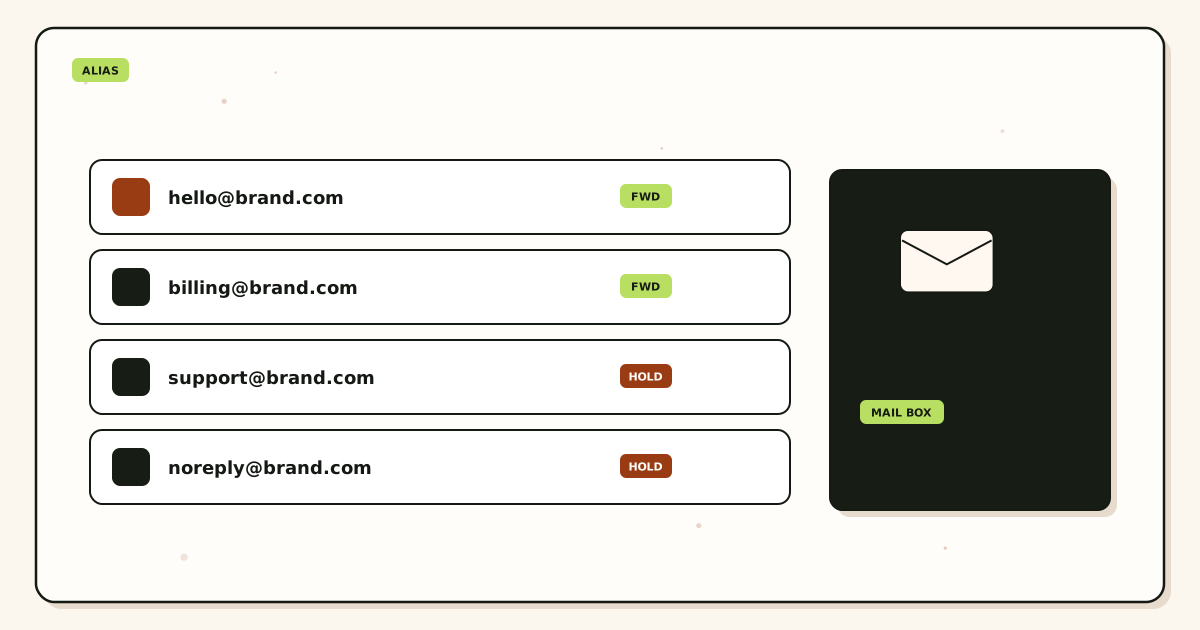
Quick answer for disable leaked email alias
A custom domain alias is a named recipient on a domain you control. When that string shows up on a spam list, a scraped checkout form, or a partner dump, the internet will keep delivering to it until the receiving system stops accepting that local-part. IETF RFC 5321 — Simple Mail Transfer Protocol delivers to the envelope recipient. It does not know the address was meant for one shop and not for the rest of the web.
Disable means the alias service no longer forwards that local-part to your inbox. It does not mean you change you@gmail.com. It does not mean you buy a new mailbox seat. It does not mean you republish MX for the personal provider. The destination stays. The public contract changes.
The leftover failure is almost always catch-all. If unknown recipients still forward, pausing the named alias does nothing useful. The same local-part still lands. Hold unknown recipients unless you have a written reason to accept everything. That rule is how you make disable actually disable.
Then issue a replacement alias to the same destination. Tell the vendors who should still reach you. Leave hop history on the old route until a chargeback or a support ticket no longer needs it. MailerZ keeps stored copies for the plan window: fourteen days on Free, ninety days on paid plans. That window is recovery, not an archive. See aliases and catch-all if the leaked string might still match a wildcard.
User problem and decision criteria
The usual leak is boring. A founder used shop@brand.com on every SaaS trial, every printer, and one public contact form. A year later the inbox is unusable. The instinct is to change the Gmail password, or worse, to change the Gmail address. Neither stops mail addressed to the custom-domain local-part. The spam is not authenticating as you. It is sending to you.
A second instinct is to delete the alias and hope. Deletion without a replacement breaks the one vendor who was legitimate. Deletion without checking catch-all leaves the leak open. Deletion without hop history removes the only proof you had that a message arrived before you cut the route.
Decide with four questions. First: is the leaked string a named alias or a catch-all hit? If you never created shop@ and unknown mail still forwards, you do not have a leaked alias. You have an open wildcard. Second: must any legitimate sender keep using the old string for a while? Some payment processors take days to update a notification address. You may need a short dual-run, not an instant cut. Third: does that role also send? If Gmail Send mail as still lists the leaked address, outbound can keep advertising a string you meant to kill. Fourth: is the destination inbox itself compromised, or only the public route? Password reset and app-password rotation belong to the inbox. Alias disable belongs to the route.
Do not disable the whole domain because one local-part leaked. Other aliases on the same MX set are unrelated. Do not move the team to a new domain because a newsletter scraped one address. Domain moves are DNS, certificates, and every printed card. Alias disable is a dashboard toggle if the product actually separates routes from mailboxes.
Role addresses deserve a slower hand than a one-off shop alias. If billing@ leaked, invoices still arrive there. Cut too fast and you miss a renewal notice. The fix is still not a new inbox. The fix is a replacement role alias, a vendor update list, and a hold on the old local-part after the last expected invoice window. Email alias service pages that sell privacy masks skip this operational step. Business aliases are contracts. Privacy masks are disposable by design. Do not confuse them. For the product difference see custom domain email alias versus a plus-address you cannot revoke at the domain.
Criteria that matter: named routes you can pause independently, hold-unknown as the default for unpublished local-parts, hop history you can still open after disable, and send-as identities you can revoke without touching inbound MX. Criteria that do not matter: a prettier webmail theme, a promise that spam will stop forever, or a claim that disabling one alias improves inboxing for the rest of the domain. Inboxing is a receiving-filter problem at Gmail or Outlook. You are cutting volume into that filter, not rewriting how Google scores the destination account.
Technical mail flow
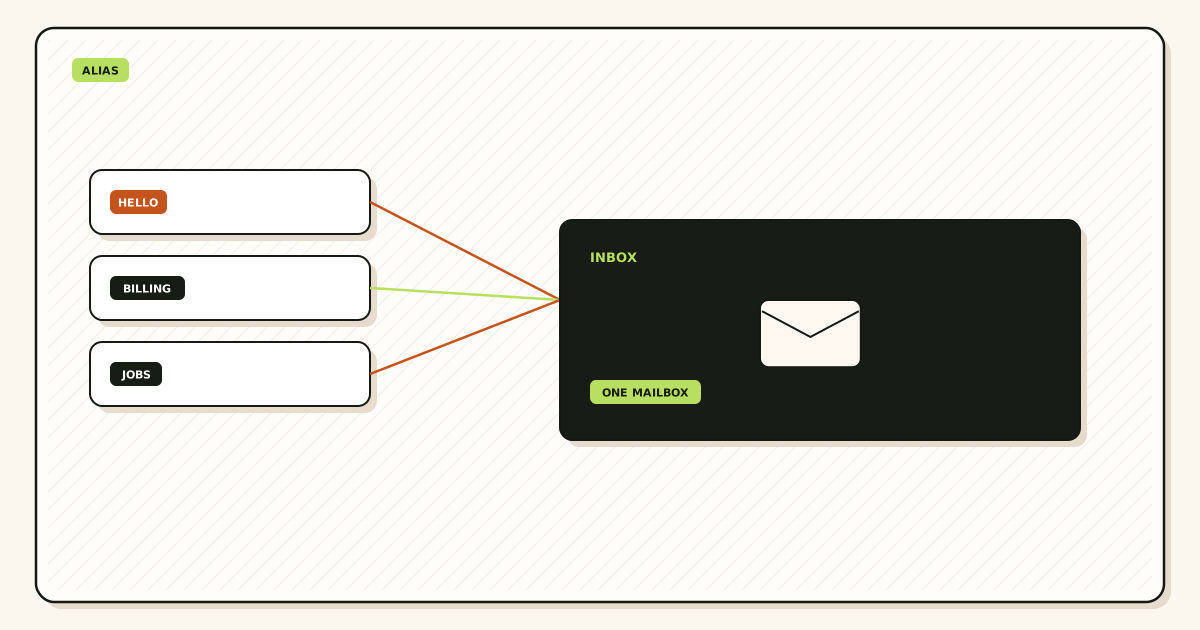
Inbound starts at MX. The sending server looks up the domain of the leaked address and delivers to whatever host that MX names. If MX still points at the alias service, the service decides accept, reject, or hold for that local-part. If you only deleted a filter inside Gmail, the alias service still accepted the message and forwarded it. The leak is still open. Gmail filters are not disable.
When the alias service accepts, it forwards to the destination mailbox. Envelope recipient on that hop is usually rewritten so the personal provider accepts the message. MailerZ uses SRS on the envelope only. Header From, Subject, Date, Message-ID, body, and MIME are left as the sender wrote them. That boundary matters after a leak. You still need to read who actually sent the stored copies. A rewrite of Header From would hide the sender you are trying to stop trusting.
Disable, done correctly, happens before the forward. The service no longer treats the leaked local-part as a live recipient. Unknown or disabled recipients can bounce with a permanent failure, or they can hold for review, depending on product policy. MailerZ Free holds unknown recipients. Named aliases you turn off should stop forwarding. If they do not, you still have a catch-all or a second MX set answering for the same domain.
Outbound is a separate path. Paid send-as uses the SMTP host, port, and TLS or STARTTLS values shown in the MailerZ dashboard. Do not invent port numbers from a generic blog. If the leaked alias was also a send-as identity in Gmail, remove that identity. Otherwise you keep advertising the leaked From on replies. SPF, DKIM, and DMARC stay on the domain. They authenticate mail you still intend to send. They do not disable inbound. Mixing those jobs is how people republish DNS and break the aliases that were not leaked.
The personal inbox MX must not change. Gmail and Outlook already receive at their own hosts. Your custom domain MX points at the alias service. Those are two different DNS names. Changing Gmail MX is not a feature you have, and you should not try. Changing the custom domain MX away from the alias service disables every alias, not just the leaked one. That is a domain-level cut, not an alias disable.
Stored copies sit in the alias service for the plan window and in the destination mailbox for as long as that provider keeps them. Disabling the route does not purge Gmail. If the leak included malware attachments, handle those in the inbox security tools you already use. The alias layer stops new copies from arriving through that local-part. It is not an antivirus product.
Step-by-step setup / decision path
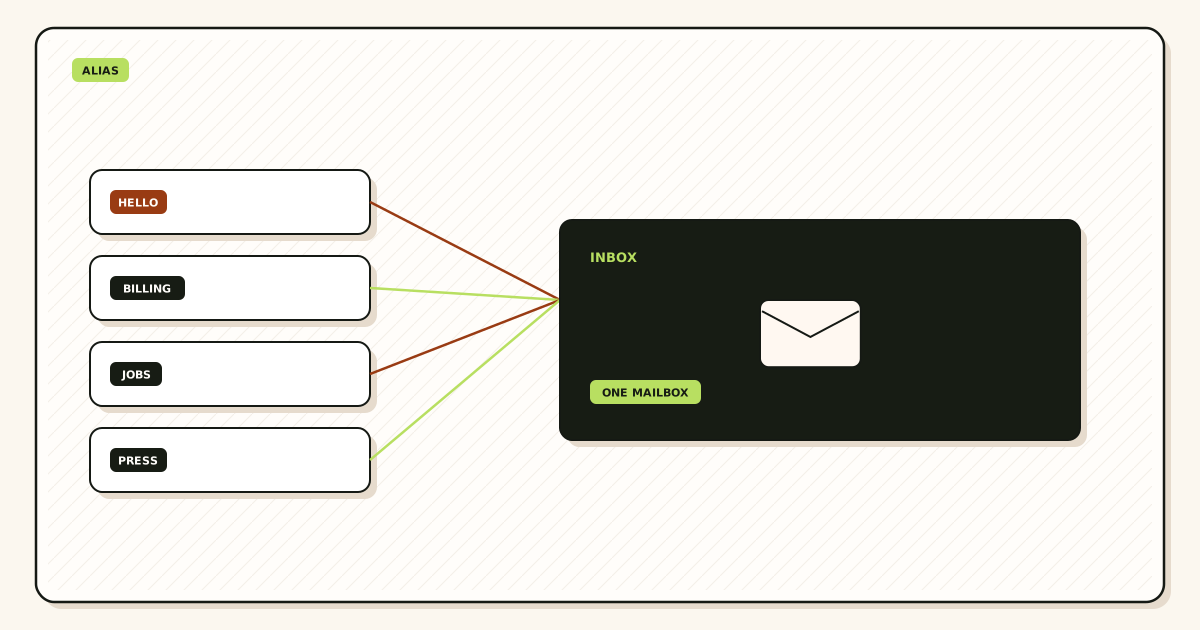
- Write the leaked local-part and the destination inbox on one line. If you cannot name both, you are not ready to toggle anything. Guessing which alias leaked is how people disable
invoices@and leaveshop@live. - Search hop history and the destination inbox for that recipient. Confirm the junk is actually addressed to that alias, not to a different role that shares the same Gmail label. Plus-address variants at Gmail are a different object. A custom-domain alias is what this article disables.
- Check catch-all and unknown-recipient policy before you pause the named row. If unknown mail still forwards, pausing the named alias is theater. Switch unknown to hold. See the catch-all page linked above if you are unsure whether a wildcard is on.
- Pause or disable the named alias. Do not delete the row until you have a replacement and a vendor list. Keep stored copies for the retention window you already pay for.
- Create the replacement alias on the same domain, same destination inbox. Pick a local-part you have not printed on a public form. Do not recycle a close variant the scraper can guess, like
shop1@aftershop@. - Remove the leaked address from Gmail Send mail as and from any Outlook SMTP identity if that role sent. Copy dashboard SMTP values only for identities you still intend to use. MailerZ Free has no send-as.
- Update vendors from a written list: processors, DNS, app stores, printers, accountants. Dual-run the old alias only if a vendor cannot move this week. Calendar the final cut.
- Prove the cut. From a mailbox that is not the destination, send a uniquely titled message to the leaked address. You want reject or hold, not a Gmail arrival. Then send a second unique message to the replacement. Confirm Header From and the delivery row. Self-send hides both tests.
- Leave the destination mailbox password, recovery phone, and app passwords on their own checklist. If the inbox was also exposed, rotate those after the route is closed. Do not mix the two jobs in one panicked hour.
If several aliases leaked from the same form, disable that set as a batch and replace as a batch. Piecemeal cuts leave one printed string alive and the inbox still noisy. If the leak is the domain itself on a public dump, you still disable local-parts one by one. You do not burn the domain unless registrar lock and DNS integrity are the actual incident.
Failure modes and proof
Catch-all still on is the first failure. The named alias shows disabled. Mail still arrives. Operators conclude the product is broken. The product accepted an unknown recipient because that is what catch-all means. Proof: send to a local-part you never created. If it lands, unknown is not held.
A second MX set is the next failure. Leftover Google or Microsoft MX still answers some lookups. Disable on MailerZ only affects the hosts MailerZ publishes. Split MX looks random. Mail from one network dies. Mail from another lives. Proof: look up the domain MX from a resolver that is not your laptop cache. You want one set, the alias service, no leftover host records.
Gmail filters used as disable is the third failure. The alias still forwards. The filter archives or marks spam. Volume still counts against the destination. Some mail bypasses the filter. Proof: delivery history on the alias service still shows accepts after you “turned it off” in Gmail.
Deleting history too early is the fourth. A vendor says they sent the invoice. You have no hop row. The argument becomes screenshots versus screenshots. Keep the disabled alias visible in the dashboard until the retention window and the dispute window both close.
Replacement collision is the fifth. You create orders@ and discover a teammate already printed it on a packing slip. The new leak starts on day one. Proof: search your own site, invoices, and DNS TXT notes for the new local-part before you hand it to vendors.
Send-as leftover is the sixth. Inbound is quiet. Outbound still shows the leaked From. Recipients keep writing back to the dead string, or worse, to a lookalike the attacker registered. Proof: send a test from the identity list and read Header From on an unrelated mailbox.
Free-plan send-as attempts are the seventh. MailerZ Free is one domain, ten aliases, one seat, fourteen-day store, send-as disabled, hold unknown. If the leaked role must still reply as the domain, that is a paid-plan question, not a disable question. Solo is forty dollars per year with twenty-five aliases, ninety-day store, 2,500 outgoing per month, and 20 send-as messages per hour. Starter, Business, and Agency raise alias and send-as ceilings. Confirm live numbers on pricing.
Treating plus-addressing as a disable control is the eighth. you+shop@gmail.com is a Gmail local-part convention. You cannot revoke it at a domain you do not operate. Filters help. They are not a public-contract kill switch. If the leaked address was a plus-address, the durable fix is a custom-domain alias going forward, then disable that alias when it leaks. Do not pretend a Gmail plus tag is the same control.
Autoresponders on a disabled alias are the ninth failure. Some stacks keep a vacation reply even after forward is off. The leaked address then confirms it still exists. Turn off any auto-reply tied to that local-part in the same session as the pause. Proof: the unique test to the leaked address should not produce a bounce-back from your brand.
Shared inbox rules that re-forward are the tenth. A teammate set Outlook to forward shop@ copies to a Slack email-in address. You paused MailerZ. Slack still gets a trickle from the mailbox rule. Disable is not complete until destination-side forwards that mention the leaked local-part are gone. Search Gmail filters and Outlook inbox rules for the string, not only the alias dashboard.
MailerZ workflow and product boundary
MailerZ is custom-domain aliasing and forwarding with optional paid send-as. Secuno LLC operates the product at mailerz.net. The app lives at mail.mailerz.net. It is not Google Workspace, not Microsoft 365, not IMAP, and not an open relay. Open-relay attempts get 550. Authenticated traffic that still is not allowed gets 550 5.7.1. Those codes are policy, not a suggestion to retry as an open relay.
To disable a leaked alias in this model, you sign in, open the domain, and pause the named route. Destination inboxes stay listed. You do not migrate mail. You do not create a MailerZ mailbox because there is not one. You add a replacement alias if the plan still has a free alias slot. Free allows ten aliases. If all three are spoken for, disable one you no longer need or move to a paid plan before you add the replacement. Do not delete the leaked row first if that is your only remaining slot and you still need its history.
Hold unknown stays on unless you have a reason. That is the control that makes disable real for local-parts you never created. Catch-all is a product choice, not a default you should leave on after a leak. Role addresses that must stay stable belong on named aliases, then the same disable path if one of those roles is later scraped.
Envelope SRS only. Header fields and body are not rewritten. After a leak you will read stored copies with the sender intact. That is intentional. Recovery is fourteen days on Free and ninety days on paid. If you need a multi-year archive, that is a different product. MailerZ is not that product.
Send-as, when paid and enabled, uses the host, port, and TLS or STARTTLS values the dashboard shows. Copy those. Do not paste generic 587 or 465 from a tutorial as if they were MailerZ facts. Rate limits are plan facts: Solo 20 send-as per hour, higher plans raise the cap. Disable a leaked send-as identity in Gmail when you disable the inbound alias. The two lists can drift.
Support and security reporting stay on the site surfaces you already have. This article does not invent SOC 2, ISO, HIPAA, an SLA, or an inboxing percentage. If a leak included personal data in message bodies, handle that under your own privacy process. The alias disable stops new mail on that local-part. It does not erase copies already sitting in Gmail.
Cost, alternatives, and trade-offs
The cheap wrong move is a new mailbox seat because an alias leaked. You pay per user per month and still have the old public string if MX and the alias were never cut. The cheap right move is one forwarding plan and a dashboard disable. MailerZ Free can prove the path: one domain, ten aliases, hold unknown. When you need more named routes or send-as, Solo at forty dollars a year is the first paid step. Starter is eight dollars a month or eighty a year. Business is nineteen or one hundred ninety. Agency is thirty-nine or three hundred ninety. Live figures sit on the pricing page. Do not treat this paragraph as a contract if the page moved.
Google Workspace or Microsoft 365 can disable a user or a shared mailbox. That is the right tool when the leaked address is a mailbox. It is the expensive tool when the leaked address was only a route into Gmail you already pay for. Compare seats versus aliases on the pricing page and on Google Workspace comparison if someone is selling you a suite to solve a toggle.
Disposable inboxes and privacy-mask apps are fine for throwaway signups. They are a poor fit when the leaked address is a brand role you still owe replies on. You need a replacement on the same domain, not a random provider domain printed on an invoice. SimpleLogin and similar products document mask workflows well; that research lane is a different job than durable business aliases.
Doing nothing has a cost too. The destination inbox becomes unusable. Legitimate mail hides in the same pile. People create a second Gmail, forward the first, and now you have two stores and the same leaked public string. Disable the route before you clone the inbox.
Dual-run costs attention. You keep the leaked alias live for a vendor who cannot move. Calendar it. If dual-run lasts months, the leak is not disabled. You accepted residual noise for operational reasons. Write that down so the next person does not think the toggle failed.
A registrar lock and a domain transfer are incident tools when the domain itself is at risk. They are not tools for a scraped local-part. Mixing those jobs burns a weekend and still leaves the leaked alias live if you never paused it. Keep the disable path boring: named route off, unknown held, replacement issued, vendors told, both directions proved.
If you outsource the cut to an agency, give them the leaked string, the destination inbox, the vendor list, and a rule that they may not change personal MX. Agencies that “clean up email” by standing up Workspace seats are solving a different invoice. Ask them to show the disabled row and the hold-unknown setting before you pay the cleanup fee.
FAQ
- What is the safest way to handle disable leaked email alias?
- Pause the named alias that leaked. Leave the destination inbox and its MX alone. Confirm catch-all is not still accepting that local-part. Issue a replacement alias to the same inbox, tell vendors the new string, and prove inbound from a third mailbox. Keep hop history on the old route until you no longer need it for a dispute.
- Does this require a new mailbox?
- No. Disabling a leaked alias is a routing change. MailerZ is Mail Box portal webmail (Inbox, Sent, New email). It is not IMAP or POP. Gmail or Outlook stays the store. Creating a new mailbox because a public address leaked is how teams confuse identity with storage.
- Will it work with Gmail or Outlook?
- Yes. The destination is still a mailbox those products already provide. You do not change Gmail or Outlook MX. You change which custom-domain local-part is allowed to forward into that mailbox.
- What DNS records are involved?
- Usually none, if the leaked string was a named alias on a domain that already points MX at the alias service. You only touch DNS if leftover host MX, a catch-all you meant to close, or SPF/DKIM/DMARC for a replacement send-as identity need updating. Split leftover Google or Microsoft MX is a different failure.
- What should I test before production?
- Send a uniquely titled message to the leaked address from an unrelated provider and confirm it is rejected or held, not delivered. Then send a unique message to the replacement alias and confirm Header From and delivery history. Self-send from Gmail to the same Gmail account can hide both results.
Key takeaways
- Disable a leaked email alias by pausing the public local-part. Leave the main inbox and its MX alone.
- Catch-all that still forwards the old local-part means the alias was never disabled in practice.
- Issue a replacement alias to the same destination. Do not recycle a guessable variant.
- Remove leftover send-as identities so outbound stops advertising the leaked string.
- Prove reject-or-hold on the old address and delivery on the new one from a third mailbox.
- Keep hop history through the retention window. MailerZ is not a long-term archive.
- A new mailbox seat does not close a leaked route. A dashboard pause does.
Conclusion
A leaked alias is a broken public contract, not a broken inbox. Pause the route. Hold unknown recipients. Replace the string on the same domain. Tell vendors. Prove both sides of the cut. Leave Gmail or Outlook where it is unless the inbox itself was the incident.
If you want that disable path on a custom domain you already own, create the aliases on MailerZ, keep catch-all off unless you have a reason, and use the dashboard when a printed address burns. Start on the free plan if ten aliases are enough to practice the cut.