Disable a compromised email alias by removing or remapping that local-part — not by tearing down MX. Keep the domain and the other names. Rotate send-as if the leaked string could send. Do not enable catch-all to “keep receiving the leak.” Hold unknowns. Probe sibling aliases from another mailbox. Envelope SRS only. Header From stays on inbound you still want. Confirm pricing. This is not a police report.
Quick answer
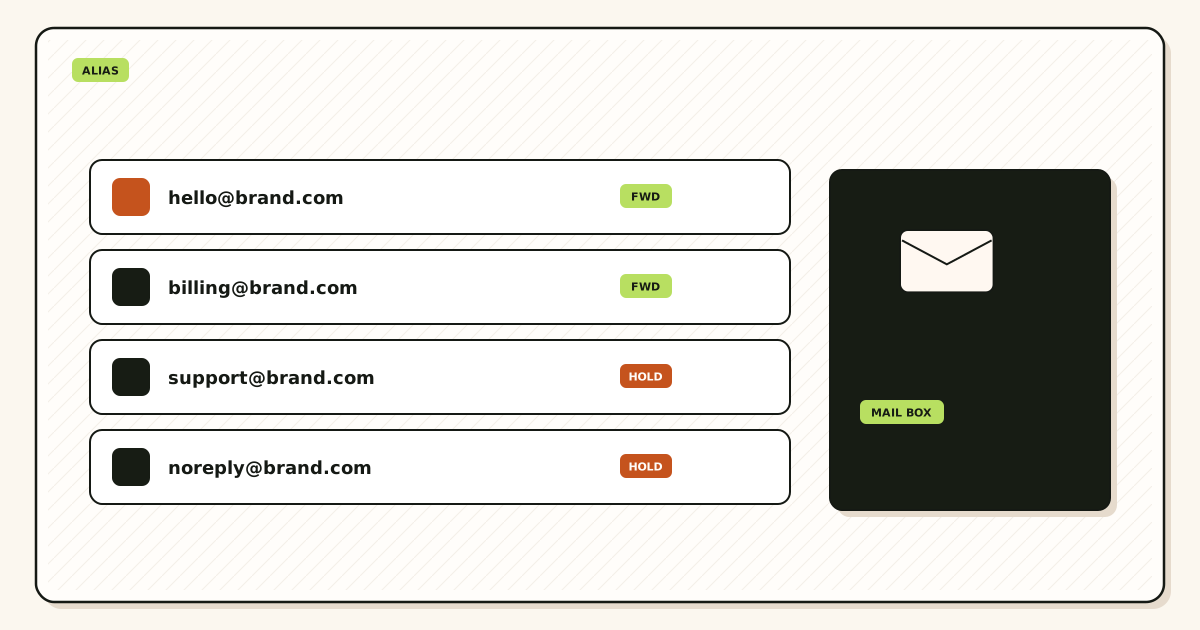
Disable or remap the leaked local-part. Keep exclusive MX. Rotate send-as if that From existed. Probe the names you still print. That is how you disable a compromised alias without breaking the domain. A custom-domain alias is one row. The zone is hop one.
Create a replacement string only if you will print it. Update vendors. Do not catch-all the old name forever. Harvest is not continuity.
MailerZ Free is one domain, ten aliases, one seat, a 14-day store, send-as Off, SMTP Off, API Off, and unrouted mail held or rejected only. Solo is $40 per year only. Starter is $8 monthly or $80 yearly. Business is $19 or $190. Agency is $39 or $390. Unlimited is $99 monthly or $990 yearly. Confirm live numbers on MailerZ pricing. Those ceilings are capacity, not an inbox-placement promise.
Transport still follows IETF RFC 5321 — Simple Mail Transfer Protocol. Gmail Send mail as labels live in Google Gmail Help — Send mail from a different address if you must re-attach a replacement From. Workspace as a suite is Google Workspace — product overview. None of those pages ask you to delete MX because newsletter@ leaked.
The real decision
The usual panic deletes MX because spam@ leaked. hello@ and billing@ die with it. The second panic turns catch-all on so the leaked string “still works.” The scrape becomes the inbox. The third panic forgets SMTP. A WordPress copy still leaves as the leak after you killed inbound.
Criteria stay small: leaked row gone, MX exclusive, secrets rotated, neighbors probed. Reassign-on-leave is the planned version of this job. This page is the abuse version.
| Item | Keep | Kill |
|---|---|---|
| Domain / exclusive MX | Yes | No |
| Other aliases | Yes | No |
| Leaked local-part | No | Disable or remap |
| Send-as pair if used | New secret | Old secret |
| Catch-all for the leak | No | Hold unknowns |
Kill the row first. Prove the neighbors still land from another mailbox.
Start free — one domainTechnical mail flow
After disable, RCPT TO the leaked local-part should hold or reject per your unknown-mail policy. It should not land in Primary. Other aliases still match. Exclusive MX still accepts hop one for names you kept.
Old send-as still leaves as the domain until you rotate. That is a second hop. Inbound disable does not revoke a CMS password. Unauthorized 550 after rotate is the success signal, not a new outage.

MailerZ is inbound MX plus authenticated SMTP from Secuno LLC. Envelope SRS only. Header From, Subject, Date, Message-ID, body, and MIME are never rewritten. Not Google Workspace, not IMAP or POP, not an open relay. Leftover MX is a hard stop for a clean hop. Self-send to the leak is not proof the dest is clean.
History of hops this layer accepted lives in the store window: 14 days on Free, 90 days on Solo through Agency, 180 days on Unlimited. That is evidence, not a police report, not legal hold. If counsel wants eDiscovery, buy eDiscovery.
Step-by-step disable
Name the leaked string, the dest, and every CMS that could send as it. Then click. Do not announce that MX is down.
Disable or delete the leaked alias
One row. Do not delete the domain. Do not wipe the other maps.
Hold unknowns
Do not catch-all the leak. Harvest will guess admin@ next. Hold is policy. Review the store. Promote only a real leftover a human used.
Rotate send-as if that From existed
Revoke WordPress, plugins, cron files, and chat pastes. Copy the new dashboard pair as one unit. Free had no send-as — still disable inbound.
Keep exclusive MX
Do not add leftover hosts in the panic. If MX is already split, fix that on troubleshooting as a separate ticket.
Create a replacement only if you will print it
Update vendors. Probe the new name and the neighbors from another mailbox. Do not print a string that does not exist yet.
Search dest spam if you need evidence
Unique subjects in the store window. Do not mail SMTP secrets in the incident thread. A 550 line, a timestamp, and a Message-ID are enough.
Related surfaces: aliases and catch-all, send and reply, security, features. Abuse response is hops and maps.
Failure modes and proof
| Symptom | Likely cause | What to check |
|---|---|---|
| hello@ died with the leak | MX deleted. | Put exclusive MailerZ MX back. Disable the row only. |
| Leak still arrives | Catch-all or leftover MX. | Hold unknowns. Print public MX. |
| Domain From still leaves | CMS still has the old secret. | Rotate. Expect 550 on the old pair. |
| Self-send looks clean | Gmail short-circuit. | External probe of neighbors and the leak. |
| Replacement printed, not created | Homepage updated first. | Create, probe, then print. |
If neighbors stopped landing, you probably touched MX. Check a public lookup.
Open leftover MX troubleshootingMailerZ workflow and product boundary

MailerZ will route and disable aliases. It will not file a police report, claim SOC 2, or keep a leaked row alive as a courtesy hop. The 14-day Free store, 90-day paid store, and 180-day Unlimited store may still show hops this layer accepted. They age out.
Agencies: per-client leak, per-client rotate. Do not disable MX on the agency lab because a client alias leaked. Do not share SMTP across tenants. Offboard means revoke the secret you issued for that zone.
Legal@ leaks need counsel on the replacement string. MailerZ will not invent a compliance badge because the local-part said legal. Quarterly leftover MX review still happens after the incident. Panic is not a reason to reintroduce Google or registrar hosts.
Cost and replacements
One alias slot changes. The domain does not. Confirm pricing if you add a replacement on a full Free plan — ten aliases is the ceiling. Solo at $40 per year raises the alias cap to 25 and turns send-as on so you can rotate a real From. Limits are not an inbox SLA.
A new mailbox does not isolate a leaked prefix. A new local-part does. A new registrable domain isolates correlation, at the cost of a second identity. Most vendor leaks need the first. Few need the third.
Google’s helpful-content guidance is not an incident plan. The Security and Trust Center is the questionnaire. Do not invent HIPAA or ISO because a leak felt serious.
Worked tickets
They deleted MX because newsletter@ leaked
A scraped newsletter@ started getting abuse. They removed all MX. hello@ and billing@ died. They put MailerZ MX back, disabled newsletter@, rotated an unused send-as pair, probed hello@ and billing@, and held unknowns. The domain never needed to break. The row did.
Catch-all “so customers can still write”
They wanted the leaked string to keep working. Harvest filled the inbox. They disabled catch-all, held unknowns, printed a new billing@ after it existed, and emailed known vendors. Continuity for strangers is how leaks stay forever.
WordPress still sent as the leak
Inbound was dead. Outbound still authenticated. They rotated, updated the plugin, and confirmed 550 on the old pair from a test box. Then they probed the replacement From on a foreign mailbox. Two hops, two proofs.
Loops are dest forwards — a different ticket. If Gmail forwards the dest back at the alias, you have a loop, not a leak. Break the dest rule. Do not delete MX.
Write the last change on a sticky note: which local-part, which CMS, whether SMTP existed. If the sticky note says “deleted MX,” undo that first. Then disable the row. Then rotate. Then probe neighbors.
Print the remaining public list. If you cannot print it, you will disable the wrong name. Three named aliases on Free are enough to keep a homepage up after one leak. Grow the list when a real person used a leftover, not when a harvest guessed admin@.
Name the incident before you click
Three failures look like “the alias is burned.” A merchant dump published shop-west@yourdomain. A dest inbox was phished and mail is leaving as the human. Leftover MX is still accepting a copy you never see here. Only the first is this page. The second is dest-account recovery plus SMTP rotate if MailerZ could send. The third is a public lookup. Disabling shop-west@ does not fix a leftover Google host. Deleting MX does not fix a phished Gmail.
Write the join keys you already published: the homepage, WHOIS or registrar account, certificate logs, and MX. Unique prefixes stop a dump from listing every vendor in one row. They do not make shop-west unlinkable from hello@. If unlinkability is the job, you need a different namespace, not a prettier prefix. This incident still wants the kill switch on one row.
Hold versus reject after the leak
Free holds or rejects unknowns. Paid plans can forward catch-all. After a scrape, forward is how the next guessed local-part becomes the inbox. Hold lets you see what the internet tries without training two spam buttons. Reject is quieter and hides evidence. Pick hold for a week if you want to see the harvest. Then stay on hold unless a real person used a leftover you are willing to name.
Plus addressing on Gmail is not a custom-domain unknown policy. MailerZ will not strip plus tags on your domain the way Gmail does on @gmail.com. A harvest that guessed hello+west@ is a different string. Disable the string you printed. Do not invent plus-tag magic as the incident plan.
When the dest must change too
If the leak is only the public string, keep the dest inbox. If the dest password leaked, rotate that store first. MailerZ can stop mapping the alias into a burned Gmail, but it cannot un-send mail the attacker already read. Remap remaining aliases to a dest you still control. Probe. Then decide whether the leaked local-part ever gets a replacement.
Password managers should store the dest login, the MailerZ operator seat, and the SMTP secret as three objects. Mixing them is how people rotate Gmail and think they rotated send-as. Update vendor account-recovery emails after the new local-part exists and lands. Do not put the old string on a new PDF “for a transition quarter” unless counsel dated that choice.
Agencies and shared labs
A client leak is not a reason to disable the agency’s own MX. Keep per-zone credentials. If you used one SMTP user across ten clients, rotate all ten and stop that habit. Agency plan capacity exists so you can hold more domains. It does not replace a named list or a per-client secret.
Tell the client what changed in one paragraph: which local-part died, which names still work, whether From rotated, and that MX did not move. Do not send the new SMTP password in that paragraph. Do not claim an inbox SLA because you handled the leak quickly.
Evidence you can keep
Timestamp, unique subject, public MX, dest screenshot if you already searched spam, and the 550 line after rotate. Delivery recovery shows hops this layer saw inside the store window. It will not fetch a leftover miss or a dest the attacker read last month. Do not attach passwords. Do not attach verification tokens. If a secret already sat in a ticket, rotate again.
RFC 5321 still defines 250 as accept. A 250 to the leak before you disabled it is history, not a reason to keep the row. After disable, a hold or reject on that RCPT TO is the new fact. Probe it once from another mailbox so you can print the new fact. Then stop mailing the leak “to see.”
A one-hour timeline you can follow
Minute zero: write the leaked string and whether SMTP existed. Minute ten: disable the row. Minute fifteen: hold unknowns if they were forwarding. Minute twenty: rotate send-as and revoke CMS copies. Minute thirty: public MX check so you did not delete hop one in the panic. Minute forty: probe remaining printed names from another mailbox. Minute fifty: create the replacement only if a vendor must be told today. Minute sixty: send vendors the new string, not the SMTP password.
If you cannot finish rotate in an hour because the secret sits in a contractor laptop, disable inbound anyway. A leak that still receives is worse than a From that 550s. The outbound 550 is a plan or auth fact you can explain. The inbound scrape is unlimited strangers.
What to tell vendors — and what not to
Tell them the public address changed, the date it changed, and the new local-part. Ask them to update account-recovery and billing contacts. Do not tell them MX moved unless it did. Do not tell them to “try the old address for a while.” Do not publish a catch-all so “anyone who bookmarked the leak still gets through.” That is how the scrape stays paid work.
Internal staff get a shorter note: which names still work, which dest inbox to search, and that MailerZ is not a mailbox login. The next person who asks for “the email password” should get the dest password manager entry, not a request to turn MX off.
If the leaked name was legal@ or careers@, counsel or HR owns the replacement wording. You still own the row. Do not leave the old string mapped “until they decide.” Disable first. Draft the public sentence second. Printing second is how PDFs stay honest.
After the hour
Calendar a leftover-MX check for the next nameserver change. Calendar a store-window look before the 14-day Free rows age out if you need hop evidence. Confirm pricing only if the replacement pushes you over ten aliases or you finally need send-as. Solo at $40 per year is the usual door. Do not buy Unlimited because a scrape felt large.
Related planned work lives on the employee-leave article: that is a disable you schedule. This page stays the disable you did not schedule. The clicks are cousins. The sticky note is not.
If leftover MX appears during the hour, stop the alias work and fix the split first. A disabled row on a domain that still answers at Google is two stories. Strangers will keep hitting the leftover host. Your history will look empty for those copies. Delete the leftover. Wait for two resolver views. Then finish the row. That order is how you avoid writing “MailerZ lost the leak” when MailerZ never saw it.
Self-send to the leaked name after disable can still look green inside Gmail. That is the same short-circuit as always. Use another provider. If the leak holds or rejects there, you are done with inbound. If it still lands, you missed a map, a catch-all, or a leftover host. Print MX. Print the alias list. Click once more. Then stop.
Subscriptions still writing the leaked string
Disabling newsletter@ stops new hops at MailerZ. It does not unsubscribe the lists that already have that address. Password-reset mail, registrar recovery, certificate notices, and vendor invoices will keep sending. Those copies hold or reject. They do not jump to hello@. If a vendor must still reach you, create the replacement, probe it, then change that vendor — not catch-all.
Print a dest-side list the same hour: which portals recover to the leak, which lists you can unsubscribe without the old inbox, and which require a replacement first. A registrar still recovering to the leaked string is how you lock yourself out next quarter. Confirm MailerZ pricing only if the replacement exceeds ten aliases on Free. Solo at $40 per year is the usual door. Do not keep the leak mapped “until the last list updates.”
FAQ
- How do I disable a leaked alias without taking the domain down?
- Disable or remap that local-part only. Keep exclusive MailerZ MX and the other aliases. Rotate send-as if that From could send. Hold unknowns. Do not catch-all the leak. Probe remaining printed names from another mailbox. Create a replacement only after you will print it.
- Does this require a new mailbox?
- No. MailerZ is Mail Box portal webmail (Inbox, Sent, New email). It is not IMAP or POP. Gmail or Outlook remains the store. Killing an alias is a routing change, not a mailbox migration.
- Should I delete MX when one alias is abused?
- No. Deleting MX takes every remaining name down. The leak is a row. The zone is hop one. Leave exclusive MX in place unless leftover hosts are the real problem.
- Do I need to rotate SMTP?
- Yes if that From existed on a paid plan or sat in a CMS. Revoke the secret the same hour you disable the alias. Unauthorized 550 after rotate is success. Free has no send-as — still disable the inbound row.
- What should I test after the disable?
- Send a uniquely titled message from an unrelated provider into each remaining printed alias. Confirm Header From and history. A probe to the leaked name should hold or reject, not land in Primary. Do not self-send.
- When do I create a replacement address?
- After you will print it and tell vendors. Do not promise the old string will keep working. If counsel needs the old name on a PDF, they date the change.
Key takeaways
- Disable the leaked local-part. Do not delete MX.
- Keep other aliases. Probe them from another mailbox.
- Hold unknowns. Catch-all is not continuity.
- Rotate SMTP the same hour if that From existed.
- Create a replacement only after you will print it.
- Free is ten aliases. Solo is $40/year if you need more or send-as.
- History is hop evidence, not a police report.
- Agencies isolate leaks per client zone.
Conclusion and next action
A compromised alias is a row. Kill the row. Leave the zone. Rotate secrets. Hold unknowns. Probe what you still print. Do not turn a scrape into an MX outage.
Kill the row, keep the zone
Start free, map named aliases, disable the one that leaked.
Do not delete MX because newsletter@ got scraped.
Review quarterly, or sooner after an alias leak or staff departure. Author: MailerZ editorial, Secuno LLC.