Email routing rules for teams are destination maps, not a shared inbox password. Print support@ once. Map each person to the Gmail or Outlook account they already own. When someone leaves, remove that destination. Do not reset a communal Gmail because four people used it as “the support mailbox.” MailerZ aliases are routes. Operator seats are dashboard logins. Neither is IMAP.

Quick answer for email routing rules for teams
Build one named alias per public role. Map one or more verified destinations. Each destination is a mailbox the person already reads. Prove inbound from another provider. Leave unknown local-parts held. Enable paid catch-all FORWARD only as a watched window, never as a substitute for naming support@ and billing@. Product language lives on aliases and catch-all.
Free is one domain, ten aliases, one seat, a 14-day store, send-as disabled, SMTP and API disabled, and unrouted mail held or rejected only. That is enough to prove routing for a two- or three-name team if those names fit. Solo is $40 per year for one domain and twenty-five aliases when someone must send as the domain. Starter is $8 or $80 with five operator seats. Business is $19 or $190. Agency is $39 or $390. Unlimited is $99/month or $990/year. Confirm MailerZ pricing. Seats are not Gmail logins.
Transport still follows IETF RFC 5321 — Simple Mail Transfer Protocol. Senders look up MX, offer an envelope recipient, and transfer content. MailerZ accepts a matching alias and forwards to each mapped destination. Envelope SRS may rewrite the return path. Header From, Subject, Date, Message-ID, body, and MIME stay as received. Sharing a password is not part of that conversation.
Privacy-alias blogs discuss hiding a personal inbox from shops; see addy.io’s blog for that class. A company role address is the opposite job: many people read one public name, each with their own login. Do not copy a masking workflow into a support queue.
Google’s people-first guidance is about pages, not SMTP; see creating helpful, reliable, people-first content. A team-routing article that only says “use groups” without leftover MX, destination maps, and offboarding is a slogan.
The user problem and the decision criteria
Shared passwords show up after the second hire. Someone created support@gmail.com or a Workspace user named support, wrote the password in a chat, and called it a queue. Offboarding becomes “we think we changed it.” Audit becomes impossible. Customers still write support@yourdomain. The routing rule should have been: public name on the domain, personal inboxes underneath.
| Question | If yes | If no |
|---|---|---|
| Can every reader use their own Gmail or Outlook? | Map destinations. Do not share a login. | You may need hosted mailboxes. That is a different product. |
| Must the public name stay when people change? | An alias is the right object. | Personal addresses are enough. Skip the role. |
| Must replies show the role? | Paid named send-as. Free cannot. | Inbound-only routing is a valid team setup. |
| Can leftover MX be deleted? | The map can apply to the whole domain. | Stop. Split MX looks like random team failures. |
| Is catch-all the “team inbox”? | No. HOLD leftovers. Name the roles. | Good. Treat FORWARD as a window, not a queue. |
Google Groups and Microsoft 365 shared mailboxes look like team routing and still follow suite MX. If MX points at MailerZ, those suite objects do not receive the domain. Dual MX is not a hybrid that “covers both tools.” It is split delivery. Pick one inbound owner. If the suite is the owner, you are not building MailerZ routing rules.
Plus addressing is not a team rule. you+support@gmail.com is a filter tag on one person. Forms reject plus signs. A named support@ on the domain is ordinary SMTP. Do not staff a queue by asking customers to remember plus tags.
Two founders on hello@ is the smallest multi-destination map. Both keep their own inboxes. Both see the same inbound copy. Sending as hello@ is a separate paid identity. If only one founder should send, only that person gets SMTP in their client. The other still reads. That is how you avoid a shared password and still share the mail.
Agencies mapping client domains must not reuse one SMTP secret across clients. Operator seats on Starter and above let more people open the dashboard. They do not mint a shared From. Agency is $39 or $390 for 100 domains, 500 aliases, and 50 seats. Count domains and aliases first. Seats second. IMAP users never.
Technical mail flow
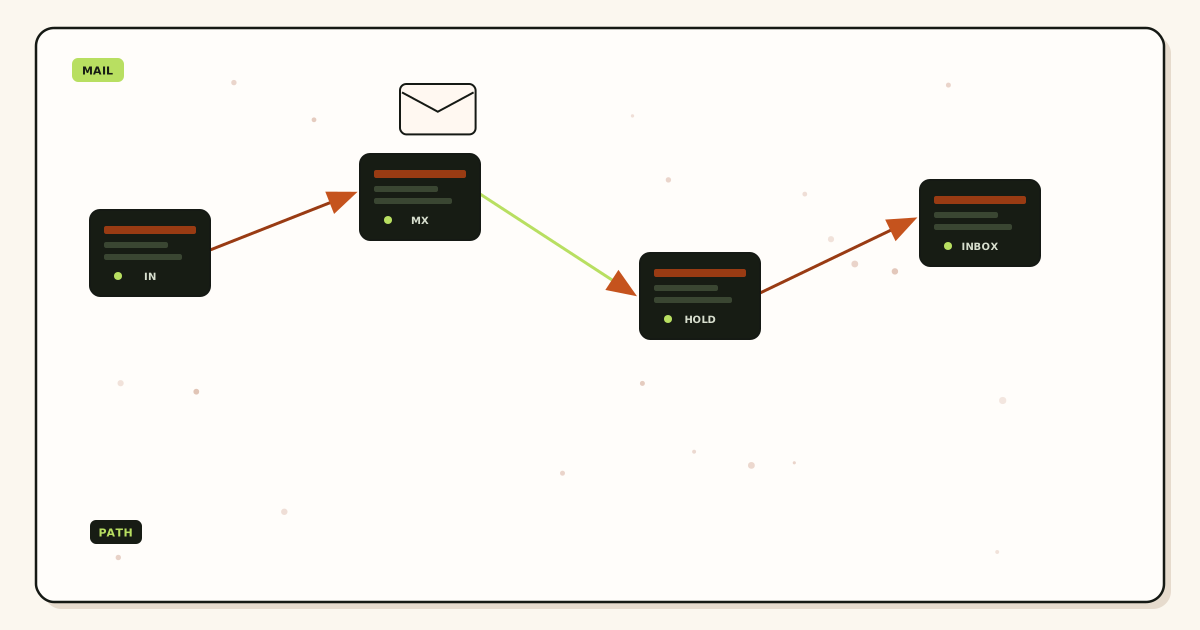
A sending server looks up MX, connects, offers MAIL FROM, names the role alias, and transfers content. MailerZ accepts for a verified domain and a matching alias, stores required content, then forwards to each destination you verified. Envelope SRS may rewrite the return path. Header From stays the author. Unknown local-parts on Free are held. Paid plans can forward them when you enable catch-all FORWARD. HOLD is not a team member.
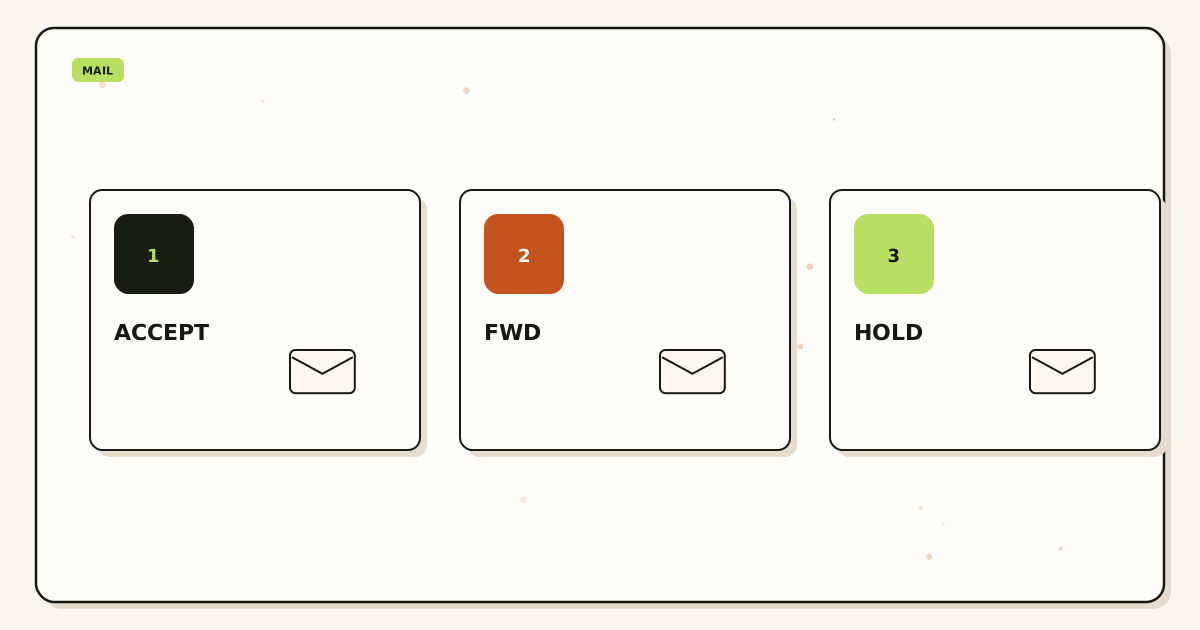
Multi-destination means multiple verified inboxes, not one inbox with four passwords. Each hop to Gmail or Outlook is a separate delivery. One destination can filter while another accepts. Delivery history records outcomes; see delivery and recovery. A teammate who “never got it” may have a promotions tab, not a broken alias.
Outbound SMTP is paid and named. The session authenticates, checks the From identity, applies hourly and monthly caps, and submits. Unauthorized or unhosted recipients get 550 / 550 5.7.1. MailerZ is not an open relay. Free cannot finish this hop. Sharing one SMTP password in a chat is still a shared secret. Store it in a password manager, revoke it on exit, and do not paste it into a contractor’s personal Thunderbird forever.
SPF, DKIM, and DMARC evaluate authorization. IETF RFC 7208 — Sender Policy Framework (SPF), IETF RFC 6376 — DomainKeys Identified Mail (DKIM), and IETF RFC 7489 — Domain-based Message Authentication, Reporting, and Conformance (DMARC) are the documents. They do not create team permissions. They do not replace destination maps. They do not move mail into Primary.
Recovery is 14 days on Free and 90 days on paid. That store is hop evidence, not a shared archive and not legal hold. Each person’s Gmail or Outlook remains the system of record they search next year. Do not treat MailerZ HOLD as the team’s only copy of last month’s tickets.
Leftover MX is a hard stop. Old Google, Microsoft, or registrar records beside MailerZ MX split inbound. Some customers reach the old shared mailbox you thought you retired. Some reach the new map. It looks like “the intern missed it.” Read the public set from two resolvers before you blame people.
Self-send from Gmail to the same Gmail account can short-circuit. Budget an external mailbox. Confirm every mapped inbox, not just the person who ran the test.
Campaign mail is out of scope. Solo’s 2,500 outgoing and 20 send-as per hour, Starter 5,000 and 40, Business 12,000 and 60, Agency 20,000 and 60 are stop signs. A team blast is not a reason to share SMTP with a random plugin.
Operator seats are dashboard logins. Free and Solo have one seat. Starter starts at eight. They let more people create aliases and read history. They do not give those people a hosted mailbox. If a teammate needs to change routes, give them a seat. If they only need to read support@, map their existing inbox. Do not buy seats to replace destination maps.
Simulate a map before you cut MX in the Email Routing Lab. The lab is a teaching tool, not production MX. Production still needs exclusive records and an external probe.
Night coverage is a mapping problem, not a password problem. If the overnight person should see support@, add their inbox for that window and remove it in the morning, or keep them mapped and accept that they see daytime mail too. Do not create a second Gmail named nights@ and share it. Create nights@ as its own alias if customers should write that name. Otherwise keep support@ and change destinations.
Contractors are destinations with an expiry. Map their inbox. Write the end date next to the alias. On the last day, unmap. If they sent as the role, rotate SMTP the same day. A contractor who still has a password manager entry for a communal mailbox is how last quarter’s tickets leak.
Labels and filters stay in each person’s Gmail. Routing does not create a shared folder. If the team needs one searchable pile, that is a helpdesk or a suite shared mailbox. Be honest about that job. Forcing four people to search four Gmail accounts is the trade-off you accept when you refuse a shared password. Many teams accept it because offboarding is then one unmap.
Escalation is another alias, not a CC culture. Create founders@ or escalate@ and map the people who should see the hard cases. Teach support to forward a thread there from their own inbox, or give customers the second address only when needed. Do not add every executive as a destination on support@ “just in case.” That recreates catch-all noise with important names.
Step-by-step setup and decision path
List public roles and the people who must see them
support@, billing@, hello@. Write names next to each. If a name is “whoever is around,” you do not have a rule yet. Free allows ten aliases. Solo allows twenty-five. Upgrade the alias card before you invent catch-all as staffing.
Create each alias and map personal inboxes
Verify TXT. Map destinations the people already read. Do not create a new Gmail to share. Do not loop a destination through the same domain.
Publish one MX set and delete leftovers
Copy the dashboard MX. Read the public set from two resolvers. Remove obsolete Google, Microsoft, and registrar records. Team routing cannot unify two inbound owners.
Prove each role from another mailbox
Unique subject. Confirm Header From, history, and every mapped inbox. If one inbox is empty, fix that destination filter or address. Do not share a password to “make sure they see it.”
Add send-as only for people who must leave as the role
Upgrade to Solo or higher. Create SMTP. Put the identity in that person’s Gmail Send mail as or Outlook SMTP. Others can still read without sending. Confirm pricing the day you buy.
Write the offboard step now
Remove the destination. Confirm they stop receiving new copies. Rotate SMTP if they had it. Do not wait for a messy exit to invent this list.
Failure modes and proof
| What you see | Likely cause | Proof |
|---|---|---|
| Only one teammate sees support@ | The other destination was never mapped, or filtered. | Destination list, spam folder, history per hop. |
| Ex-employee still reads the role | Destination not removed. | Unmap. Confirm with a new external probe. |
| Customers hit an old shared mailbox | Leftover MX. | Public MX from two resolvers. |
| Someone sends as the role from a personal Gmail From | Send-as never added, or they picked the wrong identity. | Outbound headers. Paid plan flag. |
| 550 on send | Unauthorized From, unhosted domain, or cap. | SMTP response, hourly and monthly counters. |
| Self-send never appears | Client short-circuit. | Repeat from another provider to every mapped inbox. |
| Catch-all fills every inbox | FORWARD used as a team queue. | Turn it off. Name the roles. Review HOLD. |
| Contractor still has SMTP | Secret never rotated. | Rotate credentials. Remove their destination. |
Proof is a header block plus a MailerZ event. Do not send SMTP passwords. Do not publish verification tokens. An email routing rules for teams argument that only shows a shared login is the problem you are trying to leave.
Vacation responders on a personal Gmail may reply as the Gmail address. If the role must stay branded, the person who sends needs the send-as identity configured, including auto-replies. That is a client setting, not a MailerZ inbox SLA.
Two destinations that both auto-reply will double-answer customers. Write a rule: only one person auto-replies, or turn those responders off on role mail. Routing copies mail. It does not elect a owner.
Phone mail apps complicate From pickers. A person who reads support@ in Gmail on the laptop may reply from the Gmail app as their personal address. Show them the Send mail as identity on the phone, or accept that mobile replies leak. That is a training note next to the alias list, not a MailerZ defect and not an inbox SLA.
Calendar invites sent as a personal Gmail address will look unrelated to support@. If the role must own the thread, the invite has to leave as the role From. That is paid send-as again. If Calendar is the system of record, you may be back to a suite. Do not force MailerZ SMTP to become Workspace Calendar.
Slack or chat relays of role mail are copies, not destinations MailerZ maps. If someone forwards a message into Slack, that is their client. The routing rule still ends at Gmail or Outlook. Do not ask MailerZ to become a chat integration. If you need that, buy a helpdesk that speaks both.
After-hours pages to a phone are destination filters, not MX. A Gmail app notification on the mapped inbox is how a person sees support@ at 2 a.m. Sharing a password so “anyone on call can log in” recreates the hole. Map the on-call inbox. Unmap it when the shift ends if you must limit who sees the pile.
Board members who “just want a copy” are destinations too. Map them only if they will actually read. A silent BCC culture in personal Gmail still dumps role mail into people who will never act. Prefer a weekly digest they ask for over a permanent map they ignore. Unused destinations still count as places a leak can land.
Interns should get their own Gmail or Outlook, then a destination on a low-risk alias, not the production SMTP secret. If they must send as the role, watch the hourly cap and revoke the same week they leave. Treat intern access as a dated map. Write the date. The alias list is the source of truth, not a chat thread from onboarding.
Founders who still use a personal Gmail as the only destination for hello@ should add the second founder before the first vacation. One mapped inbox is a single point of absence, not a shared password problem, but it fails the same week. Multi-destination exists so the public name keeps working when one person is offline. Prove that with an unmap test on a staging alias before you need it in production.
Write the alias list in the same place you write payroll access. If the list lives only in one founder’s head, you still have a shared-password culture. The map should survive that founder’s laptop.
MailerZ workflow and product boundary
MailerZ is a custom-domain delivery layer operated by Secuno LLC. Point MX at MailerZ. Role aliases land in the personal inboxes you map. Paid plans add SMTP. Site: mailerz.net. App: mail.mailerz.net.
- Free $0: 1 domain, 10 aliases, 1 seat, 14-day store, send-as disabled, SMTP and API disabled.
- Solo $40/yr: 5 domains, 25 aliases, 1 seat, 90-day, 2,500 outgoing, 20 send-as/hr.
- Starter $8/$80: 8 / 50 / 5 seats, 5,000 outgoing, 40/hr.
- Business $19/$190: 25 / 200 / 25, 12,000 outgoing, 60/hr.
- Agency $39/$390: 100 / 500 / 50, 20,000 outgoing, 60/hr.
MailerZ is not IMAP, not a suite, not an open relay, not an inbox SLA, not SOC 2 / ISO 27001 / HIPAA. Controls: Security and Trust Center. Unauthorized send returns 550 / 550 5.7.1. Annual Starter, Business, and Agency include two months free versus monthly. Solo has no monthly option. Dashboard seats are operators, not Gmail logins.
Cost, alternatives, and trade-offs
The cheap-looking choice is one shared Gmail. The expensive choice is an exit you cannot finish. MailerZ Free can prove three role names into personal inboxes. Solo adds send-as for one domain. Starter adds seats when more people must edit routes. Do not buy fourteen suite mailboxes to print three role addresses.
| Approach | You get | You give up |
|---|---|---|
| Named aliases + personal inboxes | Shared public names. Personal passwords. Clean offboard. | No single shared folder unless Gmail labels do that work. |
| Shared mailbox password | One Sent folder. Fast first week. | Audit, offboard, and sleep. |
| Suite shared mailbox / Group | Hosted queue. Quote the vendor live. | Per-user or suite MX. Not a MailerZ route. |
| Catch-all FORWARD as the queue | Every leftover string in every inbox. | Spam control and a named owner. |
Time is a line item. Leftover MX costs more than Solo. A shared-password incident costs more than Starter seats. Budget one external probe that checks every mapped inbox.
Registrar cost sits next to routing. A .com renewal is often tens of dollars. Quote your registrar. That line does not change when you add a destination.
Monthly versus yearly is cash flow. Starter, Business, and Agency yearly cards include two months free versus twelve monthly payments. Solo is $40 per year only. Do not prepay Agency because you have four people on one domain.
If every teammate needs a hosted mailbox, a suite is the honest product. A forwarder will look incomplete because it is incomplete for stored humans. If two people need seats and twelve printed names are routes, price two personal inboxes plus MailerZ, not fourteen seats.
Open a held body for break-glass recovery and expect an audit row. That is a control, not a SOC 2 badge. Do not send SMTP passwords or verification tokens to support. The artifacts that close an email routing rules for teams argument are the alias list, destination map, exclusive public MX, and an offboard you can run in one change.
Helpdesk products are another layer. If you need assignment, SLAs, and canned replies, buy a helpdesk and point the alias at its inbound address. That is still a destination map. It is not a reason to share a Gmail password. MailerZ does not become a ticket system because a team page mentioned queues.
Quote vendors the day you buy. This page can drift. Gmail can change group behavior. Microsoft can rename shared mailboxes. MailerZ limits can change. The tests do not: named roles, personal destinations, exclusive MX, external probe, revoke on exit. That sequence is team routing without shared passwords.
Legal holds and e-discovery are not MailerZ recovery. If you must retain role mail for years, the destination archive is the system of record—Gmail Vault, Microsoft retention, or a helpdesk export. The 14-day Free store and 90-day paid store will not satisfy counsel. Say that in the same meeting where you refuse a shared password, so nobody treats HOLD as compliance.
Two-factor on each personal inbox is the control that replaces “we changed the shared password.” If a destination is a personal Gmail without 2FA, the routing map inherited that weakness. Require 2FA on every mapped account. That is not a MailerZ setting. It is a team rule you write down next to the alias list.
FAQ
What is the safest way to handle email routing rules for teams?
Create named aliases for every public role, map each teammate’s own Gmail or Outlook inbox, and leave unknown recipients held. Do not share a mailbox password. Operator seats are dashboard logins, not IMAP. Offboard by removing a destination and rotating SMTP if that person sent as the domain.
Does this require a new mailbox?
No. A routing rule is not a mailbox. Each person keeps the inbox they already use. MailerZ is Mail Box portal webmail (Inbox, Sent, New email). It is not IMAP or POP. Buy hosted seats only if people need a stored suite mailbox instead of Gmail or Outlook.
Will it work with Gmail or Outlook?
Yes for destinations you verify. One alias can map to more than one inbox. Each person reads in their own account. Paid send-as still needs a named From and SMTP. Free has no send-as. Shared Gmail passwords are not a MailerZ feature.
What DNS records are involved?
A verification TXT, one MailerZ MX set, leftover host MX removed, and SPF, DKIM, and DMARC if anyone sends as a named alias. Routing rules are not extra MX records. Dual MX is split delivery, not a team redundancy plan.
What should I test before production?
Probe each role alias from an unrelated mailbox. Confirm every mapped inbox received it, Header From is intact, and delivery history exists. Then remove one destination on a staging alias and confirm that person stops seeing new mail. Self-send can hide all of this.
Key takeaways
- Email routing rules for teams are destination maps, not shared passwords.
- Create named aliases. Map each person’s own Gmail or Outlook.
- Free: 10 aliases, 1 seat, HOLD unknowns, no send-as.
- Solo $40/yr starts send-as. Starter adds operator seats.
- Catch-all FORWARD is not a team inbox.
- Leftover MX is a hard stop. Dual MX is not redundancy.
- Offboard by unmapping and rotating SMTP. Seats are not mailboxes.
- Not IMAP, not an inbox SLA, not SOC 2. Self-send lies.
Conclusion and next action
Shared passwords are a staffing hack that fails on the first exit. Named aliases with personal destinations keep the public name stable and the logins private. Hold leftovers. Delete leftover MX. Pay for send-as only if the role must leave as From. MailerZ fits that sequence. It does not replace a helpdesk or file Primary.
Ready to map people, not passwords
Start free with one domain and three role aliases.
Inbound on Free. Seats and send-as when those jobs exist. Sign in if the domain is already there.
Review quarterly, or sooner if MailerZ seat limits or destination mapping changes. Author: MailerZ editorial, Secuno LLC.