An email alias naming strategy for founders is a print decision, not a personality test. Role names survive staff changes. Human names are for personal identity. Service tags are for tracing, not for invoices. Create the alias on a domain you control, map it into Gmail you already use, prove inbound, then put the string on a website. Do not invent a mailbox for a name.

Quick answer for an email alias naming strategy
Use role names—hello@, billing@, jobs@, security@—for anything a stranger must still reach next year. Use a human local-part for the founder’s personal brand. Use a tagged name such as stripe-notices@ only when the audience is you, not a customer. MailerZ creates those strings as aliases, not as extra Gmail accounts. Header From on inbound stays the original sender. Envelope SRS may rewrite the return path. The product is not IMAP and not a disposable inbox.
Privacy-alias blogs such as SimpleLogin’s blog are useful for mask-style names on a provider domain. That is a different naming job. This article is durable names on a zone you own. See email alias service, custom-domain email alias, and aliases and catch-all.
Free is one domain, ten aliases, one seat, 14-day store, send-as disabled, SMTP and API disabled. Count names before you print twelve roles. Solo is $40 per year with 25 aliases. Starter is $8 or $80 with 50. Business is $19 or $190 with 200. Agency is $39 or $390 with 500. Confirm on MailerZ pricing. Generate candidates in the browser with the alias name generator—generation is not activation.
Catch-all is not a naming strategy. It is a leftover policy. Free holds unknown local-parts. Do not publish “email us anything @domain” and then wonder why held mail piles up. Name the three strings that matter, prove them, then decide if paid catch-all forward is worth the spam.
The email alias naming strategy also has to survive a phone call. If a customer asks “what address do I invoice?” the answer should be one word they can spell. hello@ works. ops-invoices-q3-brand2@ does not. Internal tags can be long because only you type them. Public roles should be short, ASCII, and stable across years. That is why year suffixes and campaign names belong in marketing copy, not in the local-part.
Secondary keywords for this job are custom-domain alias, email forwarding alias, and role address. They describe the same object from three angles. A custom-domain alias is the string on a zone you own. An email forwarding alias is the route into Gmail or Outlook. A role address is the public function—sales, billing, jobs—independent of who sits in the destination inbox this quarter. MailerZ implements all three as one record: local-part, destination, and later an optional send-as identity. See aliases and catch-all for the product surface and MailerZ pricing for alias ceilings.
Privacy-alias blogs such as SimpleLogin’s public writing are useful when the job is a mask on a provider domain. That is not this article. If you need a per-site hide for shopping, use that class of tool. If you need billing@yourdomain.com on an invoice, you need a named alias you can still answer after a laptop dies. Mixing the two vocabularies is how founders print a burner on a contract.
The user problem and the decision criteria
Founders name aliases the night before a launch. contactus2026@ lands on the footer. A contractor’s first name becomes the support address. A plus tag becomes the “brand.” Six months later nobody remembers which Gmail owns which string, and the contractor has left. Naming is operations.
| Question | If yes | If no |
|---|---|---|
| Must a stranger still reach this next year? | Role name. Not a person. Not a year suffix. | A tagged or temporary name may be enough. |
| Will staff change while the address stays? | Role alias. Change the destination, not the print. | A human local-part is acceptable. |
| Is the audience a customer or a form? | Readable role. Avoid random tokens. | Internal tags are fine. |
| Do you own the domain? | MailerZ alias. Portable if you keep DNS. | You are naming on someone else’s zone. |
| Must replies show this name? | Paid send-as. Free cannot finish this. | Inbound-only is enough. |
| Is this recovery or billing? | Never disposable. Never a public temp inbox. | A burner can catch one link. |
Plus addressing is not a strategy for public print. Many forms reject +. You cannot move you+shop@gmail.com to another store. Disposable names on a vendor domain die with the vendor. Privacy masks are a third pattern. Keep them off the invoice footer.
Starter catalog of names that survive a year
Most founder domains need fewer public names than a branding workshop suggests. The email alias naming strategy starts with a short catalog you can defend on a sales call. Everything else is optional tracing. Print these only after the alias exists and inbound proof is on disk.
| Local-part | Audience | Destination habit |
|---|---|---|
hello@ or contact@ | Website footer, press, strangers | Founder Gmail at first; later a shared ops inbox |
billing@ | Invoices, processors, accountants | Whoever pays vendors. Never a contractor’s personal name |
jobs@ or careers@ | Applicants | Whoever screens hiring. Retire when the page comes down |
security@ | Researchers, vendors, abuse reports | A mailbox someone actually reads. Empty security@ is worse than none |
legal@ | Notices, DPA requests, counsel | Counsel or founder. Keep history; do not use catch-all as a substitute |
Human first@ or first.last@ | Personal brand, investor intros | That person’s Gmail only |
stripe-notices@, aws-billing@ | You, not customers | Same destination as billing, filtered by local-part |
Pick one public contact name. Do not publish both hello@ and contact@ unless you have two destinations and a reason. Duplicate public names split mail and double the proof work. If the website already says Contact, match that word. If invoices already say billing, do not invent accounts-payable@ for style.
Avoid lookalikes: l versus 1, O versus 0, and homoglyphs. Avoid punctuation that forms reject. Avoid spaces. Prefer lowercase. RFC 5321 allows a wider local-part than most humans can dictate over a noisy call. The naming strategy is the subset a stranger can type twice without asking you to spell it.
Do not reserve names you will not staff. An unanswered support@ teaches customers that the brand ignores mail. Create the alias when someone will read it. Until then, keep the website pointing at hello@ and answer it.
Draft candidates in the browser with the alias name generator. Generation is not activation. The dashboard creates the route. The generator does not talk to MailerZ, does not reserve the string, and does not count against the three-alias Free ceiling.
Technical mail flow
A name is only a local-part. IETF RFC 5321 — Simple Mail Transfer Protocol still looks up MX for the domain. An email alias naming strategy does not change transport. It changes whether a human can say the address on a call and whether you can move the destination later.
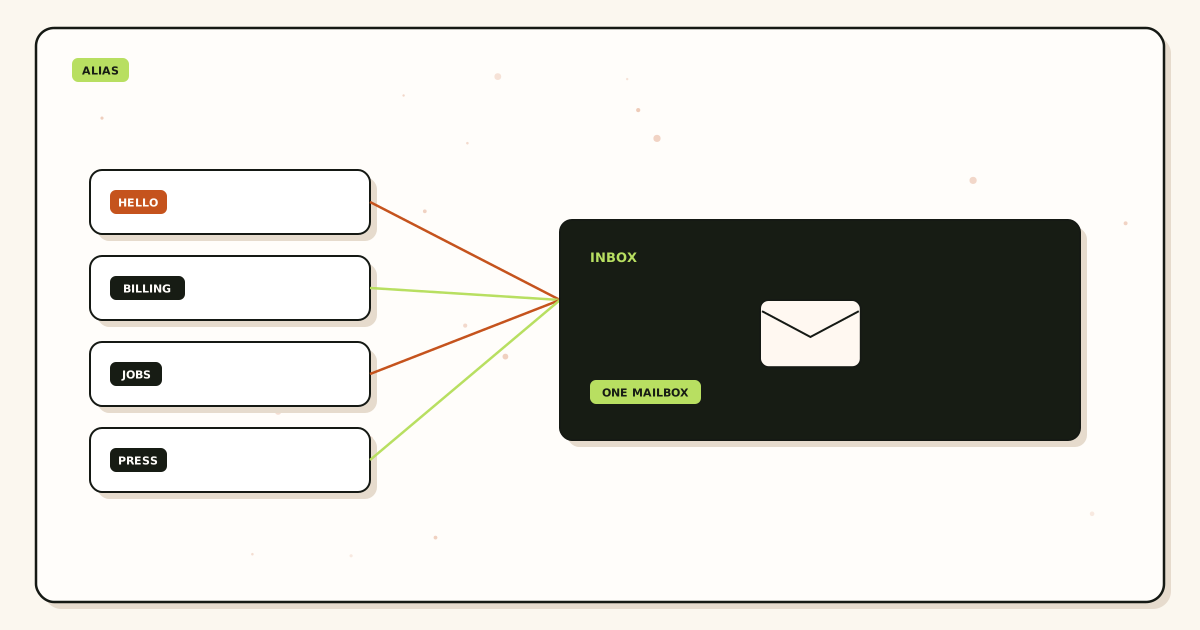
MailerZ matches the recipient to an alias, stores required content, returns 250, and forwards. Header From stays the original sender. History records the destination response. Unknown names on Free are held. That hold is feedback: you printed a string you did not create.
Outbound send-as uses the approved identity. If you named billing@ and reply as @gmail.com, customers learn the wrong name. Paid SMTP exists so the printed string can travel. SPF, DKIM, and DMARC authorize that From. IETF RFC 7208 — Sender Policy Framework (SPF), IETF RFC 6376 — DomainKeys Identified Mail (DKIM), and IETF RFC 7489 — Domain-based Message Authentication, Reporting, and Conformance (DMARC) are the texts.
Leftover MX makes every name look flaky. Some senders hit the old host. You will blame the local-part. Check public MX first. Recovery storage is 14 days Free or 90 days paid—not a reason to keep unused names forever.
Transport does not care whether you named the role hello or team. IETF RFC 5321 — Simple Mail Transfer Protocol looks up MX for the domain and delivers to that host. The naming strategy only decides whether a human can remember the string and whether you can move the destination without reprinting business cards. If leftover Google or host MX still answers, some senders never reach MailerZ. The alias looks “broken” while DNS is the actual fault. Query two public resolvers before you rename anything.
Plus tags versus a named custom-domain alias
Founders often treat Gmail plus addressing as an email alias naming strategy. It is a filter trick inside one mailbox. Google Gmail Help — Using an address alias (plus addressing) documents the Gmail behavior. IETF RFC 5233 — Sieve Email Filtering: Subaddress Extension describes Sieve subaddressing in general. Neither gives you a public identity you can move to another store.
you+stripe@gmail.com is useful for a personal filter. It is a poor invoice footer. Many processors and government forms reject +. Some vendors normalize it away and collapse tags. You cannot hand the plus tag to a contractor without handing them the entire Gmail account. You cannot point MX at MailerZ and keep using plus tags on a domain you do not host at Gmail.
A named custom-domain alias is a different object. billing@yourdomain.com is a route you can remap. The destination can change from the founder’s Gmail to a bookkeeper’s Outlook without reprinting the string. That is the email forwarding alias the buyer actually wants. See the already shipped comparison on email alias vs plus addressing if the plus habit is the only pattern on the team.
Privacy masks sit in a third bucket. They mint many addresses on a provider domain, often with a reverse-alias for replies. Useful for shopping. Wrong for registrar recovery and customer mail. Disposable inboxes are a fourth bucket: a timer with a web view. The naming strategy for MailerZ is the first bucket only—strings on a zone you control. Do not print a mask or a burner as the company role.
Step-by-step setup and decision path
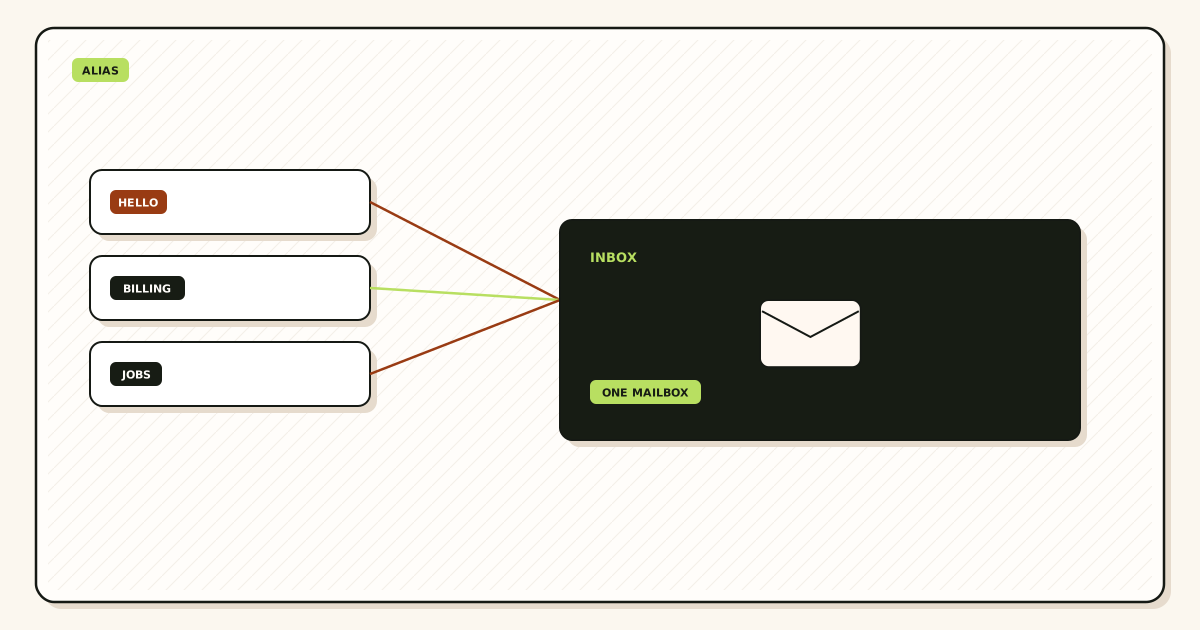
List public roles before personal names
Write the five strings a stranger might need. If you cannot, you do not need five aliases. Free allows three. Start there.
Forbid year suffixes and cute spellings on public print
hello@ages better thanhello-2026@. Avoid l/1 and o/0 pairs on phone support. Keep it ASCII.Assign one destination owner per alias
A role can land in a shared Gmail. A human name should land in that human’s inbox. Document who rotates when they leave. Changing destination is the point of an alias.
Create aliases after domain verification
Publish TXT. Map names. Complete destination verification. Do not loop destinations. Use the generator only to draft strings.
Publish exclusive MX and prove each public name
Delete leftover MX. Probe each printed alias from another mailbox. Match Header From and history. Then update the website and invoices.
Retire names you will not answer
Delete or stop printing them. Catch-all hold will catch typos of retired names on Free. Do not keep a graveyard of twelve unused Solo aliases because they felt cheap.
Add paid send-as for names that must reply
Not every alias needs SMTP. Inbound-only roles are valid. Solo and above add send-as within hourly and monthly limits.
Founder-only, first hire, and agency naming
A solo founder can live on three names: a public role, a human identity, and one billing or vendor tag. That fits Free. The email alias naming strategy changes the day you hire. The public role must no longer be the founder’s first name. If the site still says alex@ as the only contact, every leave, vacation, and laptop loss becomes a customer incident.
First hire: keep the human alias for the founder. Create or keep hello@ as the role. Map the role to whichever inbox actually answers this month. Do not give the hire their own public role until they own a function. A designer does not need design@ on the internet. An account manager might need clients@ if that is the printed promise.
Shared destinations are allowed. One alias can land in more than one inbox when the product supports multiple destinations for a route. Treat that as an operations choice, not a naming choice. The printed string stays sales@. The destination list changes. If two people must see every sales thread, map two destinations. If only one person should reply as the role, add paid send-as for that identity and keep the second destination inbound-only.
Agencies managing client domains should copy a catalog, not invent poetry per brand. Same three public roles, same human pattern, same vendor-tag pattern. Clients can spell hello@ on every property. Agency plans exist because domain count and alias count rise together. Agency is $39 monthly or $390 yearly with 100 domains, 500 aliases, 50 seats, 90-day store, 20,000 outgoing per month, and 60 send-as per hour. Confirm on pricing before you quote a retainer. Naming still comes first: do not burn 80 aliases on cute campaign names the client will forget.
Multi-brand founders often want hello@brand-a and hello@brand-b. That is two domains, not two local-parts on one domain. Free is one domain. Plan the zone before you print the second footer. Do not invent hello-branda@shared.com as a workaround unless you like explaining it on every call.
International teams should still prefer ASCII local-parts for anything printed on invoices. IDN domains are a DNS topic. Local-part internationalization is a support tax. If the legal name has accents, put the accent in the display name, not in the address a bank form must accept.
Retirement, ownership, and documentation
Names die. Campaigns end. Contractors leave. An email alias naming strategy without retirement becomes a graveyard that still accepts mail. On Free, unknown local-parts are held. A deleted alias becomes unknown. Held mail is a signal that someone is still printing a retired string. Either recreate the alias as a pointer to a current role, or update every public surface that still shows the old name.
Document each live alias in one place the team can find: local-part, purpose, destination owner, whether send-as is enabled, and where it is printed (site, invoices, app store, registrar). When someone leaves, change the destination first. Change the printed name only if the name was a person. Role names should outlive people. That is the entire point of a role address.
Do not silently forward a departed employee’s human alias to a shared inbox forever without a plan. Customers who wrote to a person deserve either a bounce they can understand or a role they can use next time. A common pattern: keep the human alias for 30 days, auto-reply in the destination if you must, then delete the alias and point the website at the role. MailerZ is not IMAP, so there is no server-side vacation agent. The destination mailbox owns that reply.
Ownership also covers recovery. Registrar, bank, Google, and Microsoft recovery addresses must be durable aliases or the real inbox—not a plus tag you will lose when you leave Gmail, and not a disposable domain. If a name is used for recovery, treat it like production MX. Prove inbound. Do not rotate it for fun.
Catch-all forward on paid plans will accept typos of retired names. That can be useful for a quarter after a rename. It is also a spam hose. Prefer an explicit alias for the old string if you still want those messages, then delete it when the print surfaces are clean. Audit held or catch-all traffic before you assume the catalog is finished.
Failure modes and proof
| What you see | Likely cause | Proof to collect |
|---|---|---|
| Held mail for a name you printed | Alias never created. Free holds unknown. | Create the local-part. Do not enable catch-all as a naming shortcut. |
| Contractor left, address dead | You printed a human name as the role. | Create a role alias and change destinations. Update public print. |
| Forms reject the address | Plus sign or odd punctuation. | Use a simple role local-part. |
| Some senders miss the name | Leftover MX, not a bad name. | Public MX from two resolvers. |
| Replies show gmail.com | No paid SMTP or default identity. | From selector. Plan send-as. |
| Self-send empty | Gmail short-circuit. | Different provider. |
| SMTP 550 | Unauthorized From or open-relay refusal. | Exact SMTP response. |
Proof is a probe that uses the exact printed string. DNS: troubleshooting. RFC 5321 remains the transport: IETF RFC 5321 — Simple Mail Transfer Protocol.
MailerZ workflow and product boundary
MailerZ is a custom-domain email delivery layer operated by Secuno LLC. Site: mailerz.net. App: mail.mailerz.net. Positioning: durable aliases that route to existing inboxes. Naming is how you use the alias ceiling honestly.
What MailerZ does
- Accept named aliases on verified domains.
- Preserve Header From. Envelope SRS only.
- Hold unknown names on Free. Paid catch-all forward is a policy.
- 14- or 90-day recovery store. Delivery history.
- Paid SMTP from approved identities.
What MailerZ does not do
- Reserve names from the public generator.
- Create Gmail users or IMAP mailboxes.
- Rewrite header From, Subject, Date, Message-ID, body, or MIME.
- Offer send-as on Free.
- Promise inbox placement or review counts.
- Claim SOC 2, ISO 27001, or HIPAA. Security.
- Act as an open relay or campaign sender.
Cost, alternatives, and trade-offs
Names are cheap until they exceed the plan. Three public roles fit Free. Fifteen fit Solo at $40 per year. A taxonomy of eighty vendor tags belongs on Starter or Business, or it belongs in a spreadsheet instead of DNS. Do not buy Workspace seats to host names. That is the extra-seat error.
| Pattern | You get | You give up |
|---|---|---|
| Few role aliases | Portable print. Fits Free or Solo. | Per-vendor tracing. |
| Many tagged aliases | Forensics per vendor. | Alias ceiling and cleanup work. |
| Plus tags | Instant Gmail filters. | Portability and many forms. |
| Privacy masks | Per-site hiding on a provider domain. | Ownership of the zone. Not MailerZ’s product. |
| Catch-all instead of names | Typos arrive or get held. | A list you can explain on a sales call. |
Annual Starter, Business, and Agency include two months free versus monthly. Solo has no monthly option. Seats operate the router, not extra names. A seat is a human who can change routes. It is not a mailbox and it is not an extra local-part. Do not buy seats to “create more emails.” Buy a plan whose alias ceiling matches the catalog you actually print.
Workspace seats exist to host mailboxes and the suite. That is the correct purchase when each human needs Drive, Calendar, and a login. It is the wrong purchase when you only needed hello@ and billing@ into Gmail you already pay for as a consumer. Naming does not require a hosted mailbox. The alias is the name. The destination is the store. Keep those jobs separate or you will pay per user for strings.
Cloudflare Email Routing can also host named forwards. It is inbound routing in that DNS. It is not MailerZ leftover-MX handling, stored hops, or paid send-as on the same layer. If you already name aliases there, the naming strategy still applies: role versus human versus tag. The operator change is a later article. Read Cloudflare — Email Routing documentation if that is the stack you run today.
The cheapest honest path is three role names on Free, proven inbound, printed once. Solo at $40 per year is the next step when you need more aliases, catch-all forward, 90-day store, or send-as. Do not skip to Agency because a naming workshop produced eighty ideas. Delete the ideas that nobody will answer.
FAQ
What is the safest way to handle an email alias naming strategy?
Pick a pattern before you print: role names for public functions, human names for personal identity, service tags only for internal tracing. Create the alias on a domain you control, map a verified Gmail or Outlook destination, prove inbound from another mailbox, then put the string on a form. Do not use disposable inboxes or plus tags as the public brand.
Does this require a new mailbox?
No. A MailerZ alias is a route, not IMAP. The destination inbox stays Gmail or Outlook. Changing the destination later keeps the printed name. Hosting is a different purchase.
Will it work with Gmail or Outlook?
Yes for inbound aliases into verified destinations. Paid send-as uses Gmail Send mail as or a manual Outlook SMTP identity so replies can show the named alias. Free has no send-as.
What DNS records are involved?
A verification TXT, one MX set, leftover host MX removed, and SPF, DKIM, and DMARC if you send as the domain. Naming does not replace DNS. A clever local-part on the wrong MX still dies.
What should I test before production?
Create the alias, send a uniquely titled message from an unrelated provider, confirm Header From and delivery history, then print the name. Self-send from Gmail to the same Gmail account can hide a missing route.
Key takeaways
- An email alias naming strategy prints strings you can still answer next year.
- Role names for the public. Human names for people. Tags for internal tracing.
- Aliases are routes into Gmail, not extra mailboxes.
- Free has ten aliases. Count before you print.
- Catch-all is not a naming strategy.
- Plus tags are filters, not a portable custom-domain alias.
- Header From stays the original sender. Envelope SRS is the allowed rewrite.
- Leftover MX makes every name look broken.
- Prove inbound before the footer changes.
- Retire names you will not staff. Document owner and print surfaces.
- MailerZ is not SOC 2, not IMAP, and not a bulk sender.
Conclusion and next action
Name the roles. Create those aliases. Prove them from another mailbox. Print them. Retire the rest. Do not buy seats for strings and do not use burners for recovery. Paid send-as only for names that must reply as themselves.
Next action: pick three role names, add one domain, create those aliases, and send a uniquely titled probe to each.
Ready to name three roles
Start free with one domain and prove the path.
Three aliases on Free. Paid send-as when the printed From must travel.
Review quarterly, or sooner if alias limits or naming guidance changes. Author: MailerZ editorial, Secuno LLC.