Email forwarding without mailbox hosting is a yes if you mean receive: the domain never gets IMAP. MX points at a forwarder. A named alias lands in Gmail or Outlook you already search. You still verify DNS, cut leftover suite MX, and probe from another mailbox. You do not host a mailbox. Workspace is the other design. MailerZ is the hop. Free has no send-as.
Quick answer
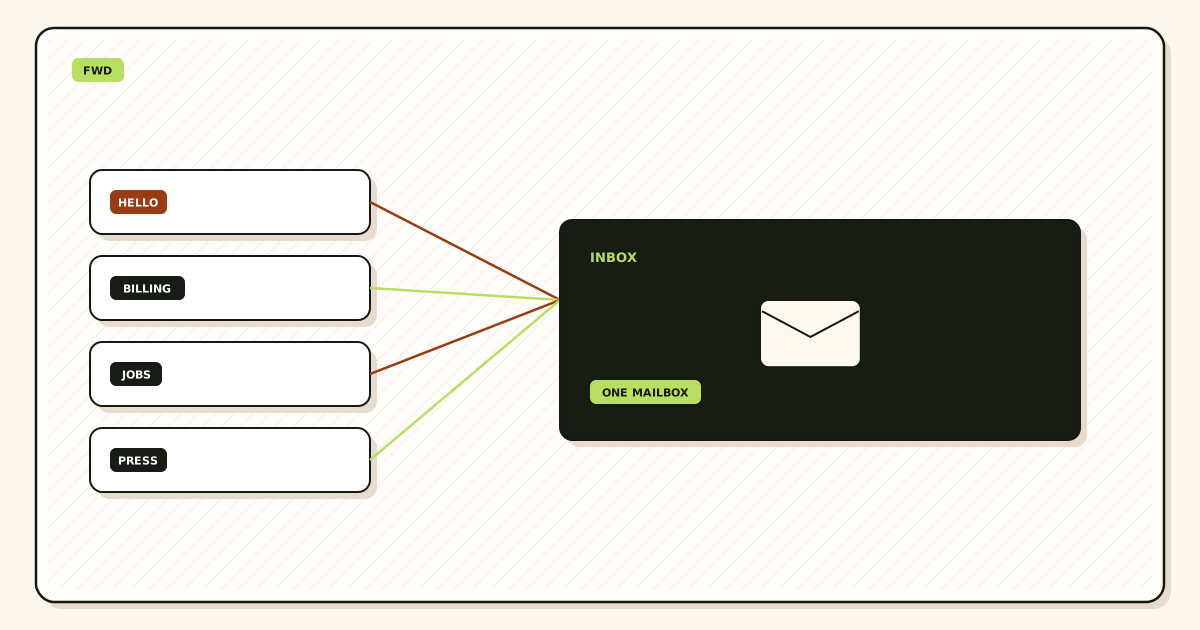
Yes. Publish one MailerZ MX set, create named aliases into Gmail or Outlook, delete leftover hosts, and probe from an unrelated mailbox. The domain has no IMAP. That is email forwarding without mailbox hosting. RFC 5321 moves mail between servers. It does not require you to host a reading pane on the same name you print on a homepage.
Setup is verify, map, cut leftovers, probe. Best practice: hold unknowns, leave Header From intact, do not self-send. Send-as is a second paid hop. It still is not hosting. Free cannot finish it. If you need a hosted login on the domain, buy a suite. This page is the hop.
MailerZ Free is one domain, ten aliases, one seat, a 14-day store, send-as Off, SMTP Off, API Off, and unrouted mail held or rejected only. Solo is $40 per year only: 5 domains, 25 aliases, 2,500 outgoing per month. Starter is $8 monthly or $80 yearly. Business is $19 or $190. Agency is $39 or $390. Unlimited is $99 monthly or $990 yearly. Confirm live numbers on MailerZ pricing. Those ceilings are capacity, not an inbox-placement promise.
Google’s Send mail as steps live in Google Gmail Help — Send mail from a different address. Workspace as a product is described on Google Workspace — product overview. Transport still follows IETF RFC 5321 — Simple Mail Transfer Protocol. None of those pages invent a MailerZ webmail pane.
The real decision
Vendors sell hosting and only change MX. Buyers pay suite prices for a hop they could have run into an inbox they already trust. The opposite mistake is also common: a founder adds Gmail Send mail as and never publishes MX. Outbound chrome looks branded. Inbound never arrives.
Self-hosted threads treat a missing IMAP pane as fake email. That is a product preference, not a protocol rule. If a stranger can reach hello@ and you can read it in Gmail, the hop worked. If nobody can log into hello@ on a mail host, you are not hosting. Both statements can be true.
Criteria stay small: a stranger reaches the printed name, Header From survives, and you accept that the domain has no mailbox login. If you need Calendar, Vault, or a lockable store on that name, stop this article and buy a suite.
| Need | Forward without hosting | Host a mailbox |
|---|---|---|
| Read hello@ in Gmail | Named alias plus exclusive MX | Optional, if you also sync IMAP |
| Log into hello@ on the domain | No | Yes |
| Calendar / Vault | No | Suite |
| Branded send | Paid authenticated SMTP | Native on many suites |
| Legal hold on the domain store | No. Dest archive only | Mailbox or archive product |
Prove inbound from another mailbox before you print hello@ on a homepage.
Start free — one domainTechnical mail flow
A sender looks up MX on the nameservers that actually answer. MailerZ accepts RCPT TO for a verified domain and a matching alias, then opens a second SMTP session to the destination you configured. Envelope SRS may rewrite MAIL FROM so the next hop can pass SPF. Header From, Subject, Date, Message-ID, body, and MIME stay as received.
The destination stores and classifies. That is not hosting on your domain. Gmail can still file the copy in spam. Outlook can still junk it. Those are dest hops. They do not become IMAP on example.com because you wished for a pane.

Unknowns hold on Free. A hosted mailbox often accepts more names by habit. This design does not. Paid plans can forward unknowns when you turn catch-all Forward on. Holding is the safer default while you learn what the internet will try.
Outbound SMTP does not create IMAP. Paid send-as authenticates, checks the From identity, applies hourly and monthly caps, and submits. Unauthorized or unhosted recipients get 550 / 550 5.7.1. MailerZ is not an open relay. Free cannot finish this hop. Do not paste a Free dashboard into Gmail Send mail as and call it hosting.
MailerZ is inbound MX plus authenticated SMTP from Secuno LLC. It is not Google Workspace, not IMAP, and not a Gmail replacement. Leftover MX is a hard stop. Self-send from Gmail to the same Gmail account can hide routing errors. MailerZ does not claim an uptime SLA or an inbox-placement contract.
Shared mailboxes inside Microsoft 365 and Google Groups look like role addresses and are still suite objects. They follow suite MX. A MailerZ alias follows MailerZ MX. Dual MX is not a clever hybrid. It is split delivery. Pick one inbound owner.
Step-by-step setup
Prove the hop. Do not buy a mailbox to print a footer. Email forwarding without mailbox hosting setup is a sequence you can fail in public.
Name the destination inbox you already read
Gmail or Outlook you search next year. If that inbox does not exist, you are not ready to skip hosting. You are missing a store.
Add and verify the domain
Verification TXT first. Do not publish MX for a domain the dashboard has not accepted.
Create the printed aliases
hello@, billing@, careers@ — names you will put on a page. Free allows ten. Do not start with catch-all. Hold unknowns.
Publish one MailerZ MX set
Delete leftover Google, Microsoft, Cloudflare routing, and registrar hosts. Two public views must match. DNS help lives on troubleshooting.
Probe from another mailbox
Unique subject. Confirm Header From and delivery history. Self-send lies. If history is empty, leftover MX or an unnamed alias — not a missing IMAP pane.
Leave send-as off until a From must travel
Inbound-only is a valid production setup. When replies must show the domain, upgrade and copy host, port, and TLS together. Gmail’s labels are in Google Gmail Help — Send mail from a different address.
Write down that the domain has no IMAP login
The next contractor will ask for the mailbox password. The answer is “there isn’t one.” Put that in the runbook before they open a ticket.
Product surface: email forwarding and MailerZ features. Field maps live in the docs. If a doc and pricing disagree on limits, pricing wins.
Failure modes and proof
Most “this isn’t real email” fights are category errors. Proof is a stranger’s message in the dest inbox, a history row, and public MX that names only this layer.
| Symptom | Likely cause | What to check |
|---|---|---|
| Inbound never arrives | Thought Gmail was MX, or leftover suite MX. | Public MX from two resolvers. |
| Some senders hit the old host | Split MX. | Delete leftovers. Wait for TTL. |
| Null MX plus a forwarder | Contradiction. Null MX means reject all mail. | Pick one inbound owner. |
| Self-send looks fine | Gmail short-circuit. | External probe. |
| Expected webmail on MailerZ | Bought a hop, wanted a host. | Read this page again or buy a suite. |
| Send mail as will not verify | Still on Free, or inbound unproven. | Paid send-as after history works. |
Leftover MX is the usual ghost. Check a public lookup before you blame Gmail.
Open leftover MX troubleshootingMailerZ workflow and product boundary
MailerZ is inbound MX plus optional authenticated SMTP. Not IMAP or POP. Mail Box is portal webmail. Not an open relay. Related surfaces: email forwarding, features, delivery recovery, and the email routing lab.

Free is the honest hop for one domain and a short named list. The 14-day store is hop evidence, not a second archive. Paid 90-day store (Solo through Agency) and Unlimited’s 180-day store are longer windows for the same object. They still are not Vault.
Agencies should keep one hop per client zone. Separate SMTP credentials. Do not pour every client into one catch-all because the spreadsheet got long. Agency plan capacity exists so you can hold more domains and aliases. It does not replace a named list, and it does not host IMAP for the client.
Privacy-mask products hide a destination on a provider domain. That is a different yes. A suite hosts mailboxes. A VPS is hop hosting with your pager. MailerZ is the delivery layer when you already have Gmail or Outlook and you need a domain route you can prove. Cite the other product’s documentation. Do not invent feature parity.
Cost and alternatives
Avoided mailbox hosting is the point. Do not replace it with seats you do not need. If two people read mail and twelve printed names are routes, price two existing inboxes plus MailerZ, not fourteen suite seats.
Stay on Free while the question is inbound. Upgrade when send-as, a longer store, more domains, or paid unknown-mail forward is the question. Solo at $40 per year is the first paid ceiling for one operator. Starter through Agency add seats and volume. Unlimited adds a 180-day store and a 100,000 outgoing monthly cap. Confirm pricing the day you buy. Limits are not an inbox SLA.
A VPS Postfix box is hosting you operate. A suite is hosting a vendor operates. Registrar “email forwarding” toggles are often thin redirects with no hop history. Cloudflare Email Routing is inbound routing. ImprovMX is the closest commercial class. Compare live plans. None of them become MailerZ leftover-MX handling because this article named them.
Time is still a line item. Leftover MX costs more than Solo. A Free-plan branded-reply promise costs more than the upgrade. Budget one external inbound test as part of the cutover. If every teammate needs a hosted mailbox, the suite is the honest product. A forwarder will look incomplete because it is incomplete for that job.
Worked examples
The founder who bought Workspace for a footer
They needed hello@ and billing@ on a brochure site. They already lived in Gmail. They bought seats, never used Calendar, and still forwarded everything to the personal inbox. The hop would have been enough. They kept the suite for Drive. That is a Drive purchase, not an email-hosting requirement. The domain mail could have been MailerZ aliases.
The site that sent as the domain and never received
WordPress had SMTP. The homepage printed hello@. Public MX still pointed at the registrar. Customers wrote in. Nobody saw it. They asked why MailerZ “wasn’t hosting.” MailerZ had never been MX. They published the set, deleted the leftover, probed from another mailbox, and left send-as on the paid plan they already had. Hosting was never the missing piece. MX was.
The contractor who asked for the IMAP password
Offboarding notes said “email is on the domain.” The contractor opened Outlook and looked for a mailbox. There wasn’t one. The runbook now says: dest is founder Gmail, aliases live in MailerZ, no domain login, leftover MX must stay deleted. That sentence saved the next hire a week.
Two founders, one public address, no second host
They fan-out hello@ to two existing inboxes. That is still not hosting. It is two dest hops. Mixed 250 and 5xx means probe both stores. Do not buy a third mailbox “for safety.” Extra dests multiply classify. They do not invent IMAP on the domain.
A last pass: write the last DNS change on a sticky note before you open the dashboard. Nameserver move, leftover MX, registrar toggle, or a plugin that speaks SMTP to whoever answers. If the sticky note says leftover MX, you do not have a hosting mystery. You have a split. Delete the leftover. Wait. Probe again.
Print the alias list. If you cannot print it, you are not ready for production unknowns and you are not ready to skip a hosted store. Three named aliases on Free are enough to stop printing a personal Gmail on a homepage. Grow the list when a real person used a leftover, not when a harvest guessed admin@.
Say hop and store out loud in the first sales call. Outlook can be the store. Privacy masks are not this yes. Hold unknowns. Legal hold is not this design. Agencies: per-domain hops. Review leftover MX after every host or nameserver change. This page is the general yes. A Gmail-specific receive article is the inbox flavor, not a second product.
Registrar toggles and null MX
Many registrars offer a checkbox labeled email forwarding. That toggle often points MX at a thin host with no hop history and no Header From promise. It is still “without mailbox hosting,” and it is still a hop — just a hop you cannot prove. If you outgrow that checkbox, do not leave it beside MailerZ. Two inbound owners is the same split as leftover Google MX.
Null MX means this domain does not accept mail. That is the right answer for a send-only zone. It is the wrong answer for hello@ on a brochure. You cannot publish null MX and a forwarder and call it a design. Pick receive or reject. IETF RFC 5321 — Simple Mail Transfer Protocol will not merge them for you.
Password managers and account recovery
If you recover a bank with a personal Gmail, the bank is tied to that Gmail. If you recover it with billing@yourdomain forwarded to that Gmail, the public identity is the domain and the store is still Gmail. That is the point of skipping a hosted mailbox: the durable name is the alias, not a second IMAP password. Disable the alias if the vendor leaks. Do not invent a domain mailbox to feel safer. The kill switch is the alias, not a login you never created.
Contractors will still ask for “the email password.” Write the dest inbox, the MailerZ operator seat, and the SMTP secret location as three different objects. Mixing them is how people paste a Gmail password into a CMS and call it hosting. It is not hosting. It is a leaked store.
What send-as does not change
Paid SMTP lets the domain leave as From. Recipients see hello@yourdomain. They still cannot log into hello@ on a MailerZ host, because there is no such host. Outlook’s manual SMTP identity and Gmail Send mail as are dest-side chrome. They do not mint IMAP. If a client insists on a mailbox login for hello@, you are no longer in this article. You are shopping for a suite.
When a phone or bank wizard asks for IMAP
iOS Mail, Android “add account,” and many bank “business email” forms assume a mailbox login on the printed domain. They ask for IMAP host, username hello@yourdomain, and a password. There is no such login on MailerZ. Do not invent one. Do not paste the dest Gmail password into that wizard and hope the phone finds MX. The phone is asking for a host. You bought a hop.
On a phone, add the dest Gmail or Outlook account the usual vendor way. Role mail arrives because the alias already forwards there. On a bank form that insists on a mailbox, use the dest address they will actually verify, or tell them the public From is the alias and the store is Gmail. If they refuse any design without IMAP on the domain, you are shopping for a suite. That refusal is a product requirement, not a MailerZ outage. Confirm MailerZ pricing only if you still need send-as after you keep the hop — not because a wizard demanded IMAP.
FAQ
- Can you really receive domain email without IMAP on that domain?
- Yes. Publish one MailerZ MX set, create named aliases into Gmail or Outlook you already search, delete leftover hosts, and probe from another mailbox. The domain never gets a mailbox login. That is forwarding, not hosting.
- Does this require a new mailbox?
- No. MailerZ is Mail Box portal webmail (Inbox, Sent, New email). It is not IMAP or POP. Gmail or Outlook remains the store unless you separately buy a hosted mailbox product. A new seat on a suite is a different design.
- Will it work with Gmail or Outlook?
- Yes for inbound when the destination is a mailbox you control. Branded replies need a paid plan with send-as, plus Gmail Send mail as or a manual Outlook SMTP identity. Free has no send-as. Outbound SMTP still does not create IMAP on your domain.
- What DNS records are involved?
- A verification TXT, one MailerZ MX set on the authoritative nameservers, leftover host MX removed, and SPF, DKIM, and DMARC if you also send as the domain. Null MX plus a forwarder is a contradiction. Pick one inbound owner.
- What should I test before production?
- Send a uniquely titled message from an unrelated provider into each named alias. Confirm Header From and a delivery-history row. Do not email yourself from the same Gmail account. If history is empty, print public MX before you buy a mailbox.
- When should I buy a hosted mailbox instead?
- When someone must log into hello@ on the domain, when you need Calendar or Vault as the system of record, or when counsel wants a mailbox archive. Forwarding will look incomplete for those jobs because it is incomplete for those jobs.
Key takeaways
- Forwarding is a hop. Hosting is a login. You can have the first without the second.
- Exclusive MX plus named aliases into Gmail or Outlook is the receive path.
- MailerZ is not IMAP, and not a Gmail replacement.
- Free proves inbound. Solo $40/year starts send-as. Confirm /pricing.
- Leftover suite MX is a hard stop. Null MX plus a forwarder is a contradiction.
- Self-send lies. Probe from another mailbox.
- Outbound SMTP does not create a domain mailbox.
- Buy a suite when someone must log into hello@ or you need Calendar or Vault.
Conclusion and next action
You can forward email without hosting a mailbox. Publish one MX set. Name the aliases. Keep the inbox you already search. Delete leftovers. Probe from somewhere else. Pay for send-as only if From must travel. Do not buy seats to print a footer. Do not expect a MailerZ login pane.
Start free on one domain you can break. Sign in if the zone already lives here. Review leftover MX after every nameserver or host change.
Prove the hop
Start free, keep your inbox, skip a domain mailbox.
Inbound on Free. Solo when send-as is the job.
Review quarterly, or sooner if MailerZ limits or provider DNS guidance changes. Author: MailerZ editorial, Secuno LLC.