The best custom domain email service for Gmail is the one that leaves Gmail as the inbox. You want a public From and a receiving address on a domain you control, not a second search box. Pick a delivery layer that answers MX, preserves Header From, shows failed hops, and—when you need it—offers authenticated SMTP. Prove inbound from another mailbox before you print the address on an invoice.

Quick answer for the best custom domain email service Gmail users actually need
If you already use Gmail, the service you need is a custom-domain forwarder plus optional SMTP, not a new mailbox host. MailerZ is built for that split: inbound MX, envelope SRS only, Header From never rewritten, delivery history, a recovery window, and paid send-as. It is not Google Workspace. It is not IMAP. It is not an open relay. Google’s own help for sending from another address assumes you already have SMTP; see Google Gmail Help — Send mail from a different address.
“Best” here means the stack that completes a testable job. Receive hello@yourdomain.com in the Gmail you already search. Keep the visible From as the original sender on inbound. Delete leftover MX so mail does not split. Send as the domain only after inbound is boring. Google’s guidance on creating helpful, people-first pages is the bar for this article’s evidence style: Creating helpful, reliable, people-first content.
MailerZ Free is one domain, ten aliases, one seat, a 14-day store, send-as disabled, SMTP and API disabled, and unrouted mail held or rejected only. Use it to prove inbound. Solo is $40 per year when you need more aliases, a 90-day store, and 20 send-as per hour with 2,500 outgoing per month. Starter is $8 monthly or $80 yearly. Business is $19 or $190. Agency is $39 or $390. Unlimited is $99/month or $990/year. Confirm numbers on MailerZ pricing and the surface on MailerZ features.
Buy Workspace instead when Gmail consumer is not the store you want: hosted mailboxes, admin, Calendar, Drive, device management. Price that on the Google Workspace — product overview page. Do not buy it solely because a registrar said “professional email.” The click-by-click Gmail path after inbound works is how to send as your custom domain from Gmail without Workspace.
Do not pick a service because it shows a fake inbox-rate badge. No forwarder controls Gmail’s Primary tab. Delivery history is evidence that the destination said yes. Placement is still Gmail’s.
The user problem and the decision criteria
People who already use Gmail shop for a custom domain email service after a customer writes to a domain address and the reply leaves as @gmail.com, or after a cheap host rewrites From, or after a Workspace quote arrives for Calendar they will not open. The inbox is fine. The identity is missing.
The market answers with four products that share adjectives. A suite hosts mailboxes. A forwarder receives and relays. A privacy-mask service mints addresses on a shared domain. A disposable inbox expires. If you already use Gmail, you usually want the second product, sometimes with SMTP. Treating all four as “email services” is how you buy the wrong one twice.
| Question | If yes | If no |
|---|---|---|
| Is Gmail already the archive you will search next year? | Keep it. Buy a delivery layer. | You are shopping for hosting, not a Gmail add-on. |
| Must recipients see the domain on replies? | You need paid SMTP send-as. Free cannot finish this. | Inbound forwarding may be the whole purchase. |
| Do you need leftover MX treated as a hard stop? | Require a stack that says so in operations, not in a slogan. | You will debug missing mail that looks random. |
| Do you need Calendar, Drive, and tenant admin? | Workspace is the product. | Do not pay per user for MX. |
| Can you publish DNS and delete leftovers? | Cutover is possible. | Do not start. |
| Is sending personal or operational, not bulk? | MailerZ SMTP is in scope on a paid plan. | Use a campaign platform. |
A Gmail-centered service is a poor fit when counsel wants a tenant archive, when every contractor needs a managed mailbox, or when you want the vendor to promise inbox placement. It is a good fit when the domain is printed identity and Gmail is already the habit.
Write the acceptance test before you compare logos. “Customer mail to hello@ lands in my Gmail with the original From, leftover MX is gone, and a reply can leave as hello@ through SMTP I control” is a test. “Feels professional” is not. Services that pass the test and fail the adjective are still the right buy. Services that pass the adjective and fail leftover MX are how weekends disappear.
Technical mail flow
Gmail does not publish MX for your domain. The internet does not know you “use Gmail” until a forwarder or a suite answers. IETF RFC 5321 — Simple Mail Transfer Protocol is still the transport. The best custom domain email service for Gmail is the host that accepts, stores briefly, forwards without rewriting Header From, and later submits SMTP if you pay for send-as.
Inbound
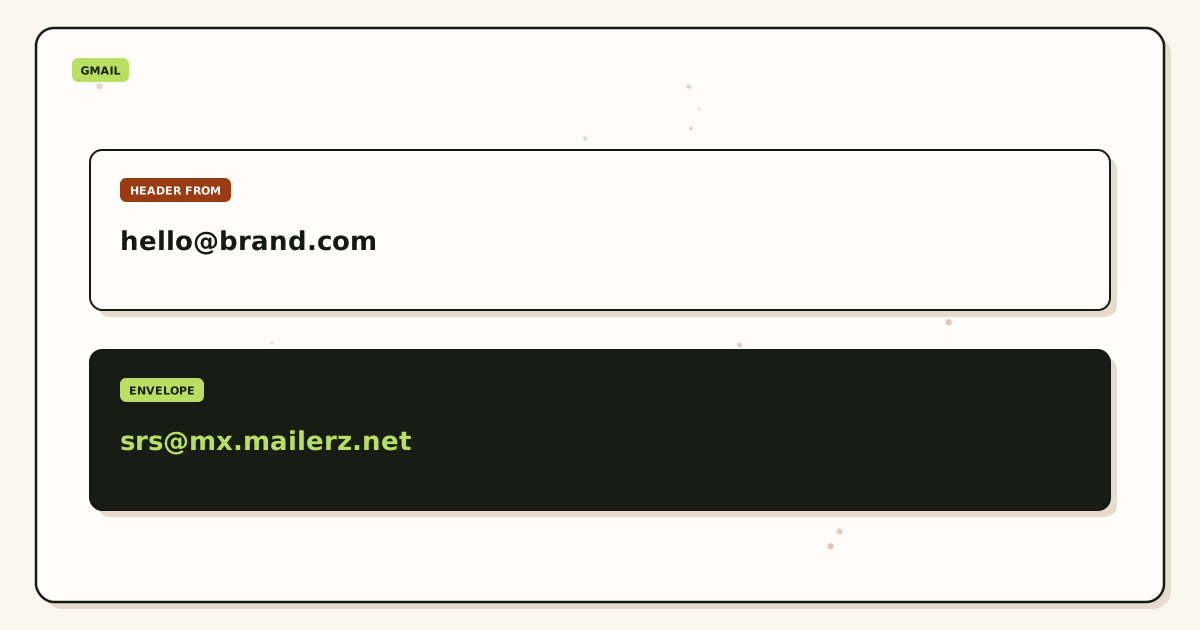
A customer sends to hello@yourdomain.com. Their server looks up MX. If MailerZ is the only published answer, the message arrives there. The edge checks verification and alias or catch-all policy. Unknown addresses on Free are held. MailerZ stores required content, returns 250, and forwards to the verified Gmail destination. Header From stays the original sender. Envelope MAIL FROM may use SRS. Delivery history records the destination response.
Gmail can file the copy in spam. MailerZ can record “delivered” when Gmail’s SMTP said yes. Both can be true. That pair is why you keep history, not why you claim Primary.
Outbound
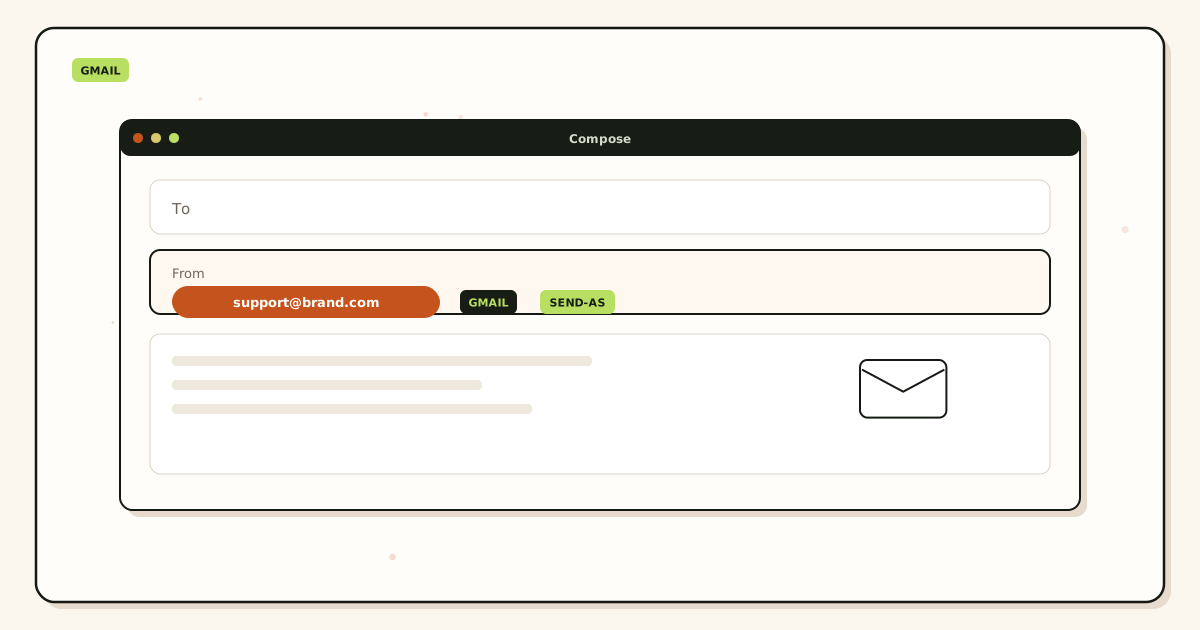
Gmail Send mail as needs an SMTP server allowed to use the domain. MailerZ provides that on paid plans. You copy host, port, username, and generated password—not your Google password. MailerZ authenticates, checks the From identity, applies hourly and monthly limits, and submits. Unhosted or unauthorized recipients get 550.
SPF, DKIM, and DMARC authorize that outbound identity. IETF RFC 7208 — Sender Policy Framework (SPF), IETF RFC 6376 — DomainKeys Identified Mail (DKIM), and IETF RFC 7489 — Domain-based Message Authentication, Reporting, and Conformance (DMARC) are the texts. Publish the dashboard values. Alignment depends on the visible From matching those records. A forwarder that rewrites Header From on inbound breaks the original sender’s alignment. MailerZ does not do that rewrite.
Recovery storage is 14 days on Free, 90 days on Solo through Agency, and 180 days on Unlimited. It is not a second Gmail. If you need seven-year hold, keep it in Gmail or buy a suite archive. Do not confuse a failed-hop window with hosting.
Gmail filters that once matched a registrar Received header may hide a MailerZ forward. Check spam, promotions, and any rule that files “not from Gmail” on the day you cut MX. A destination that was never verified stalls the first probe and looks like an outage. Shared inboxes need an explicit alias. Catch-all hold on Free is not a missing feature; it is the safer default until you name the local-parts you actually print.
Plus addressing is not this service. you+invoices@gmail.com sorts one mailbox. It is not a public identity you can move, and many forms reject the plus sign. A privacy mask on a shared vendor domain is also not this service. You can hide Gmail from a website that way, but you do not own the domain and you cannot attach MailerZ SMTP to someone else’s zone. Keep those tools in their buckets.
Step-by-step setup and decision path
This is the best custom domain email service Gmail setup path. Inbound first. SMTP second. Suite never, unless the roster changes.
Confirm the job is identity, not a suite
If you need shared drives and admin-managed mailboxes, stop and buy Workspace. If you need
you@brand.comin the Gmail you already open at 7 a.m., continue.Add one domain and verify TXT
Use the root domain, not a mailbox and not
https://. Publish the unique verification TXT. Receiving stays off until the check passes.Map one alias to the Gmail you already use
Complete destination verification. Do not loop the destination back to the same alias. Free allows ten aliases. Count printed addresses before you assume catch-all will save you. Unknown recipients are held on Free.
Publish MX and delete leftovers
Copy exact hosts and priorities. Remove leftover Google, Microsoft, registrar, or host MX. Query two resolvers. Use the migration planner if you are leaving another forwarder.
Prove inbound from a different mailbox
Send a uniquely titled message from an unrelated provider. Open Gmail. Confirm the visible sender. Open delivery history. Self-send lies.
Upgrade only if send-as is in the acceptance test
Free stops here. Solo or another paid plan adds SMTP. Add Gmail Send mail as. Keep “Treat as an alias” enabled for a normal personal identity. Confirm Google’s verification message after it forwards.
Send to a second external inbox
Check visible From, reply path, and outbound history. Inbox placement on the far side is still their filter. Plan limits: Solo 20/hour and 2,500/month; Starter 40 and 5,000; Business 60 and 12,000; Agency 60 and 20,000.
Failure modes and proof
Most “this Gmail domain service is broken” reports are leftover MX, a verification email that never forwarded, or a From selector that still says gmail.com. Work the evidence.
| What you see | Likely cause | Proof to collect |
|---|---|---|
| Google cannot verify the address | Inbound not ready, or leftover MX stole the message. | Public MX, history for the verification recipient, Gmail spam. |
| SMTP authentication failed | Wrong values, stale password, or still on Free. | Re-copy dashboard fields. Confirm the plan includes send-as. |
| Mail still sends as @gmail.com | Default identity or default outgoing server. | From selector. Reply-from-same-address setting. |
| Self-send never appears | Gmail short-circuited a message to itself. | Repeat from a different provider. |
| Some senders reach the old host | Leftover MX or cache. | Public MX from two resolvers. |
| Unknown local-parts missing | Free holds unknown recipients. | Create explicit aliases or a paid catch-all policy. |
| SMTP 550 on send | Unhosted domain, unauthorized From, or open-relay refusal. | Exact SMTP response. |
Proof is a sanitized destination header block plus the MailerZ event with timestamp and remote response. Do not send SMTP passwords to support. DNS-only tools live on troubleshooting. Failed hops after a clean MX set are delivery recovery.
A “via” label on the recipient copy usually means Gmail did not use MailerZ SMTP, or you are looking at inbound from another rewrite tool. Open outbound history before you rotate DNS. A quiet Gmail and a quiet history together mean MX never reached MailerZ. A quiet Gmail and a 250 from Gmail in history mean the destination accepted and then hid the message. Those two failures have opposite fixes. Treat them as one problem and you will publish the wrong record.
MailerZ workflow and product boundary
MailerZ is a custom-domain email delivery layer operated by Secuno LLC. Point MX at MailerZ. Mail for a hosted, verified domain can land in Gmail or Outlook. Paid plans add authenticated SMTP. The live site is mailerz.net. The app is mail.mailerz.net.
Positioning for this article: MailerZ is a focused custom-domain forwarding plus authenticated SMTP option around Gmail. That is the “already use Gmail” job. It is not a trophy for every email category.
What MailerZ does in this workflow
- Accept inbound mail for verified domains and configured recipients.
- Preserve Header From on the forward into Gmail.
- Hold or forward unknown recipients according to plan and settings.
- Store messages for 14 days on Free, 90 days on Solo through Agency, or 180 days on Unlimited.
- Send through authenticated SMTP from approved identities on paid plans.
- Record delivery history for inbound and outbound hops.
- Surface leftover MX as a diagnostic hard stop.
What MailerZ does not do
- Replace Gmail with IMAP or webmail.
- Rewrite header From, Subject, Date, Message-ID, body, or MIME.
- Offer send-as on Free.
- Promise inbox placement, uptime SLAs, or review counts.
- Claim SOC 2, ISO 27001, or HIPAA. Controls live on Security and Trust Center.
- Act as an open relay or a campaign sender.
Alias ceilings: 10 / 25 / 50 / 200 / 500 from Free through Agency, then uncapped on Unlimited. Domains: 1 / 5 / 8 / 25 / 100, then uncapped. Seats operate the router, not extra Gmail accounts. If you need a hosted mailbox for every person, you are no longer in the “already use Gmail” job.
Cost, alternatives, and trade-offs
Price the suite from Google. Price the delivery layer from aliases and send limits. Do not compare a per-user SKU to a yearly Solo card without writing the units down.
| Approach | You get | You give up |
|---|---|---|
| MailerZ around Gmail | Domain identity, history, paid SMTP, existing habits. | No hosted mailbox, published send limits, you operate DNS. |
| Google Workspace | Hosted mailbox, admin, Calendar, Drive. | Per-user cost and a store migration. Google Workspace — product overview |
| Inbound-only forwarder | Receiving if send-as is out of scope. | Replies still leave as @gmail.com unless you add SMTP elsewhere. |
| Cloudflare Email Routing | Inbound routing if you already live in that DNS. | Not MailerZ stored hops or paid send-as. Cloudflare — Email Routing documentation |
| ImprovMX-class forwarder | A known competitor in the same job class. | Compare current plans on their site. ImprovMX — product documentation |
Free is the right first purchase when you only need to watch inbound on one domain. Solo is the usual paid step for one person who must send as the domain. Starter fits a small Gmail team that needs more aliases and seats on the router. Annual Starter, Business, and Agency billing includes two months free relative to paying monthly for a year. Solo has no monthly option.
A hybrid that fails: Workspace MX still published “as backup” beside MailerZ. That is leftover MX. Pick one receiving answer. Another hybrid that fails: plus addressing as your public brand. Many forms reject the plus sign, and you cannot move you+shop@gmail.com to another store.
If you later hire people who must live in a tenant, buy Workspace for those people and decide MX on purpose. Most “already use Gmail” buyers should not run both answers. The migration planner exists for sequenced cutovers, not for permanent dual MX.
Agencies managing client domains should count domains first, not vibes. Free is one domain. Solo is five domains. Starter is eight. Business is 25. Agency is 100. Recreating a client’s production aliases on Free will fail plan math before DNS has a chance to fail. Do the spreadsheet, then pick the card. Client mail still lands in whatever Gmail or Outlook inbox they already use. You are selling them a route, not a new search habit.
Support volume is the other unit people forget. Solo’s 20 send-as per hour and 2,500 outgoing per month are enough for a founder who invoices and replies. They are not enough for a public support alias that answers all afternoon. Raise the plan, or move ticket mail to a help desk that already sends. MailerZ is not a queue and not a newsletter engine. Buying Workspace will not fix a volume problem you should have given to a ticketing product.
FAQ
What is the safest way to handle the best custom domain email service for Gmail?
Keep Gmail as the store. Verify one domain, map aliases to that inbox, publish one MX set, delete leftover Google or host MX, and prove inbound from a different mailbox. Add paid send-as only if recipients must see the domain on replies. Do not buy Workspace solely to host an identity you already read in Gmail.
Does this require a new mailbox?
No. MailerZ is Mail Box portal webmail (Inbox, Sent, New email). It is not IMAP or POP. Gmail stays the archive. A suite requires new mailboxes because it is the store. Disposable inboxes and plus tags are different jobs.
Will it work with Gmail or Outlook?
Yes for inbound forwarding to a verified Gmail or Outlook destination. Gmail Send mail as uses MailerZ SMTP on a paid plan. Outlook uses a manual SMTP identity. Free has no send-as. Workspace is optional, not required, for this path.
What DNS records are involved?
A verification TXT, one MX set, leftover host MX removed, and SPF, DKIM, and DMARC if you send as the domain. Hostnames and tokens come from the dashboard. Do not leave Google Workspace MX beside the forwarder.
What should I test before production?
Send a uniquely titled message from an unrelated provider. Confirm Header From and delivery history. Then send outward through Gmail Send mail as to a second external inbox. Self-send from Gmail to the same Gmail account can hide routing errors.
Key takeaways
- The best custom domain email service for Gmail keeps Gmail as the store.
- Buy a delivery layer for identity. Buy Workspace only when you need the suite.
- Header From stays the original sender on inbound. Envelope SRS is the allowed rewrite.
- Leftover MX is a hard stop. Split records lose mail.
- Test inbound from a different mailbox. Self-send lies.
- Free has no send-as. Add Solo or another paid plan before Gmail SMTP will work.
- Delivery history is evidence. Inbox tabs are Gmail’s.
- MailerZ is not IMAP, not SOC 2, and not a bulk sender.
Conclusion and next action
If you already use Gmail, you do not need a new search box. You need MX, aliases, leftover cleanup, an external inbound probe, and paid SMTP only if the printed From must travel. That is the service to buy. That is the test to run.
MailerZ fits when you want that split with delivery history and a recovery window. It does not fit when you need a hosted mailbox for every user, a certified compliance report, or campaign-scale sending. Start on Free if you only need to watch inbound. Move to Solo or another paid plan when send-as or alias count requires it.
Next action: add one domain, create one alias, and send a uniquely titled message from a mailbox that is not the destination. When that lands, configure send-as and repeat the test outward.
Ready to keep Gmail
Start free with one domain and prove the path.
Inbound on Free. Paid send-as when the From identity has to travel. Sign in if the domain is already there.
Review quarterly, or sooner if Gmail’s Send mail as flow, MailerZ plan limits, or DNS guidance changes. Author: MailerZ editorial, Secuno LLC.