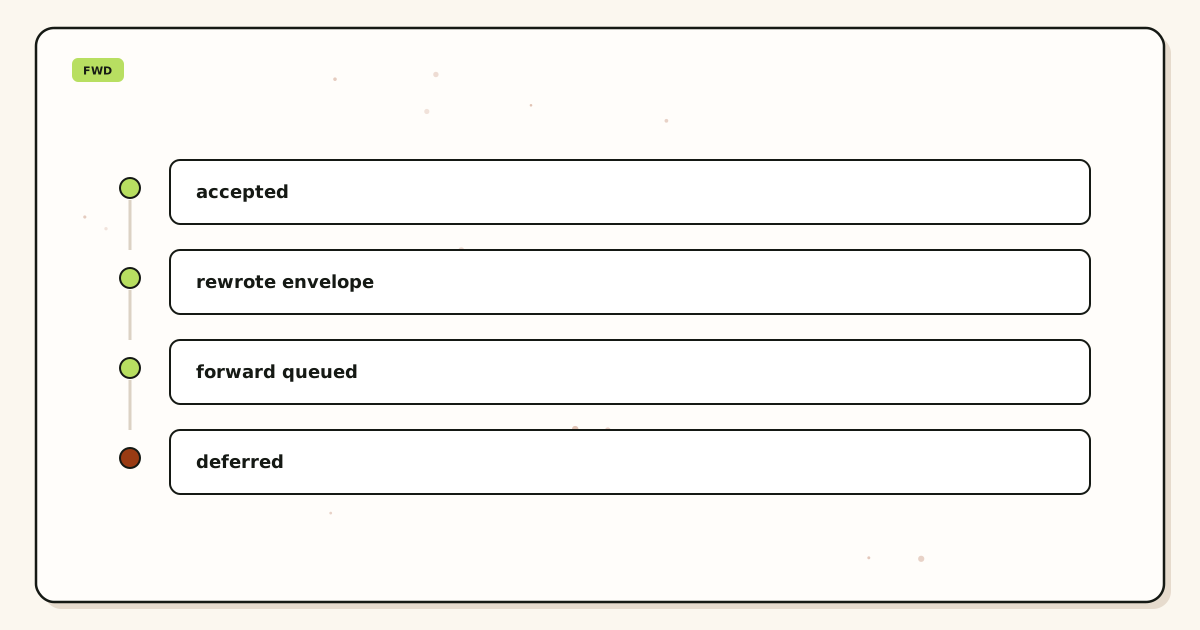
Email delivery statuses accepted, forwarded, and delivered are three hops, not one green badge. Accepted means this layer took the message. Forwarded means the destination SMTP session started. Delivered at Gmail or Outlook is the store’s accept or classify — Primary is not promised. Empty history is leftover MX or an unnamed alias. A spam tab is not a reject. Envelope SRS only. Header From stays. Confirm numbers on pricing. None of this is an inbox SLA.
Quick answer
Read MailerZ history as the accepted and forwarded hops this layer saw. Read the destination, including spam, as delivered-or-classified. That is the whole map for email delivery statuses accepted forwarded delivered. SMTP 250 at MailerZ is hop two after public MX. The destination may also return 250 and file the copy in junk. Both 250s can be true. Neither one is “the customer saw it.”
Empty history is hop one. The public lookup never reached this layer, or the local-part was held or unnamed. Delivery recovery stores hops this layer saw. Leftover misses are not there. Asking the store for a registrar 250 is asking for a log that does not exist.
Send-as 550 is a different path. Free cannot finish outbound. That line is hop five, not inbound delivered. Split those tickets before you rebuild aliases.
MailerZ Free is one domain, ten aliases, one seat, a 14-day store, send-as Off, SMTP Off, API Off, and unrouted mail held or rejected only. Solo is $40 per year only: 5 domains, 25 aliases, 2,500 outgoing per month. Starter is $8 monthly or $80 yearly. Business is $19 or $190. Agency is $39 or $390. Unlimited is $99 monthly or $990 yearly, with a 180-day store. Confirm live numbers on MailerZ pricing. Those ceilings are capacity, not an inbox-placement promise.
Transport still follows IETF RFC 5321 — Simple Mail Transfer Protocol. A 250 is accept, not happiness. Gmail’s Send mail as labels live in Google Gmail Help — Send mail from a different address. Workspace as a suite is described on Google Workspace — product overview. None of those pages turn a spam folder into a bounce.
The real decision
The usual ticket starts with a form that printed “sent.” Finance never got the PDF. Someone opens Gmail, sees nothing, and calls the forward a failure. They remap sales@ twice. They add a second destination “to see which one works.” They still have not named the hop.
The other ticket has a history row that says 250. The operator still says “not delivered” because Primary is empty. Promotions had the unique subject the whole time. Status words were the bug, not the alias.
A third ticket never created a row. Public MX still pointed at a leftover Google, Microsoft, Cloudflare routing, or registrar host. That host 250’d. The plugin believed it. MailerZ never saw the copy. Recreating aliases cannot fix a hop that never arrived.
| Word | Hop | Proof |
|---|---|---|
| Accepted | This layer returned 250 | Delivery history row |
| Forwarded | Destination SMTP started | History toward the dest |
| Delivered / classified | Store accepted, then filed | Inbox or spam search |
| Empty | Hop one skipped | Public MX leftovers or unnamed local-part |
| Held | Policy on unknowns | Hold queue, not a dest reject |
| Send-as 550 | Outbound plan or auth | SMTP response on the send path |
Criteria stay small: unique subject, history row, destination search including spam, named hop. If you cannot print those four, you are guessing. Guessing is how people call Promotions a bounce and leftover MX a Gmail outage.
Prove inbound from another mailbox before you print hello@ on a homepage.
Start free — one domainTechnical mail flow
A sender looks up MX on the public nameservers that actually answer. If those records still include a leftover host, that host can accept the message and this layer never hears about it. Priority numbers are an order, not load balancing. A higher-preference leftover is idle only if it is gone. Save the old MX set before you delete anything. Check more than one public view because TTL lies.
When MailerZ is the exclusive MX, this layer accepts for a verified domain and a configured recipient, or holds unknown mail on Free. It then opens SMTP to the destination you configured. The destination returns 2xx, 4xx, or 5xx. That reply is the forwarded fact. The destination may then classify the copy into Primary, Promotions, or spam. Classification is hop four. We do not move it.
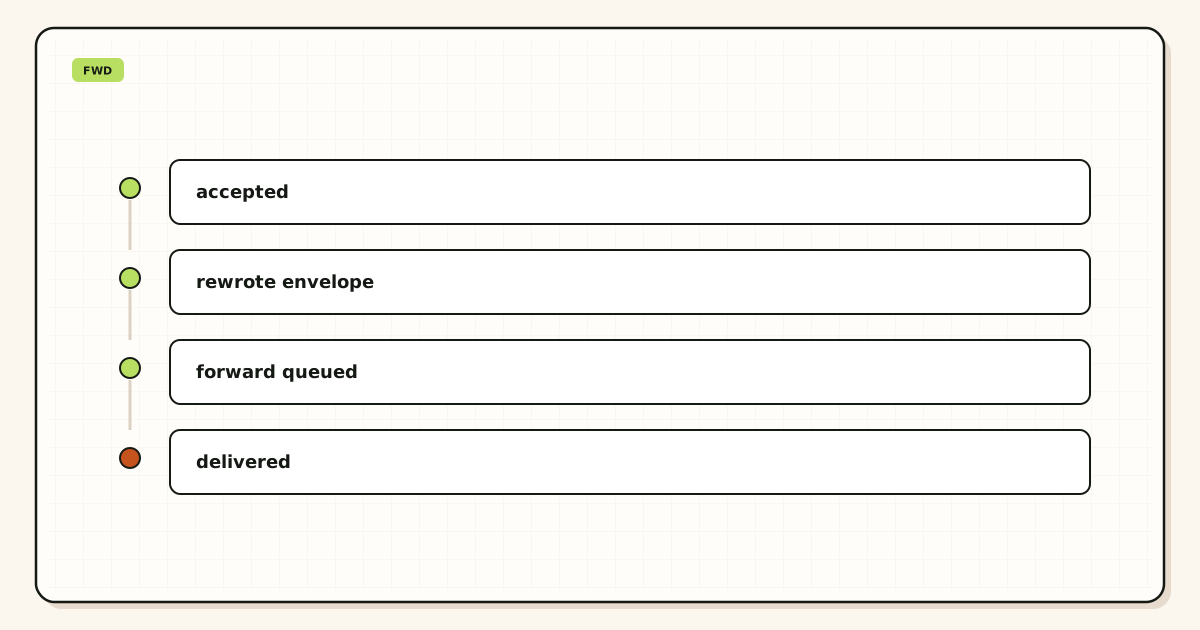
Two SMTP conversations
Inbound is one conversation: sender to MailerZ. Forward is a second conversation: MailerZ to Gmail, Outlook, or another store. Two destinations can mix 250 and 5xx on the same message. History looks messy because the world was messy. Probe both stores. Fix quota on the full one. Send a new subject after the fix. Do not delete the alias because one dest was full overnight.
What stays intact
MailerZ is inbound MX plus authenticated SMTP from Secuno LLC. Envelope SRS may rewrite MAIL FROM so the next hop can pass SPF. Header From, Subject, Date, Message-ID, body, and MIME are never rewritten. That matters when you later open original headers. If some other forwarder rewrote From, you will debug the wrong identity. This product does not do that rewrite on inbound.
What this layer is not
It is not Google Workspace, not IMAP, and not an open relay. Unauthorized send is SMTP 550 / 550 5.7.1. Leftover MX is a hard stop for a clean cutover. Self-send from Gmail to the same Gmail account can hide routing errors. MailerZ does not claim an uptime SLA or an inbox-placement contract. Legal pages are published separately. Do not treat a hop log as eDiscovery.
Hold is not accepted-to-dest. It is policy on unknowns. Review the store. Promote a leftover only when a real person used it. Fan-out of unknowns into two inboxes trains two spam buttons and makes “delivered” mean two stores. Plus addressing on Gmail is not a custom-domain unknown policy. MailerZ will not strip plus tags on your domain the way Gmail does on @gmail.com.
Step-by-step diagnosis
Write a unique subject first. Then look up MX. Then read history. Then search the destination. That order is the setup for email delivery statuses accepted forwarded delivered. Reversing it is how people rebuild aliases before they print leftovers.
Print public MX from two views
Exclusive MailerZ MX on the authoritative nameservers. No leftover Google, Microsoft, Cloudflare routing, or registrar forwarder. If two resolvers disagree, wait for TTL or you are still split.
Confirm the named alias exists
Printed addresses need named targets. Catch-all forward is not a safety feature for everyday production. Hold unknowns. Promote a leftover only when a human used it.
Send from another mailbox
Use an unrelated provider and a unique subject. Self-send from Gmail to the same Gmail account can short-circuit. That green result is why people swear routing works while customers vanish.
Read accepted and forwarded in history
A row with 250 at this layer is accepted. A dest session is forwarded. No row means hop one. Recovery on delivery recovery cannot fetch a leftover miss.
Search the destination including spam
Search the unique subject. Check filters. If you fan-out, search both stores. Classify is hop four. We will not move the message to Primary.
If history is empty, stop blaming Gmail
Leftover MX or an unnamed local-part. DNS help lives on troubleshooting. Delete the leftover. Wait. Probe again with a new subject.
If the dest returned 5xx, fix the store
Quota, policy, or a full mailbox. That is a destination problem. A new alias will hit the same wall.
Keep send-as 550 on its own ticket
Free has no send-as. Copy host, port, and TLS from the dashboard together. Set From to an identity you created. Catch-all does not mint a From. Creating an inbound alias does not approve outbound.
Field maps live in the MailerZ documentation. If a doc and the live pricing page disagree on limits, pricing wins.
Failure modes and proof
Most “delivery” fights are category errors. Proof is a history row with a timestamp and a remote SMTP response, plus a destination search if the hop succeeded. A plugin badge is not proof. A founder’s memory of Primary is not proof.
| Symptom | Likely cause | What to check |
|---|---|---|
| Empty history, plugin said sent | Leftover MX answered. | Public MX from two resolvers. |
| History 250, inbox empty | Dest classified to spam or Promotions. | Search the unique subject in all folders. |
| One dest 250, one dest 5xx | Mixed stores. | Probe both. Fix quota. New subject. |
| Self-send looks fine | Gmail short-circuit. | External probe. Expected, not an outage. |
| Outbound 550 | Free send-as or bad AUTH. | Plan boundary. Not inbound delivered. |
| Held pile growing | Unknowns on Free, no queue habit. | Named aliases for printed addresses. |
Leftover MX is the usual ghost. Check a public lookup before you blame Gmail.
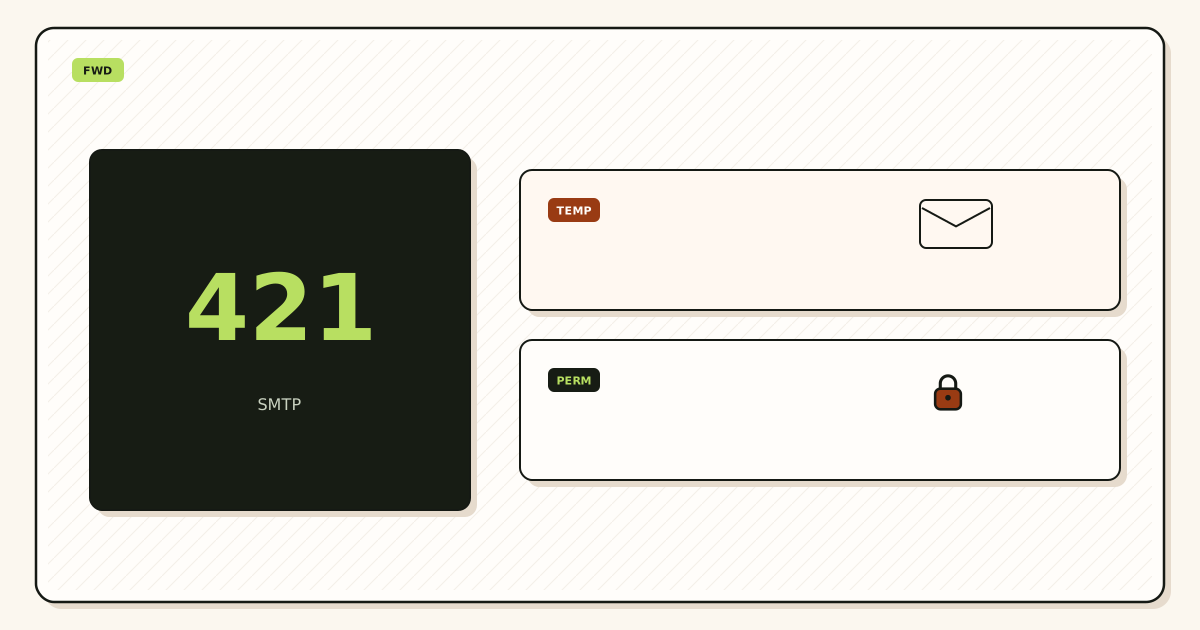
Open leftover MX troubleshootingTemporary dest 4xx is not a MailerZ reject. Do not disable the domain because one dest deferred overnight. Permanent dest 5xx is stop-and-fix. Retrying 550 5.7.1 unauthorized From is not persistence. It is repeating a policy failure.
MailerZ workflow and product boundary
Use this page as vocabulary. Use delivery recovery when you need the hop this layer stored. Use troubleshooting when MX is still split. Use docs for the field map. Features are listed on MailerZ features. None of those surfaces promise Primary.
The 14-day Free store, the 90-day Solo through Agency store, and the 180-day Unlimited store are recovery windows for hops this layer saw. They are not Vault and not legal hold. If counsel wants eDiscovery, buy eDiscovery. Opening a body for break-glass recovery can create an audit row. That is a control, not a second mailbox login.
Agencies should keep status words per client zone. Separate SMTP credentials. Do not pour every client into one catch-all because the spreadsheet got long. Agency plan capacity exists so you can hold more domains and aliases. It does not replace a named list. Offboard means delete MX you own, revoke SMTP, and stop forwarding leftovers into the agency inbox.
Comparisons only help after the hop is honest. Cloudflare Email Routing is inbound routing. A privacy-mask product hides a destination on a provider domain. A suite hosts mailboxes and calendar. MailerZ is the delivery layer when you already have Gmail or Outlook and you need a domain route you can prove. Cite the other product’s documentation. Do not invent feature parity. Do not sell this as a Gmail replacement.
Cost, observability, and what to buy instead
Observability is included in the hop. It is not an inbox SLA. You do not pay extra for the words accepted and forwarded. You pay for domains, aliases, seats, store length, and outgoing send-as. Confirm the live pricing page before you quote a number in a contract.
Stay on Free while the question is “does inbound reach a named alias.” Upgrade when you need send-as, a longer store, more domains, or paid unknown-mail forward. Solo at $40 per year is the first paid ceiling for one operator. Starter through Agency add seats and volume. Unlimited adds a 180-day store and a 100,000 outgoing monthly cap. Those numbers are not a promise that Promotions will stay empty.
Buy a hosted mailbox or archive product when the job is years of search, litigation hold, or a reading pane you operate. Buy an ESP when the job is bulk marketing. MailerZ is not that product. Operational mail through authenticated SMTP is a different article. This page stays on inbound status words.
Competitor blogs can be research. They are not proof. Prefer RFCs and the destination vendor’s own help. If a slide says “delivered” without naming the hop, treat it as marketing.
Worked tickets
History said 250. They said not delivered.
Unique subject sat in Promotions. They remapped sales@ twice. Status words were the bug. They searched spam, trained the destination, and left the alias alone. Accepted and forwarded had been true. Delivered-to-Primary had never been a promise.
A plugin said delivered when hop one never ran
A contact form showed “sent.” The operator opened Gmail. Nothing. They asked why MailerZ delivered then lost the body. Public MX still pointed at a registrar forwarder. History was empty. There was no accepted, no forwarded, no delivered at this layer. The plugin spoke SMTP to a leftover host. That 250 was not MailerZ. Delete the leftover. Wait for two resolver views. Probe from another mailbox. Then the three words start meaning something you can print.
Two founders, two dests, one red cell
One dest 250’d. The other dest 452’d mailbox full. The spreadsheet merged both into “broken.” They almost deleted the alias. They probed both stores, freed quota, and sent a new subject. Mixed status is two facts. Do not average them.
Form 550 mixed into inbound
A WordPress site could not send as hello@. The ticket said “email not delivered.” Inbound probes were fine. History showed accepted and forwarded for customer mail. The 550 was Free send-as, hop five. They stayed on inbound Free until the path was proven, then paid for SMTP and copied the dashboard pair. The inbound alias never needed a rebuild.
A second worked pass: write the last change on a sticky note before you open the dashboard. Nameserver move, leftover MX, new form plugin, contractor laptop, or a registrar forwarding toggle are the usual five. MailerZ history only shows hops that reached this layer. If the sticky note says leftover MX, you do not have a status mystery. You have a split. Delete the leftover. Wait for TTL. Probe again.
A third pass: print the public list of aliases. If you cannot print it, you are not ready for production unknowns and you are not ready for a bigger alias ceiling. Unlimited aliases as marketing will not save a missing list. Three named aliases on Free are enough to stop printing a personal Gmail on a homepage. Grow the list when a real person used a leftover, not when a harvest guessed admin@.
A status dictionary you can paste into a ticket
Accepted: MailerZ returned 250 for this message. The public MX path reached this layer. The alias was a named target or a paid forward you turned on. It is not Primary. It is not “the customer saw it.”
Forwarded: this layer opened SMTP to the destination you configured. The dest may still 4xx or 5xx. Read the dest code in history. A dest 250 plus a spam folder is still forwarded-and-stored. We will not move it.
Delivered, in dest language, means the dest store accepted. It does not mean Primary. It does not mean the human opened it. Empty history: hop one missed, or the local-part was held or unnamed. Held: policy, not a dest reject. 550 on send-as: outbound plan or auth, not inbound delivered. Leftover MX: another host’s 250, invisible here.
Paste those six lines before you ask support to “check delivery.” Attach timestamp, unique subject, public MX, and a dest screenshot of spam if you already looked. Do not attach passwords. Do not attach SMTP secrets. Confirm pricing if the 550 is Free send-as.
Why “delivered” in a plugin is not hop four: form plugins often print delivered when their SMTP client got a 250 from whoever answered. If leftover MX answered, that 250 is not MailerZ accepted. If MailerZ accepted and forwarded, the plugin still does not know dest classify. Treat plugin copy as hop-unknown until history and a dest screenshot agree.
Do not rebuild the alias because a plugin lied. Do not add a second dest to “see which one works.” Print MX. Delete leftovers. Confirm pricing only if outbound 550 is the actual line. Agencies should keep this dictionary per client. Name which dest 250’d. Name which dest 5xx’d. Solo through Agency ceilings are on the live pricing page. They are not an inbox SLA.
RFC 5321 still defines 250 as accept. Google Send mail as is chrome for outbound identity, not a status word. If you need the outbound path later, follow Gmail’s own steps and a paid MailerZ plan. This page stays inbound.
How to read one history row
A useful row names the time, the local-part, the destination, and the remote code. 250 at this layer is accepted. 250 at the dest is forwarded-and-stored. 421 or 451 at the dest is a temporary deferral — wait and send a new subject after the dest recovers. 452 is often mailbox full. 550 5.1.1 is unknown recipient at the dest, not leftover MX here. 550 5.7.1 on send-as is outbound policy. If the row is missing, do not invent a dest code. Print MX.
Two public lookups that still show an old host mean you are not debugging Gmail. You are debugging a split. Priority 10 leftover and priority 20 MailerZ is not “failover.” Senders will keep hitting the leftover until it is gone. Save the old set. Delete it. Wait until both views match. Then the words accepted and forwarded can appear.
If you fan-out to two founders, say which dest the row is about. A 250 to founder A and a 5xx to founder B is not “half delivered” as a mood. It is two hops. Search founder A’s spam before you rebuild the public address. Free founder B’s quota before you add a third dest “for safety.” Extra dests multiply classify, they do not multiply truth.
FAQ
- What does accepted mean if Gmail still looks empty?
- Accepted means MailerZ returned SMTP 250 for that message. The public MX path reached this layer and a named alias or a paid unknown-mail forward existed. It does not mean Primary, Promotions, or that a person opened the mail. Search the destination including spam, then read the forwarded hop in delivery history.
- Is a spam folder a failed forward?
- No. If history shows forwarded and the destination returned 250, the store accepted the message. Classify is a later hop. Promotions and spam are still delivered-to-the-store. Train the destination. Do not recreate the alias.
- Why is delivery history empty?
- Hop one never ran, the local-part was unnamed, or unknowns are held. Leftover MX on a leftover host is the usual ghost. A registrar or old provider can 250 a copy you will never see here. Print public MX from two resolvers before you blame Gmail.
- Does this require a new mailbox?
- No. MailerZ is inbound MX plus authenticated SMTP. It is not IMAP or POP; Mail Box is portal webmail. Gmail or Outlook stays the store unless you separately buy a hosted mailbox product. Status words describe hops, not a reading pane.
- Will it work with Gmail or Outlook?
- Yes as destinations when the mailbox is a real inbox you control. Inbound does not need Google Workspace. Branded replies need a paid plan with send-as, plus Gmail Send mail as or a manual Outlook SMTP identity. Free has no send-as. Self-send from Gmail to the same Gmail account can hide the forward hop.
- What should I attach when I ask support about delivery?
- Timestamp, unique subject, public MX from two views, and the destination screenshot if you already searched spam. A 550 line and Message-ID help if the hop reached this layer. Do not mail passwords or SMTP secrets.
Key takeaways
- Accepted is this layer’s 250, not Primary.
- Forwarded is the destination SMTP session.
- Dest classify is hop four. Spam is not a reject.
- Empty history is hop one: leftover MX or unnamed alias.
- Hold is policy, not a dest bounce.
- Probe with a unique subject from another mailbox.
- Split send-as 550 from inbound status.
- Plugin “delivered” is whoever answered, not hop four.
Conclusion and next action
Accepted, forwarded, and delivered are hops. MailerZ can show the first two when it saw the message. The store classifies the third. Cut leftovers so the first hop exists. Search spam before you recreate aliases. Name the hop before you name the mood.
Start free on one domain you can break. Sign in if the zone already lives here and history is empty while public MX is still Google. Review quarterly, or sooner after a nameserver move, a plugin swap, or a staff departure.
Name the hop
Start free, cut leftovers, prove accepted and the dest search on a unique subject.
Do not call Promotions a bounce.
Review quarterly, or sooner if Gmail, Workspace, or MailerZ scope changes. Author: MailerZ editorial, Secuno LLC.